一、spring cloud简介
目前spring cloud的版本更新到了Finchley,支持的springbott2.0以上版本。具体版本可以参照下面的表格。
| Cloud代号 | Boot版本(train) | Boot版本(tested) | lifecycle |
|---|---|---|---|
| Angle | 1.2.x | incompatible with 1.3 | EOL in July 2017 |
| Brixton | 1.3.x | 1.4.x | 2017-07卒 |
| Camden | 1.4.x | 1.5.x | - |
| Dalston | 1.5.x | not expected 2.x | - |
| Edgware | 1.5.x | not expected 2.x | - |
| Finchley | 2.x | not expected 1.5.x | - |
Finchley版本的官方文档链接:
http://cloud.spring.io/spring-cloud-static/Finchley.RELEASE/single/spring-cloud.html
二、创建服务注册中心
在这里,我还是采用Eureka作为服务注册与发现的组件,至于Consul 之后会出文章详细介绍。
2.1 首先创建一个maven主工程。
首先创建一个主Maven工程,在其pom文件引入依赖,spring Boot版本为2.0.3.RELEASE,Spring Cloud版本为Finchley.RELEASE。这个pom文件作为父pom文件,起到依赖版本控制的作用,其他module工程继承该pom。这一系列文章全部采用这种模式,其他文章的pom跟这个pom一样。再次说明一下,以后不再重复引入。代码如下:
 1 <?xml version="1.0" encoding="UTF-8"?>
 2 <project xmlns="http://maven.apache.org/POM/4.0.0"
 3          xmlns:xsi="http://www.w3.org/2001/XMLSchema-instance"
 4          xsi:schemaLocation="http://maven.apache.org/POM/4.0.0 http://maven.apache.org/xsd/maven-4.0.0.xsd">
 5     <modelVersion>4.0.0</modelVersion>
 6
 7     <groupId>com.liu</groupId>
 8     <artifactId>SpringCloudLearn01</artifactId>
 9     <version>1.0-SNAPSHOT</version>
10
11     <name>sc-f-chapter1</name>
12     <description>Demo project for Spring Boot</description>
13
14     <parent>
15         <groupId>org.springframework.boot</groupId>
16         <artifactId>spring-boot-starter-parent</artifactId>
17         <version>2.0.3.RELEASE</version>
18         <relativePath/>
19     </parent>
20
21     <modules>
22         <module>eureka-server</module>
23         <module>service-client</module>
24         <module>serice-feign</module>
25     </modules>
26
27     <properties>
28         <project.build.sourceEncoding>UTF-8</project.build.sourceEncoding>
29         <project.reporting.outputEncoding>UTF-8</project.reporting.outputEncoding>
30         <java.version>1.8</java.version>
31         <spring-cloud.version>Finchley.RELEASE</spring-cloud.version>
32     </properties>
33
34     <dependencies>
35         <dependency>
36             <groupId>org.springframework.boot</groupId>
37             <artifactId>spring-boot-starter-test</artifactId>
38             <scope>test</scope>
39         </dependency>
40     </dependencies>
41
42     <dependencyManagement>
43         <dependencies>
44             <dependency>
45                 <groupId>org.springframework.cloud</groupId>
46                 <artifactId>spring-cloud-dependencies</artifactId>
47                 <version>${spring-cloud.version}</version>
48                 <type>pom</type>
49                 <scope>import</scope>
50             </dependency>
51         </dependencies>
52     </dependencyManagement>
53
54     <build>
55         <plugins>
56             <plugin>
57                 <groupId>org.springframework.boot</groupId>
58                 <artifactId>spring-boot-maven-plugin</artifactId>
59             </plugin>
60         </plugins>
61     </build>
62
63 </project>
2.2 然后创建2个model工程:**一个model工程作为服务注册中心,即Eureka Server,另一个作为Eureka Client。
下面以创建server为例子,详细说明创建过程:
右键工程->创建model-> 选择spring initialir 如下图:
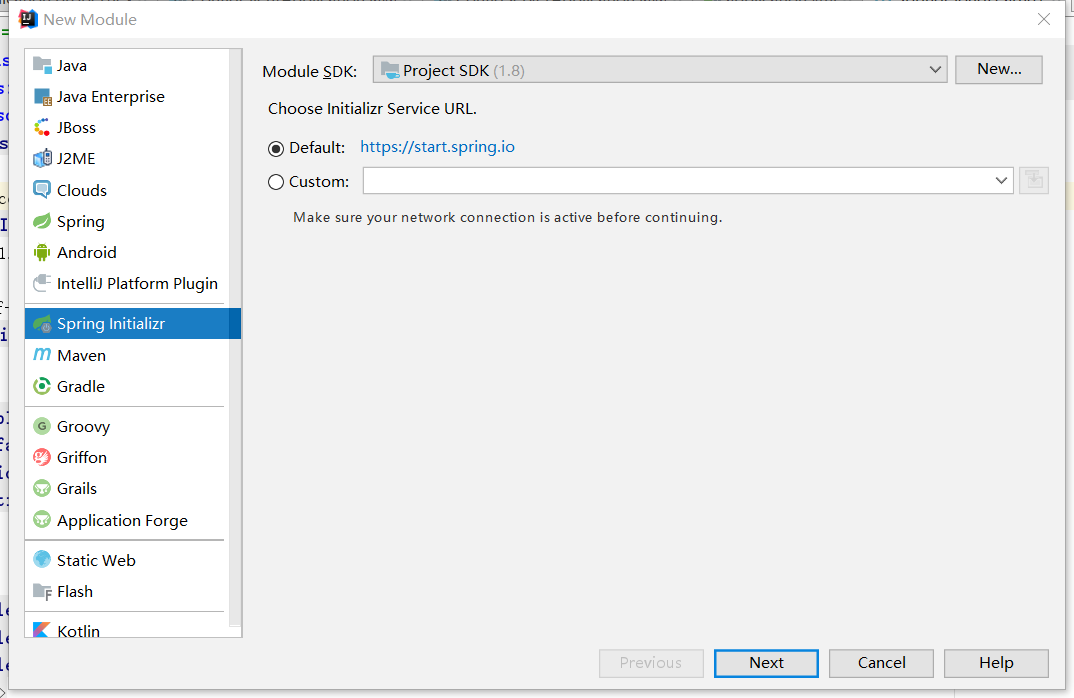
下一步->选择cloud discovery->eureka server ,然后一直下一步就行了。
创建完后的工程,其pom.xml继承了父pom文件,并引入spring-cloud-starter-netflix-eureka-server的依赖,代码如下:
<?xml version="1.0" encoding="UTF-8"?>
<project xmlns="http://maven.apache.org/POM/4.0.0" xmlns:xsi="http://www.w3.org/2001/XMLSchema-instance"
         xsi:schemaLocation="http://maven.apache.org/POM/4.0.0 http://maven.apache.org/xsd/maven-4.0.0.xsd">
    <modelVersion>4.0.0</modelVersion>
    <parent>
        <groupId>com.liu</groupId>
        <artifactId>SpringCloudLearn01</artifactId>
        <version>1.0-SNAPSHOT</version>
    </parent>

    <groupId>com.liu.example</groupId>
    <artifactId>config-client</artifactId>
    <version>0.0.1-SNAPSHOT</version>
    <name>config-client</name>
    <description>Demo project for Spring Boot</description>

    <dependencies>
        <dependency>
            <groupId>org.springframework.boot</groupId>
            <artifactId>spring-boot-starter-web</artifactId>
        </dependency>
        <dependency>
            <groupId>org.springframework.cloud</groupId>
            <artifactId>spring-cloud-starter-config</artifactId>
        </dependency>

        <dependency>
            <groupId>org.springframework.boot</groupId>
            <artifactId>spring-boot-starter-test</artifactId>
            <scope>test</scope>
        </dependency>
    </dependencies>

</project>
2.3 启动一个服务注册中心,只需要一个注解@EnableEurekaServer,这个注解需要在springboot工程的启动application类上加:
package com.liu.example.eurekaserver;

import org.springframework.boot.SpringApplication;
import org.springframework.boot.autoconfigure.SpringBootApplication;
import org.springframework.cloud.netflix.eureka.server.EnableEurekaServer;

@SpringBootApplication
@EnableEurekaServer
public class EurekaServerApplication {

    public static void main(String[] args) {
        SpringApplication.run(EurekaServerApplication.class, args);
    }

}
**2.4 **eureka是一个高可用的组件,它没有后端缓存,每一个实例注册之后需要向注册中心发送心跳(因此可以在内存中完成),在默认情况下erureka server也是一个eureka client ,必须要指定一个 server。eureka server的配置文件appication.yml:
server:
  port: 8761

#通过eureka.client.registerWithEureka:false和fetchRegistry:false来表明自己是一个eureka server.
eureka:
  instance:
    hostname: localhost
  client:
    registerWithEureka: false
    fetchRegistry: false
    serviceUrl:
      defaultZone: http://${eureka.instance.hostname}:${server.port}/eureka/

spring:
  application:
    name: eurka-server
2.5 eureka server 是有界面的,启动工程,打开浏览器访问:
http://localhost:8761 ,界面如下:
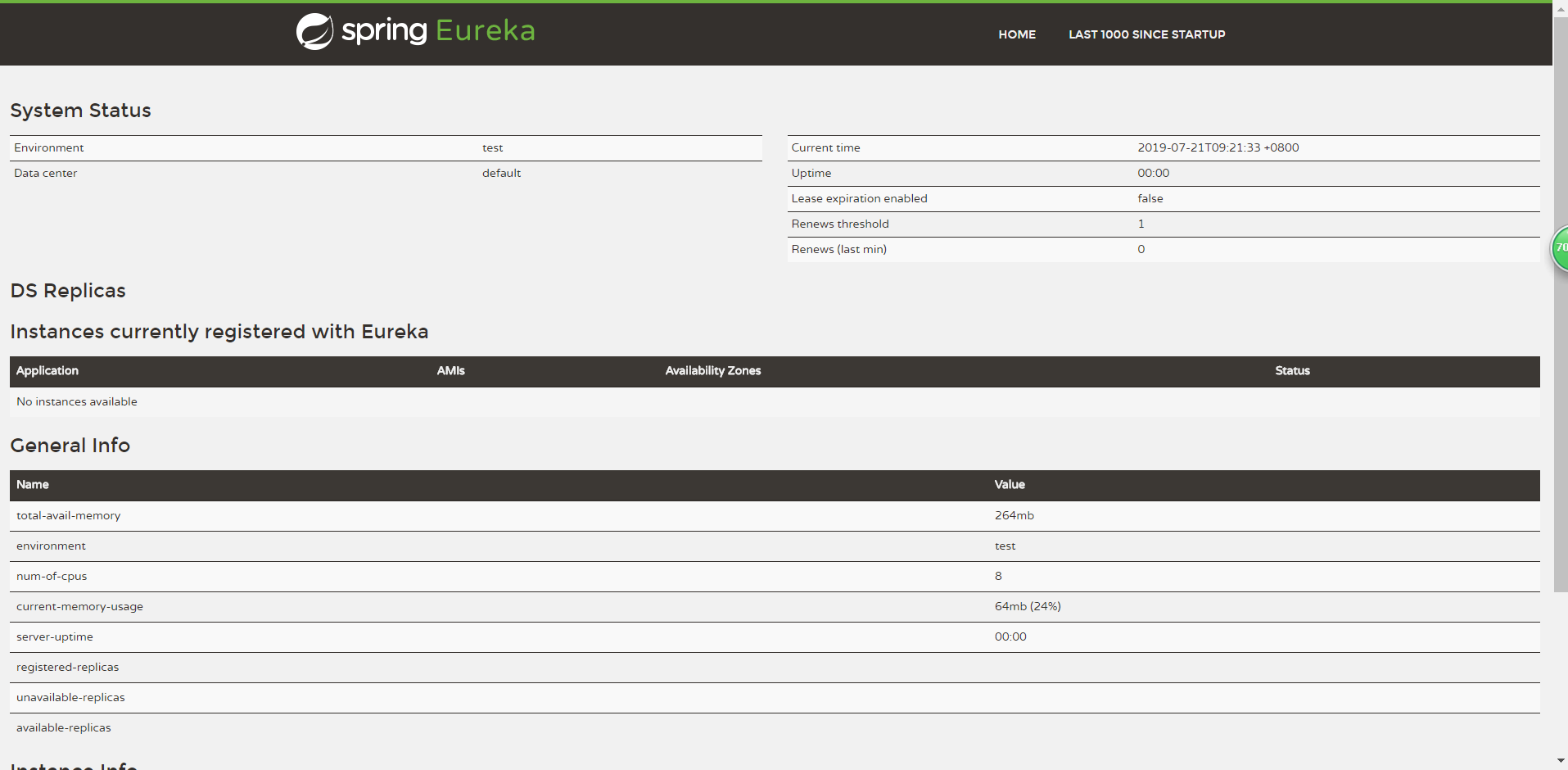
No application available 没有服务被发现 ……_
因为没有注册服务当然不可能有服务被发现了。
三、创建一个服务提供者 (eureka client)
当client向server注册时,它会提供一些元数据,例如主机和端口,URL,主页等。Eureka server 从每个client实例接收心跳消息。 如果心跳超时,则通常将该实例从注册server中删除。
创建过程同server类似,创建完pom.xml如下:
<?xml version="1.0" encoding="UTF-8"?>
<project xmlns="http://maven.apache.org/POM/4.0.0" xmlns:xsi="http://www.w3.org/2001/XMLSchema-instance"
         xsi:schemaLocation="http://maven.apache.org/POM/4.0.0 http://maven.apache.org/xsd/maven-4.0.0.xsd">
    <modelVersion>4.0.0</modelVersion>
    <parent>
        <groupId>com.liu</groupId>
        <artifactId>SpringCloudLearn01</artifactId>
        <version>1.0-SNAPSHOT</version>
    </parent>

    <groupId>com.liu.example</groupId>
    <artifactId>service-client</artifactId>
    <version>0.0.1-SNAPSHOT</version>
    <name>service-client</name>
    <description>Demo project for Spring Boot</description>

    <dependencies>
        <dependency>
            <groupId>org.springframework.cloud</groupId>
            <artifactId>spring-cloud-starter-netflix-eureka-client</artifactId>
        </dependency>

        <dependency>
            <groupId>org.springframework.boot</groupId>
            <artifactId>spring-boot-starter-web</artifactId>
        </dependency>

        <dependency>
            <groupId>org.springframework.boot</groupId>
            <artifactId>spring-boot-starter-test</artifactId>
            <scope>test</scope>
        </dependency>
    </dependencies>

    <build>
        <plugins>
            <plugin>
                <groupId>org.springframework.boot</groupId>
                <artifactId>spring-boot-maven-plugin</artifactId>
            </plugin>
        </plugins>
    </build>

</project>
通过注解@EnableEurekaClient 表明自己是一个eurekaclient.
package com.liu.example.serviceclient;

import org.springframework.boot.SpringApplication;
import org.springframework.boot.autoconfigure.SpringBootApplication;
import org.springframework.cloud.netflix.eureka.EnableEurekaClient;

@SpringBootApplication
@EnableEurekaClient
public class ServiceClientApplication {

    public static void main(String[] args) {
        SpringApplication.run(ServiceClientApplication.class, args);
    }

}
新建service类型写上一个方法:
package com.liu.example.serviceclient.service;

import org.springframework.beans.factory.annotation.Value;
import org.springframework.web.bind.annotation.Mapping;
import org.springframework.web.bind.annotation.RequestMapping;
import org.springframework.web.bind.annotation.RestController;

@RestController
public class helloSevice {

    @Value("${server.port}")
    String port;

    @RequestMapping("/hi")
    public String getHello(){
        return "hello! 我的端口号是:" + port;
    }
}
仅仅@EnableEurekaClient是不够的,还需要在配置文件中注明自己的服务注册中心的地址,application.yml配置文件如下:
server:
  port: 8762
spring:
  application:
    name: service-client

eureka:
  client:
    serviceUrl:
      defaultZone: http://localhost:8761/eureka/
需要指明spring.application.name,这个很重要,这在以后的服务与服务之间相互调用一般都是根据这个name 。
启动工程,打开http://localhost:8761 ,即eureka server 的网址:

你会发现一个服务已经注册在服务中了,服务名为SERVICE-HI ,端口为7862
这时打开 http://localhost:8762/hi?name=forezp ,你会在浏览器上看到 :
