
问题描述
在VS 2019调试 .Net Core Web应用的时,使用IIS Express Host,默认情况下会自动生成HTTP, HTTPS的端口,在VS 2019的项目属性->Debug中查看设置如下:
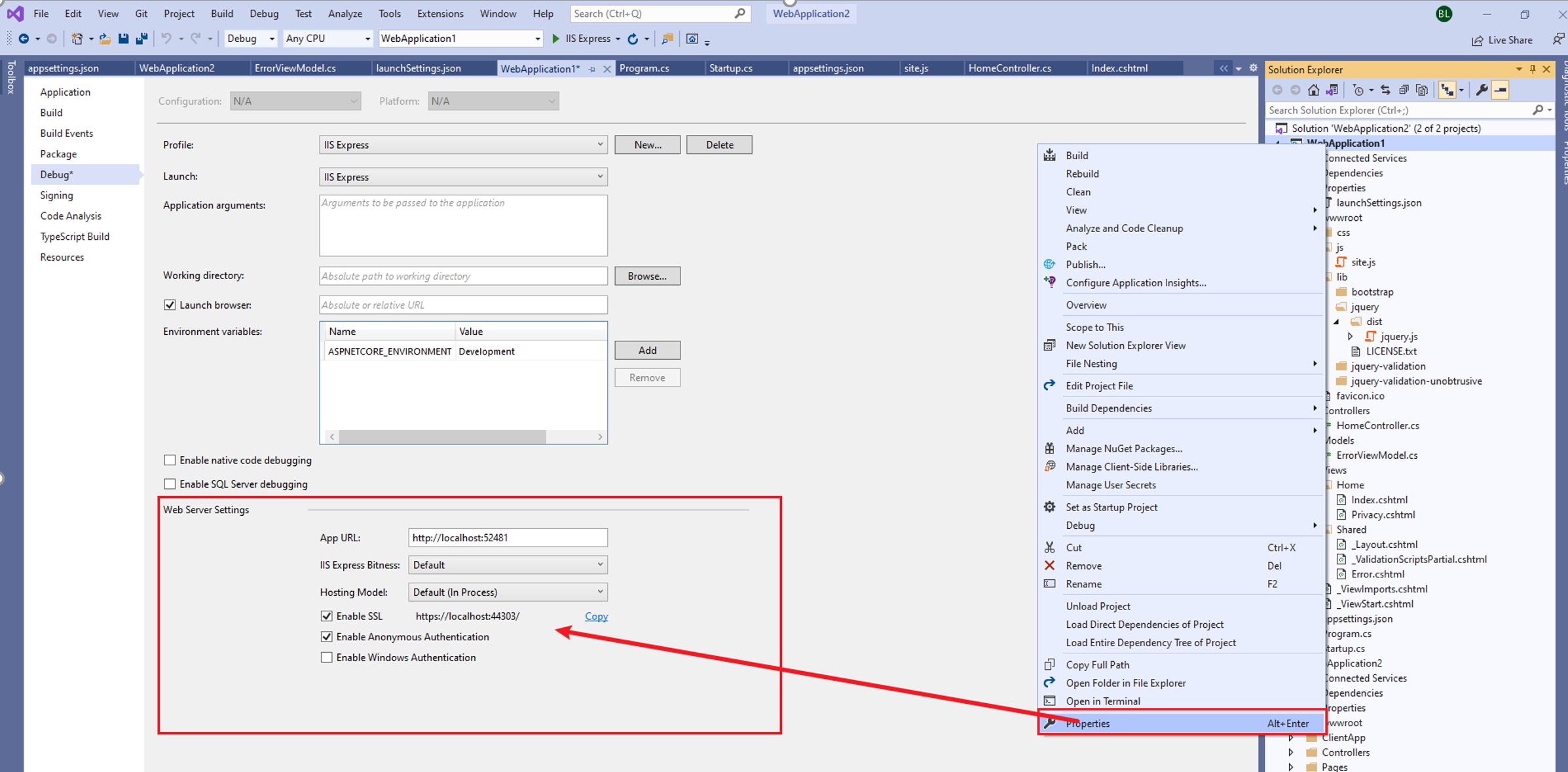
而此处的SSL(HTTPS)端口无法从Debug页修改。这里是否有其他办法呢?
解决办法
端口由项目文件LaunchSettings.json配置,当不知道项目中是何处进行控制SSL的值时,可以通过Ctrl + F进行全解决方案的搜索。找出那些文件中包含了44303的关键字,如下:
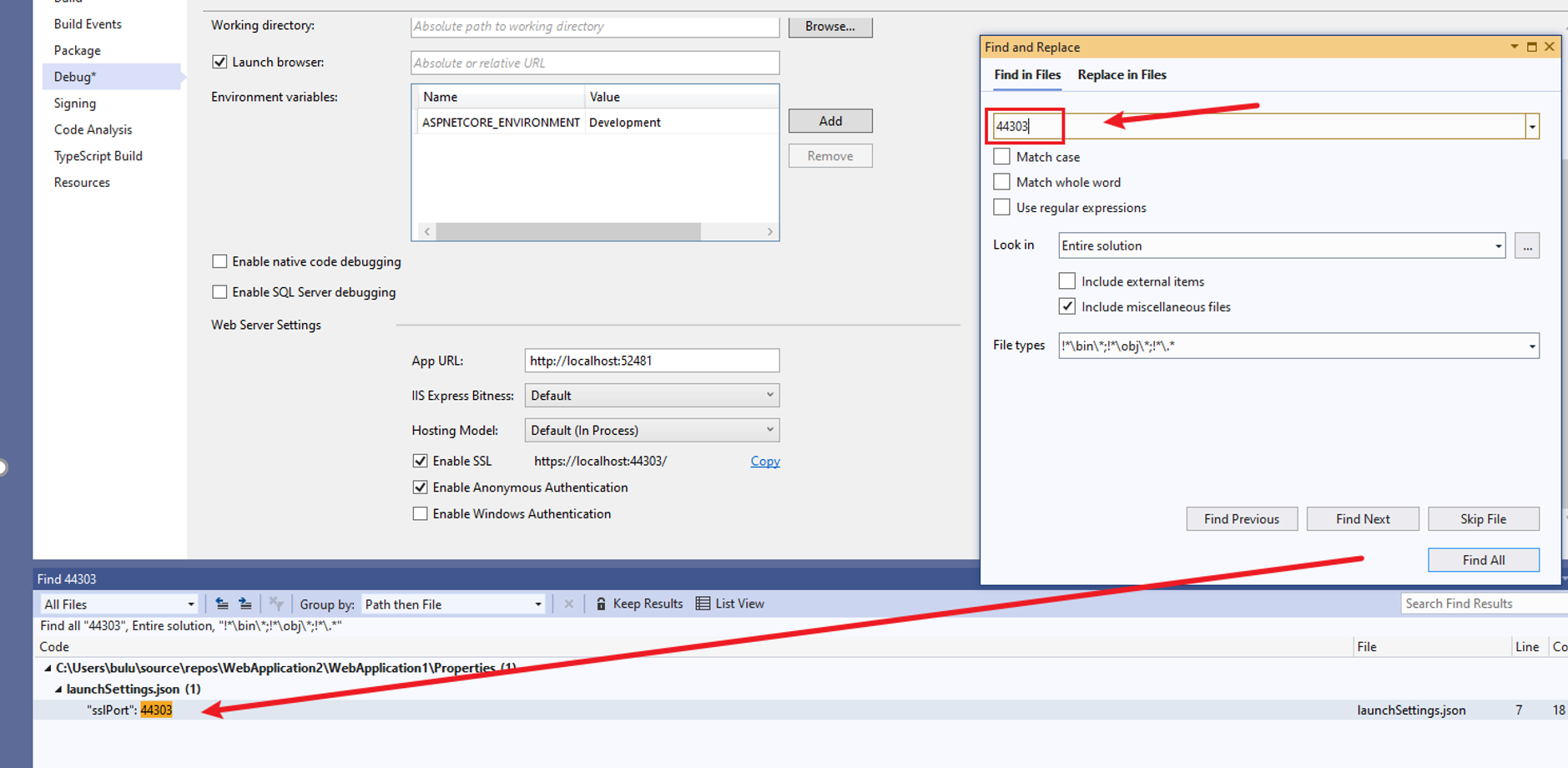
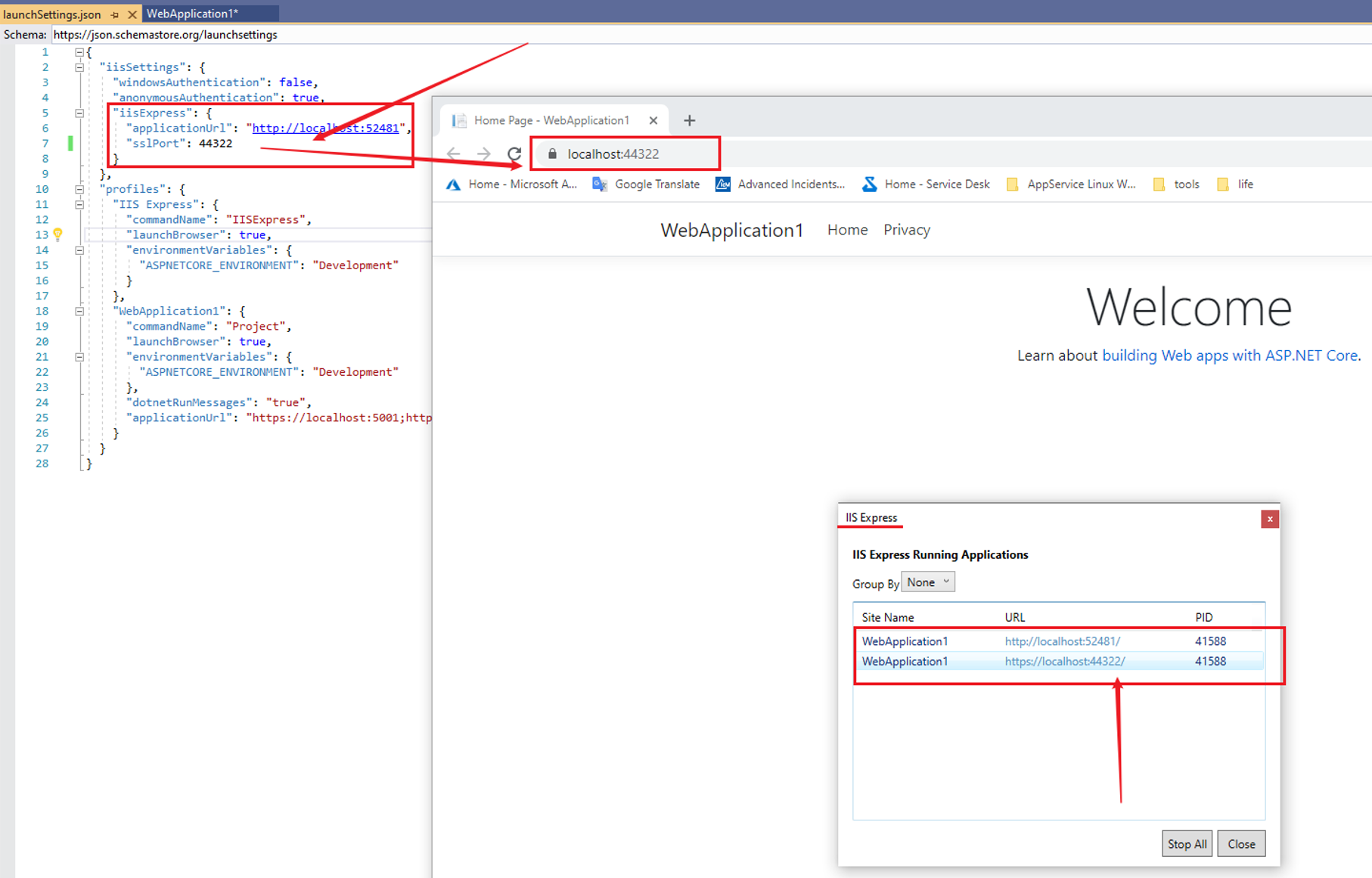
最终查找到Porject下的Properties文件中, LaunchSettings.json中包含了iisExpress http和https的端口设置(高亮部分)。在对sslPort进行修改后,即可得到端口修改的办法。
{
  "iisSettings": {
    "windowsAuthentication": false,
    "anonymousAuthentication": true,
    "iisExpress": {
      "applicationUrl": "http://localhost:52481",
      "sslPort": 44303
    }
  },
  "profiles": {
    "IIS Express": {
      "commandName": "IISExpress",
      "launchBrowser": true,
      "environmentVariables": {
        "ASPNETCORE_ENVIRONMENT": "Development"
      }
    },
    "WebApplication1": {
      "commandName": "Project",
      "launchBrowser": true,
      "environmentVariables": {
        "ASPNETCORE_ENVIRONMENT": "Development"
      },
      "dotnetRunMessages": "true",
      "applicationUrl": "https://localhost:5001;http://localhost:5000"
    }
  }
}
修改为44322后的测试情况,可以通过新的端口访问应用
PS: 注意,并不是任何端口都可以成功,如这里设置55555,就出现无法访问的错误。
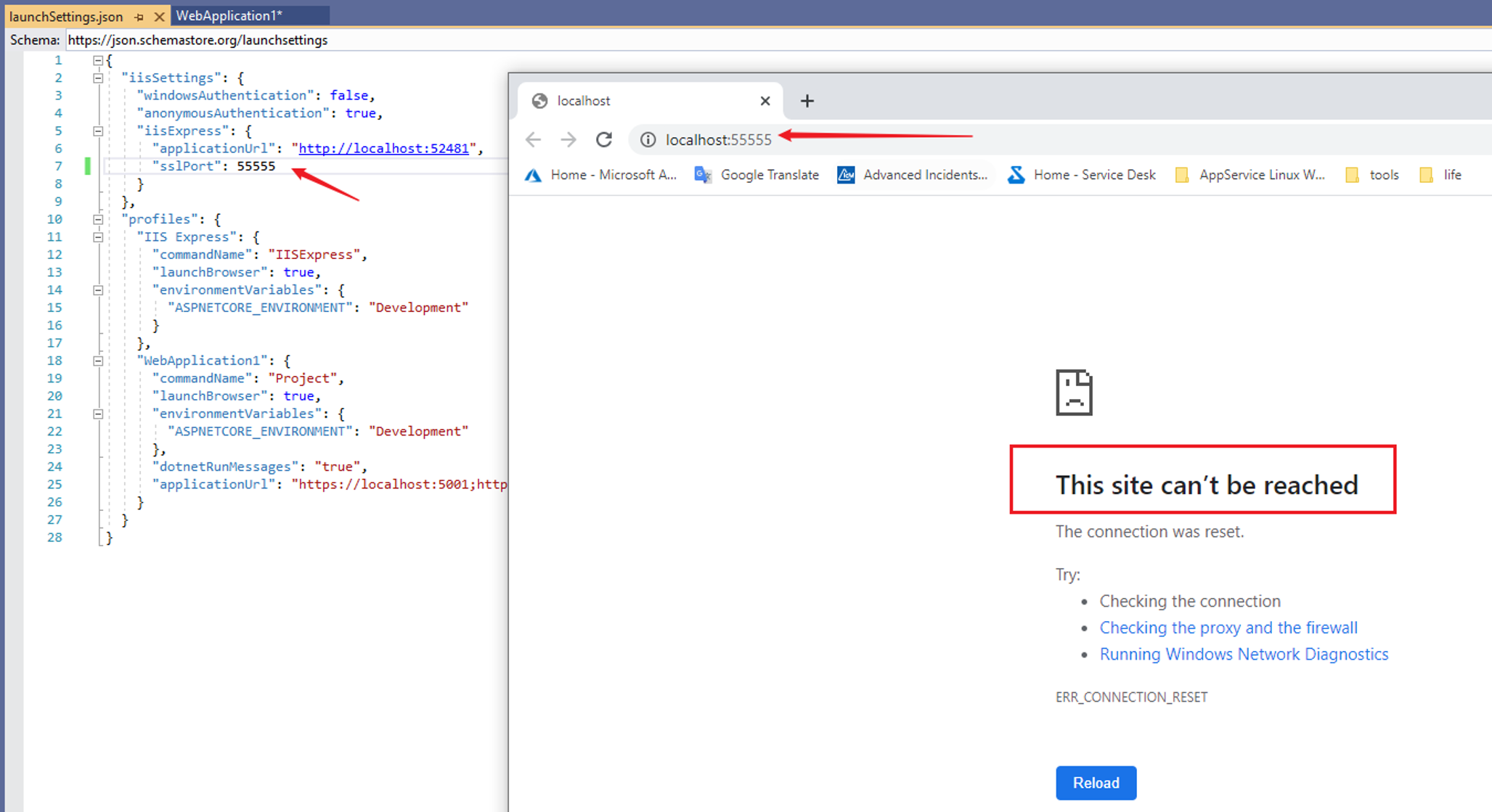
这是因为IIS Express SSL 的保留端口为44300 ~ 44399. 文档:https://docs.microsoft.com/en-us/iis/extensions/using-iis-express/running-iis-express-without-administrative-privileges
Using SSL
Configuring access over the secure sockets layer (SSL) requires administrative privileges on IIS Express, just like it does on IIS. However, the IIS Express setup program performs the following tasks that enable standard users to use SSL with IIS Express:
- It automatically creates and installs a self-signed SSL server certificate in the local machine store.
- It configures HTTP.SYS to reserve ports 44300 through 44399 for SSL. Incoming SSL requests that use localhost and one of the ports in the specified range are automatically associated with the self-signed certificate.
(HTTP.SYS is an operating system component that handles SSL for IIS and IIS Express. The setup program is able to configure HTTP.SYS because setup runs under elevated privileges.)