序言:
好久没有更新博客了,最近在工作中碰到这种需求,由于没有做过,中间碰到好多坑,最后在一位贵人帮助的情况下,最终还是搞定了。
第一步,先安装 cefpython3
pip install cefpython3
然后 运行下这块代码
from cefpython3 import cefpython as cef
import platform
import sys
from configparser import ConfigParser


def main():
    siteUrl = 'https://www.baidu.com/'
    title = '百度一下,你就知道'
    check_versions()
    sys.excepthook = cef.ExceptHook  # To shutdown all CEF processes on error
    cef.Initialize()

    """
    conf = ConfigParser()
    conf.read("config.ini",'utf-8')
    siteUrl = conf.get("main","url")
    title = conf.get("main","title")
    print(siteUrl)
    print(title)
    """
    cef.CreateBrowserSync(url=siteUrl,
                          window_title=title)
    cef.MessageLoop()
    cef.Shutdown()


def check_versions():
    ver = cef.GetVersion()
    print("[hello_world.py] CEF Python {ver}".format(ver=ver["version"]))
    print("[hello_world.py] Chromium {ver}".format(ver=ver["chrome_version"]))
    print("[hello_world.py] CEF {ver}".format(ver=ver["cef_version"]))
    print("[hello_world.py] Python {ver} {arch}".format(
           ver=platform.python_version(),
           arch=platform.architecture()[0]))
    assert cef.__version__ >= "57.0", "CEF Python v57.0+ required to run this"


if __name__ == '__main__':
    main()
是不是突然间 弹出了一窗口
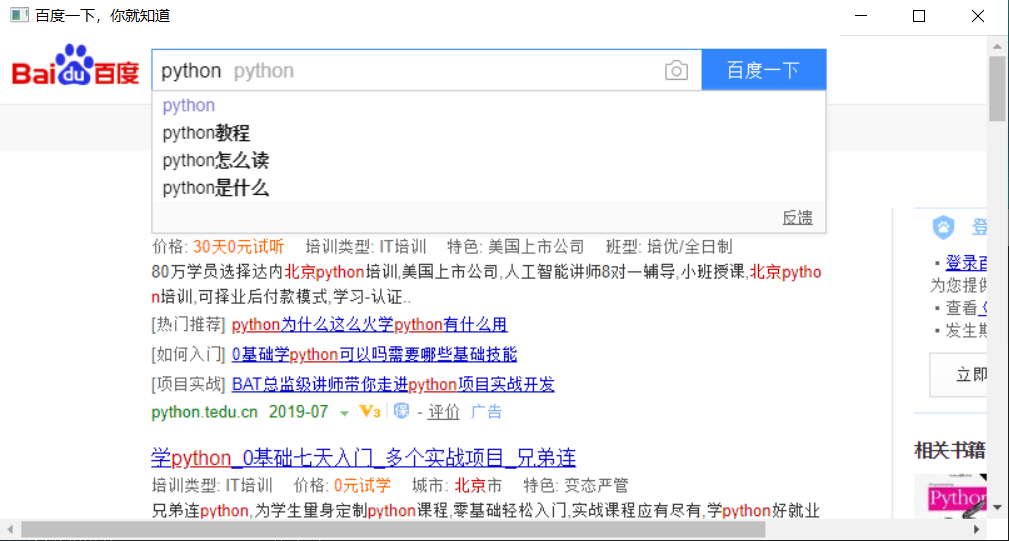
好,要的就是这种效果,但问题来了,我们如何在没有python 环境的电脑上运行呢?接着看......
说白了就是要把 把这个python 脚本打包,打包过程中需要用到 python 的 ,向下看:
pip install pyinstaller
pip install pycrypto
如果顺利安装完成,过程中没有报错,好可以继续了,如果卡到第二个包无法安装,那么也正常,我装这个包装了好久,最终都没安装成功,因为在打包过程中编译时需要依赖 Microsoft visual c++ 14.0 环境,我这边反正是安装了但是 pycrypto 还是无法安装,就报这个错误。

我建议大家 还是安装 anaconda ,然后用这个安装这个包,记得以前用这个安装过 scrapy 爬虫框架,就是用它搞定的。
anaconda 的 具体使用方法可参考 https://blog.csdn.net/ITLearnHall/article/details/81708148 ,当然,自己百度也行。
这几个包安装完成之后,我们就可以打包了,来 上这位老哥的git 地址。
https://gitee.com/zhangleijay/cefpython_browser
必须感谢这位老哥,在出差期间 教我怎么打包,非常感谢,拉下来看说明 直接运行就可以
这个包打完之后,我们就看到下面这些文件了,点击exe文件。


是不是 非常 666
文章最后,送大家几个字 越努力 越幸运