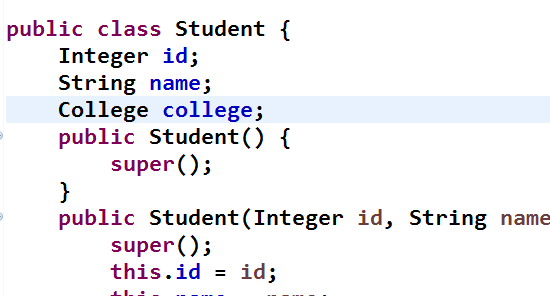
Student.java
StudentMapper接口定义方法

StudentMapper配置文件进行相应配置
方式一(<set>和<if>结合)
<update id="updateStu"> update student <!-- set会去掉拼接后的字符串多余的(逗号), 比如只修改id时则会把id=#{id}后面的(逗号)去掉 --> <set> <if test="id!=null"> id = #{id}, </if> <if test="name!=null && name.trim()!=''"> name = #{name} </if> </set> where id = #{id} </update>
方式二(<trim>和<if>结合)
<update id="updateStu"> update student <!-- 通过trim也能实现去掉拼接后的字符串多余的(逗号) --> <trim prefix="set" suffixOverrides=","> <if test="id!=null"> id = #{id}, </if> <if test="name!=null && name.trim()!=''"> name = #{name} </if> </trim> where id = #{id} </update>
测试方法
    //测试动态sql的{<set>和<if>结合}或者{<trim>和<if>的结合}实现部分字段更新
    @Test
    public void testUpdateStu() throws IOException {
        String resource = "mybatis-config.xml";
        InputStream inputStream = Resources.getResourceAsStream(resource);
        SqlSessionFactory sqlSessionFactory = new SqlSessionFactoryBuilder().build(inputStream);
        SqlSession sqlSession = sqlSessionFactory.openSession();
        StudentMapper studentMapper = sqlSession.getMapper(StudentMapper.class);
        Student student = studentMapper.updateStu(new Student(1, "小王"));
        System.out.println(student);
        sqlSession.close();
    }
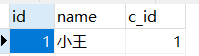
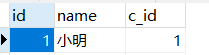
原来id为1的数据
执行测试方法后