参照echarts官网,改了一下效果图:
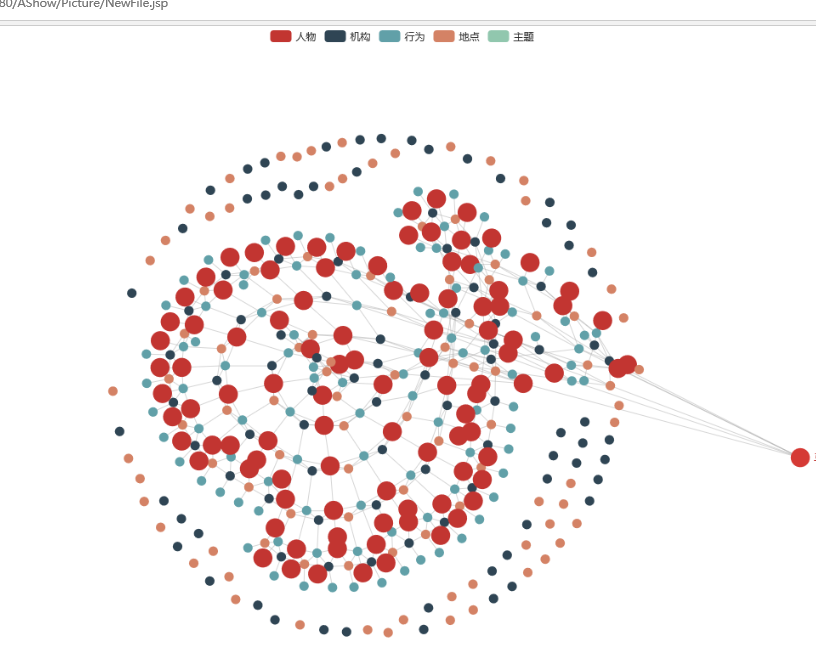
数据放在了js里。
代码:
<%@ page language="java" contentType="text/html; charset=utf-8"
    pageEncoding="utf-8"%>
<!DOCTYPE html>
<html style="height: 100%">
   <head>
       <meta charset="utf-8">
   </head>
   <body style="height: 100%; margin: 0">
       <div id="container" style="height: 100%"></div>
          <script type="text/javascript" src="http://code.jquery.com/jquery-1.11.0.min.js"></script>
         <script src="echarts.min.js"></script>
        <script src="dataTool.js"></script>
       <script type="text/javascript">
var dom = document.getElementById("container");
var myChart = echarts.init(dom);
var app = {};
option = null;
myChart.hideLoading();
        categories=[
            {
                "name": "人物",
                "keyword": {},
                "base": "HTMLElement"
            },
            {
                "name": "机构",
                "keyword": {},
                "base": "WebGLRenderingContext"
            },
            {
                "name": "行为",
                "keyword": {},
                "base": "SVGElement"
            },
            {
                "name": "地点",
                "keyword": {},
                "base": "CSSRule"
            },
            {
                "name": "主题",
                "keyword": {}
            }
        ],
        nodes=[
            <%for(int i=0;i<100;i++){%>
            {
                name: "马<%=i%>",
                value: 100,
                category: 0,
                symbolSize:20,
            },
            {
                name: "刘<%=i%>",
               value: 1,
                category: 1
            },
            {
                name: "是<%=i%>",
                value: 1,
                category: 2,
            },
            {
                name: "我<%=i%>",
                value: 1,
                category:3
            },
            <%}%>
        ],
links=[
    <%for(int i=1;i<200;i++){%>
    {
        source: <%=i%>,
        target: <%=i+1%>
    },
    {
        source:<%=i%>,
        target: <%=i*2%>
    },
    {
        source:<%=i+1%>,
        target: <%=i-1%>
    },
    <%}%>
],
    option = {
            /*     color: ['#fc853e','#28cad8','#9564bf','#bd407e','#e5a214'], 用来改点的颜色*/
        legend: {
            data: ['人物', '机构', '行为', '地点', '主题']
        },
        series: [{
            type: 'graph',
            layout: 'force',
            roam: true,    //实现缩放
            animation: false,
            label: {
                normal: {
                    position: 'right',
                    formatter: '{b}'
                }
            },
            draggable: true,
            data: nodes.map(function (node, idx) {
                node.id = idx;
                return node;
            }),
            categories: categories,
            force: {
                // initLayout: 'circular'
                // repulsion: 20,
                edgeLength: 5,
                repulsion: 20,
                gravity: 0.2
            },
            edges: links
        }]
    };

    myChart.setOption(option);
    myChart.on('click', function (params) {
        var data=params.value
        //点没有source属性
        if(data.source==undefined){
            nodeName=params.name
            window.open("NewFile1.jsp?a=mjh")
        }

});
if (option && typeof option === "object") {
    myChart.setOption(option, true);
}

       </script>
   </body>
</html>