对于一些公共的站点,比如糗事百科 、新闻站点等,不需要登录就能通过 urllib2.urlopen() 打开并爬取我们想要的资源
但像一些私密的站点,比如管理后台,数据中心等,需要登录后才能使用 urllib2.urlopen() 打开并爬取我们想要的资源
需要登录的站点,我们在使用 urllib2.urlopen() 时需要向服务器传递一些数据,比如用户名 、密码等,传递数据通常有 GET 和 POST 两种方法
GET 是直接以网址形式打开,网址中包含了所有的参数,浏览器会把 http header 和 data 一并发送出去,服务器响应200(返回数据)
POST 是浏览器先发送 http header,服务器响应100 continue,浏览器再发送 data,服务器响应200 ok(返回数据),具体用什么方法是由服务器来决定的
可以参考 Django 是如何进行数据传递的:https://www.cnblogs.com/pzk7788/p/10340215.html
使用 POST 方式登录并爬取资源的流程:
第一步,先打开登录页面,然后按 F12 打开开发者工具
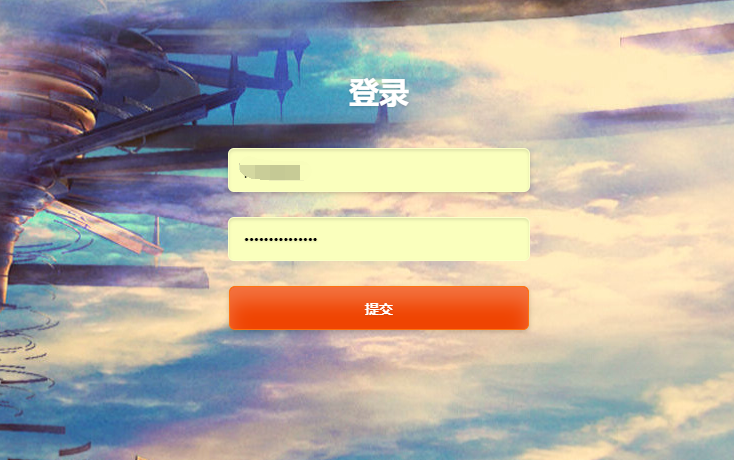
第二步,登录进去,然后找到 POST 请求,记得要勾选如下的 "Preserve log"
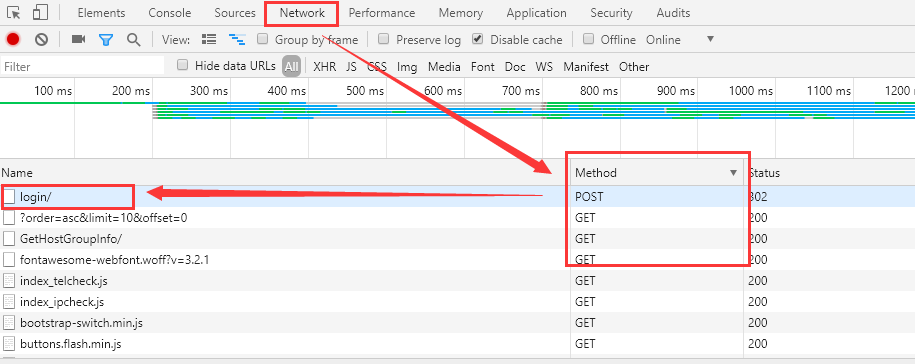
第三步,查看 POST 请求,找到表单数据

有些网站的表单数据包含了 Token 信息,如果要获取 Token 信息需要退出登录,然后在登录框右键点击检查:
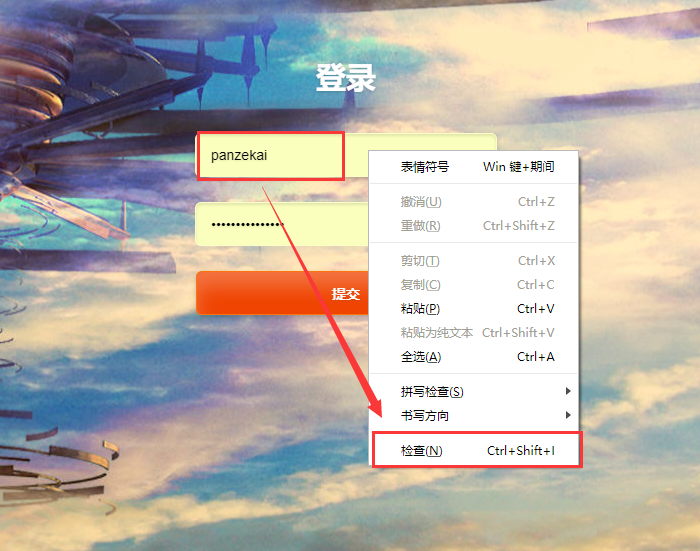
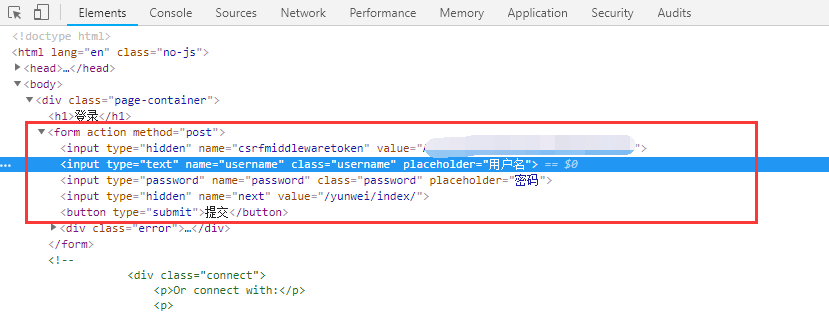
最后,根据表单数据使用 POST 方式模拟登录
#!/usr/bin/env python
#-*- coding:utf-8 -*-

import re
import sys
import urllib
import urllib2
import cookielib

class AdminSite(object):

    def __init__(self):
        self.login_url = 'http://www.xxxx.com:8899/accounts/login/'    # 登录页面的URL
        self.request_url = 'http://www.xxxx.com:8899/yunwei/index/'    # 要爬取的页面的URL
        self.headers = {'User-Agent': 'Mozilla/5.0 (Windows NT 10.0; Win64; x64) AppleWebKit/537.36 (KHTML, like Gecko) Chrome/72.0.3626.81 Safari/537.36'}

    def getPage(self):
        cookie = cookielib.CookieJar()
        handler = urllib2.HTTPCookieProcessor(cookie)
        self.opener = urllib2.build_opener(handler)

        try:
            request = urllib2.Request(url=self.request_url, headers=self.headers)
            response = self.opener.open(request)
            return response.read()
        except urllib2.URLError, e:
            if hasattr(e, 'code'):
                print '连接服务器失败,错误代码:%s' % e.code
            if hasattr(e, 'reason'):
                print '连接服务器失败,失败原因:%s' % e.reason
            else:
                print '连接服务器失败,失败原因:%s' % e
            sys.exit(1)

    def getToken(self):
        page = self.getPage()
        regular = re.compile(r"<form.*?<input.*?value='(.*?)'.*?>", re.S)
        token = regular.search(page)
        if token:
            return token.group(1)
        else:
            return None

    def login(self):
        form_data = {'csrfmiddlewaretoken': self.getToken(),
                     'username': 'xxxxxx',
                     'password': 'xxxxxx',
                     'next': '/yunwei/index/'}
        self.post_data = urllib.urlencode(form_data)
        try:
            request = urllib2.Request(url=self.login_url, data=self.post_data, headers=self.headers)
            response = self.opener.open(request)
            print response.read()
            return response.read()
        except urllib2.URLError, e:
            if hasattr(e, 'code'):
                print '连接服务器失败,错误代码:%s' % e.code
            if hasattr(e, 'reason'):
                print '连接服务器失败,失败原因:%s' % e.reason
            else:
                print '连接服务器失败,失败原因:%s' % e
            sys.exit(1)

if __name__ == '__main__':
    obj = AdminSite()
    obj.login()
使用 urllib2 编写很复杂,我们可以使用 requests 来模拟登陆:
#!/usr/bin/env python
#-*- coding:utf-8 -*-

import re
import sys
import urllib2
import requests

class AdminSite(object):

    def __init__(self):
        self.login_url = 'http://www.xxxx.com:8899/accounts/login/'    # 登录页面的URL
        self.request_url = 'http://www.xxxx.com:8899/yunwei/index/'    # 要爬取的页面的URL
        self.headers = {'User-Agent': 'Mozilla/5.0 (Windows NT 10.0; Win64; x64) AppleWebKit/537.36 (KHTML, like Gecko) Chrome/72.0.3626.81 Safari/537.36'}

    def getPage(self):
        self.session = requests.session()
        try:
            response = self.session.get(url=self.request_url, headers=self.headers, verify=False)
            return response.text
        except urllib2.URLError, e:
            if hasattr(e, 'code'):
                print '连接服务器失败,错误代码:%s' % e.code
            if hasattr(e, 'reason'):
                print '连接服务器失败,失败原因:%s' % e.reason
            else:
                print '连接服务器失败,失败原因:%s' % e
            sys.exit(1)

    def getToken(self):
        page = self.getPage()
        regular = re.compile(r"<form.*?<input.*?value='(.*?)'.*?>", re.S)
        token = regular.search(page)
        if token:
            return token.group(1)
        else:
            return None

    def login(self):
        form_data = {'csrfmiddlewaretoken': self.getToken(),
                     'username': 'xxxxxx',
                     'password': 'xxxxxx',
                     'next': '/yunwei/index/'}
        try:
            response = self.session.post(url=self.login_url, data=self.post_data, headers=self.headers)
            return response.text
        except urllib2.URLError, e:
            if hasattr(e, 'code'):
                print '连接服务器失败,错误代码:%s' % e.code
            if hasattr(e, 'reason'):
                print '连接服务器失败,失败原因:%s' % e.reason
            else:
                print '连接服务器失败,失败原因:%s' % e
            sys.exit(1)

if __name__ == '__main__':
    obj = AdminSite()
    obj.login()