下载安装nginx
http://nginx.org/en/download.html
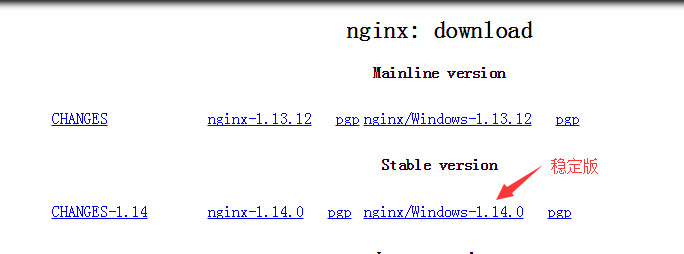
下载后解压到C盘 C: ginx-1.14.0
添加服务
需要借助"Windows Service Wrapper"小工具,下载地址: http://repo.jenkins-ci.org/releases/com/sun/winsw/winsw/1.18/winsw-1.18-bin.exe
下载后放在nginx目录下,并修改名字为nginx-service.exe
创建配置文件nginx-service.exe.config 和 nginx-service.xml
nginx-service.xml的内容如下:

<service>
  <id>nginx</id>
  <name>Nginx Service</name>
  <description>High Performance Nginx Service</description>
  <logpath>C:
ginx-1.14.0logs</logpath>
  <log mode="roll-by-size">
    <sizeThreshold>10240</sizeThreshold>
    <keepFiles>8</keepFiles>
  </log>
  <executable>C:
ginx-1.14.0
ginx.exe</executable>
  <startarguments>-p C:
ginx-1.14.0</startarguments>
  <stopexecutable>C:
ginx-1.14.0
ginx.exe</stopexecutable>
  <stoparguments>-p C:
ginx-1.14.0 -s stop</stoparguments>
</service>
nginx-service.exe.config内容如下:
<configuration>
  <startup>
    <supportedRuntime version="v2.0.50727" />
    <supportedRuntime version="v4.0" />
  </startup>
  <runtime>
    <generatePublisherEvidence enabled="false"/>
  </runtime>
</configuration>
最终目录结构如下:

最后以管时员身份进入cmd命令进入nginx目录安装服务(如果不以管理员身份进入cmd会报错Access Denied)

最后分享一个删除服务的命令 在cmd命令输入 sc delete 服务名