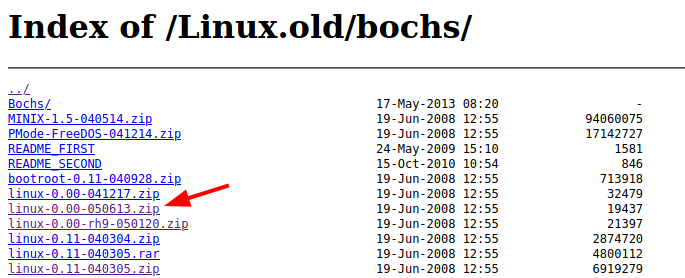
从 http://oldlinux.org/Linux.old/bochs/ 下载 Linux0.00 源码 linux-0.00-050613.zip, 并解压:
解压 linux-0.00-rh9.tar.gz:

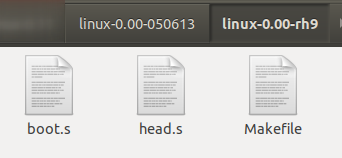
得到这三个文件:
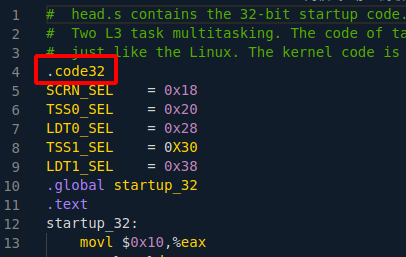
修改 head.s,在最开始添加 .code32,否则会出现“Error: invalid instruction suffix for...”等错误:
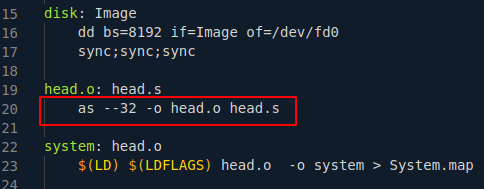
修改 Makefile,在head.o:下面一行添加 as --32 -o head.o head.s(注意前面要使用TAB,不能用空格),否则会出现“ld: i386:x86-64 architecture of input file `head.o' is incompatible with i386 output”错误:
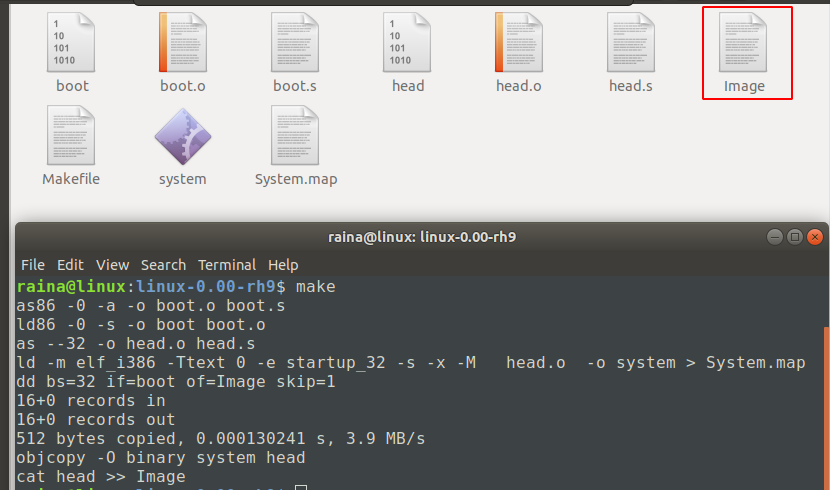
使用make编译,生成Image文件:
新建linux-0.00.bxrc文件,内容如下:
romimage: file=/usr/share/bochs/BIOS-bochs-latest
megs: 16
vgaromimage: file=/usr/share/vgabios/vgabios.bin
floppya: 1_44="Image", status=inserted
boot: a
log: bochsout.txt
vga_update_interval: 300000
keyboard_serial_delay: 200
keyboard_paste_delay: 100000
mouse: enabled=0
private_colormap: enabled=0
fullscreen: enabled=0
screenmode: name="sample"
保存后,使用bochs运行:
bochs -f linux-0.00.bxrc
出现黑屏后,输入c并回车继续:

运行结果如图:
