今天在使用express -e . 的命令时,cmd给我报了一段不识别的错误:
bash: express: command not found
,在网上查了一下,有人指出是express4的版本将命令工具分家了,所以需要我们安装以命令工具:
命令如下:npm install -g express-generator
之后再次安装:npm install -g express
好了,没问题了。
vue连接数据库调接口:
1.在code中安装:express server -e
2.进入server: cd server
3.安装依赖:cnpm i
4.vuex->code->server->app.js添加:
//监听端口
app.listen(777,()=>{
  console.log('服务器已经启动...')
});
5.启动 nodemon app
如果显示bash:nodemon:command not found
执行以下命令:
cnpm install -g nodemon
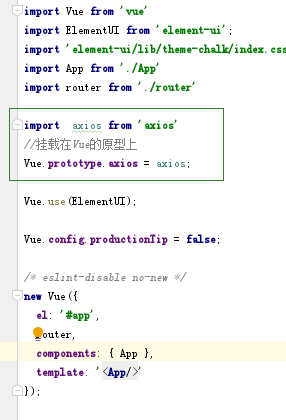
6.引入axios并挂载在vue的原型上
npm install axios --save

在main.js中引入
import axios from 'axios'
Vue.prototype.axios = axios;
在相应页面测试:
this.axios.get('/api/voteindex')
  .then(response => {
    if(response.data.length){
      console.log('接收后端响应登录请求的数据',response.data[0]);
    }else{
      _this.$message.error('请检查用户名和密码');
    }
  })
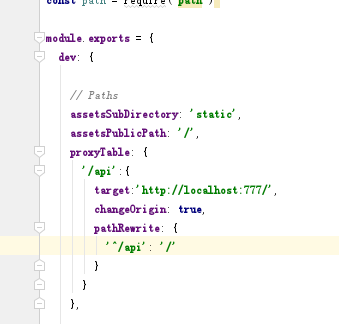
7.vuex->code-vuexms->config->index.js中的dev里配置proxyTable:
proxyTable: {
  '/api':{
    target: 'http://localhost:777/', // 测试
    changeOrigin: true, // 改变源(是否跨域)
    pathRewrite: {
      '^/api': '/'
    }
  }
  }
8.引入请求
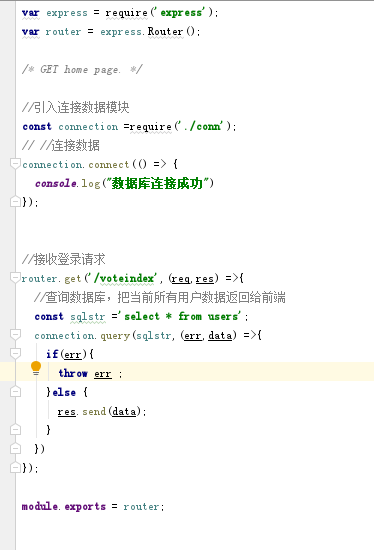
在vuex->code-server->routes->index.js引入:
router.get('/voteindex',(req,res) =>{
  res.send("111")
});
9.用node.js连接数据库,启动phpStudy
在server中安装mysql
cnpm install mysql --save
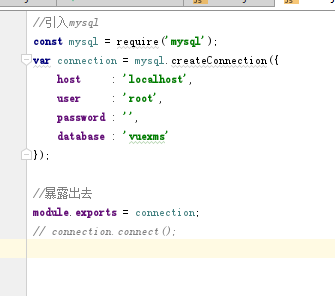
vuex->code-server->routes中新建conn.js
//引入mysql
const mysql = require('mysql');
var connection = mysql.createConnection({
    host     : 'localhost',
    user     : 'root',
    password : '',
    database : 'vuexms'
});

//暴露出去
module.exports = connection;
// connection.connect();
10.在vuex->code-server->routes->index.js连接数据库
//引入连接数据模块
const connection =require('./conn');
// //连接数据
connection.connect(() => {
  console.log("数据库连接成功")
});