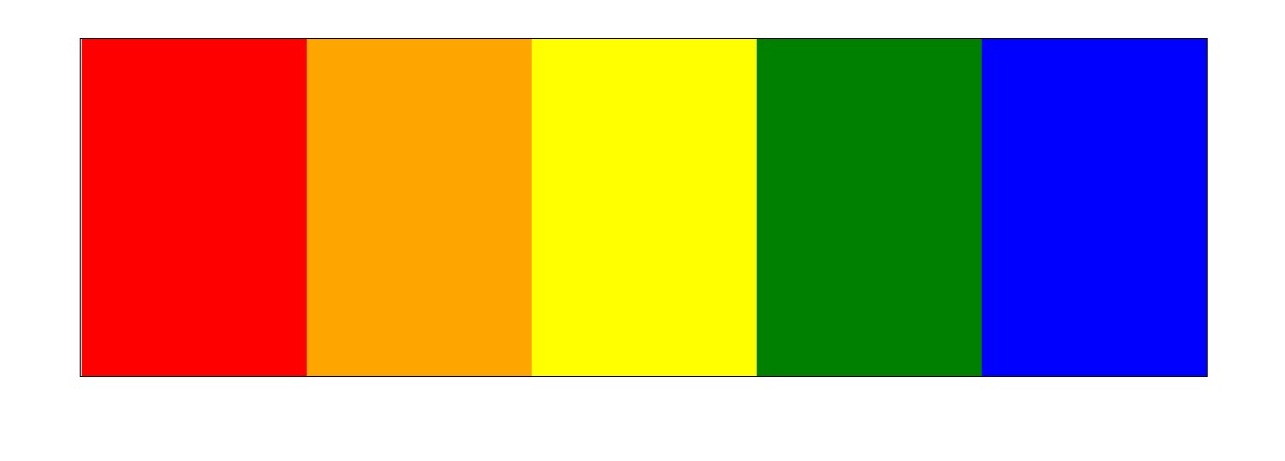
1,第一步:先用 jQuery 实现手风琴效果
<!DOCTYPE html>
<html lang="en">
<head>
    <meta charset="UTF-8">
    <title>Title</title>
<style>
   *{
         padding:0;
         margin:0;
     }
   . box{
         1000px;
         height:300px;
         margin:100px auto;
         border:1px solid black;
         overflow:hidden;
     }
     ul{
        1200px;
        height:300px;
        list-style:none;
     }
      ul > li{
         float:left;
         200px;
         height:300px;
     }
<style>
</head>
<body>
<div class="box">
      <ul>
                <li></li>
                <li></li>
                <li></li>
                <li></li>
                <li></li>
      </ul>
</div>

<script src="jQuery-1.12.4.js"></script>
<script>
      $(function(){
             var $li=$(".box li");
            //1 , 给每个 li 加背景颜色
            var colors=["red" , "orange" ,"yellow" , "green" , "blue"];
            $li.each(function(index,element){
                 $(this).css({"backgroundColor" , colors[index]});
            })

           //2, 给每个 li 绑定鼠标经过事件
           $li.on("mouseenter" , function(){
                $(this).stop().animate({width : 600}).siblings().stop().animate({ 100});
           })

          //3,给 box 绑定鼠标离开事件
           $(".box").on("mouseleave" , function(){
                $li.stop().animate({width : 200});
           })
      })
</script>
</body>
</html>
2,第二步,把 jQuery代码封装,写成插件,给 jQuery原型添加一个 accordion(手风琴)方法
<script src="jquery-1.12.4.js"></script>
<script>
    $(function () {
        $.fn.accordion=function (colors,width) {  //参数 width , 是鼠标移动到某个小 li 的上方时,其他 小 li 的宽度,这里指的是 100px
            colors = colors || [];   //引用这个插件的时候,每个小 li 可能填充的是背景图片,不是颜色,如果不是颜色,colors就是一个空数组
            width = width || 0;

            var $li = this.find("li");  //引用这个插件的时候,调用 accordiong()的对象就是 this, 这里指的是 box 这个盒子
            var boxLength = this.width();  // 获取 box 的宽度
            var maxLength = boxLength - ($li.length - 1) * width;  //鼠标移动到某个小 li 的上方,获取这个 小 li 的宽度
            var avgLength = boxLength / $li.length;  //鼠标离开 box 时,每个小 li 的宽度

            //1,给每个小 li 填充颜色
            $li.each(function (index, element) {
                $(element).css("backgroundColor", colors[index]);
            })

            //2,给每个小 li 绑定鼠标经过事件
            $li.on("mouseenter", function () {
                $(this).stop().animate({ maxLength}).siblings().stop().animate({ width});  //这里的this,就是执行 mouseenter事件的对象
            })

            //3,给 box 绑定鼠标离开事件
            $(".box").on("mouseleave", function () {
                $li.stop().animate({ avgLength});
            })
        }

    //4,封装完毕,调用这个方法,传递两个参数 , colors和 width ,注意调用这个方法的对象是 box ,不是 li
        var colors=["red","orange","yellow","green","blue"];
        $(".box").accordion(colors,100);

    })


</script>
3,第三步,单独把 封装的 accordion方法放在一个 js 文件,成为一个差价,用的时候,只需要在 jQuery文件之后引入这个 js 文件
jQuery . accordion . js :
/**
 * Created by HUCC on 2017/4/12.
 */
$.fn.accordion = function (colors, width) {
  colors = colors || [];
  width = width || 0;


  var $li = this.find("li");

  var boxLength = this.width();
  var maxLength = boxLength - ($li.length - 1) * width;
  var avgLength = boxLength / $li.length;

  //更改li的颜色
  $li.each(function (i, e) {
    $(e).css("backgroundColor", colors[i]);
  });

  //给li注册鼠标经过事件
  $li.on("mouseenter", function () {
    $(this).stop().animate({ maxLength}).siblings().stop().animate({ width})
  });

  $li.on("mouseleave", function () {
    $li.stop().animate({ avgLength});
  });
};
4,注意引用这个 js 文件必须在 引入的 jQuery文件之后,并且应该是这个 js 文件所适应的布局
<!DOCTYPE html>
<html lang="zh-CN">
<head>
  <meta charset="UTF-8">
  <title>Title</title>
  <style>

    * {
      margin: 0;
      padding: 0;
      list-style: none;
    }

    div {
       1000px;
      height: 300px;
      border: 2px solid #000;
      margin: 100px auto;
      overflow: hidden;
    }

    ul {
       1100px;
    }

    li {
       100px;
      height: 300px;
      float: left;
    }

  </style>
</head>
<body>

<div id="box">

  <ul>
    <li></li>
    <li></li>
    <li></li>
    <li></li>
    <li></li>
    <li></li>
    <li></li>
    <li></li>
    <li></li>
    <li></li>
  </ul>

</div>

<script src="jquery-1.12.4.js"></script>
<script src="jquery.accordion.js"></script>
<script>

  $(function () {
    var colors = ["red","yellow","green", "cyan", "pink","hotpink", "blue", "yellowgreen","greenyellow", "skyblue"];

    $("#box").accordion(colors, 20);

  });


</script>

</body>
</html>