【Application.streamingAssetsPath】
This API contains the path to the StreamingAssets folder (Read Only).
If you have a "StreamingAssets" folder in the Assets folder of your project, it will be copied to your player builds and be present in the path given by Application.streamingAssetsPath.
Note that on some platforms it is not possible to directly access the StreamingAssets folder because there is no file system access in the web platforms, and because it is compressed into the .apk file on Android. On those platforms, a url will be returned, which can be used using the WWW class.


 1 using UnityEngine;
 2 using System.Collections;
 3
 4 public class ExampleClass : MonoBehaviour {
 5     public string filePath = System.IO.Path.Combine(Application.streamingAssetsPath, "MyFile");
 6     public string result = "";
 7     IEnumerator Example() {
 8         if (filePath.Contains("://")) {
 9             WWW www = new WWW(filePath);
10             yield return www;
11             result = www.text;
12         } else
13             result = System.IO.File.ReadAllText(filePath);
14     }
15 }
【Details】
It is sometimes useful to place files into the normal filesystem on the target machine to make them accessible via a pathname. An example of this is the deployment of a movie file on iOS devices; the original movie file must be available from a location in the filesystem to be played by the PlayMovie function.
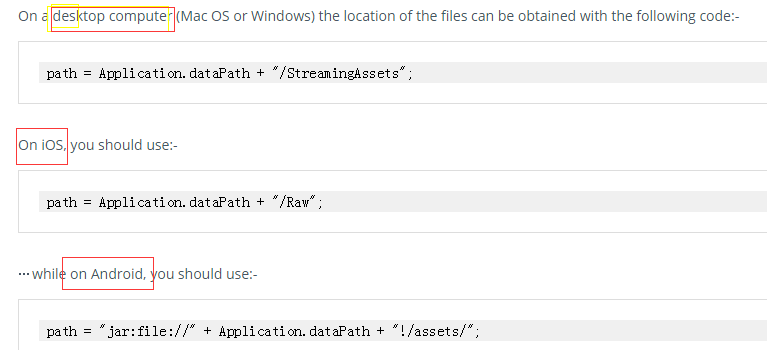
Note that on Android, the files are contained within a compressed .jar file (which is essentially the same format as standard zip-compressed files). This means that if you do not use Unity’s WWW class to retrieve the file then you will need to use additional software to see inside the .jar archive and obtain the file.
It’s always best to use Application.streamingAssetsPath to get the location of the StreamingAssets folder, it will always point to the correct location on the platform where the application is running.