用户登录界面
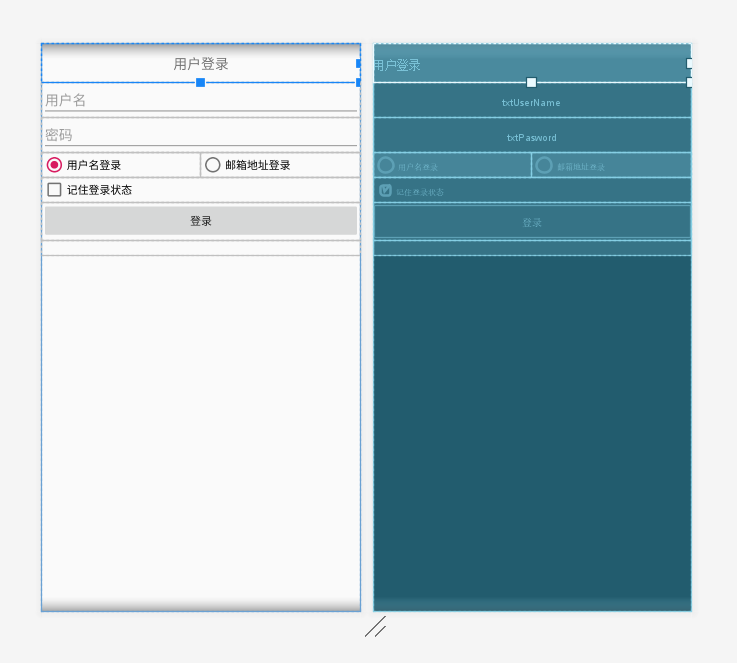
运行截图:
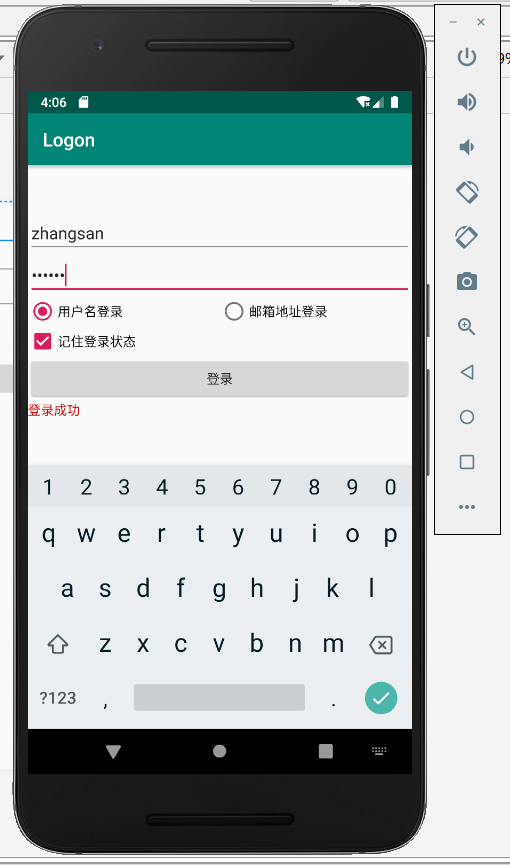
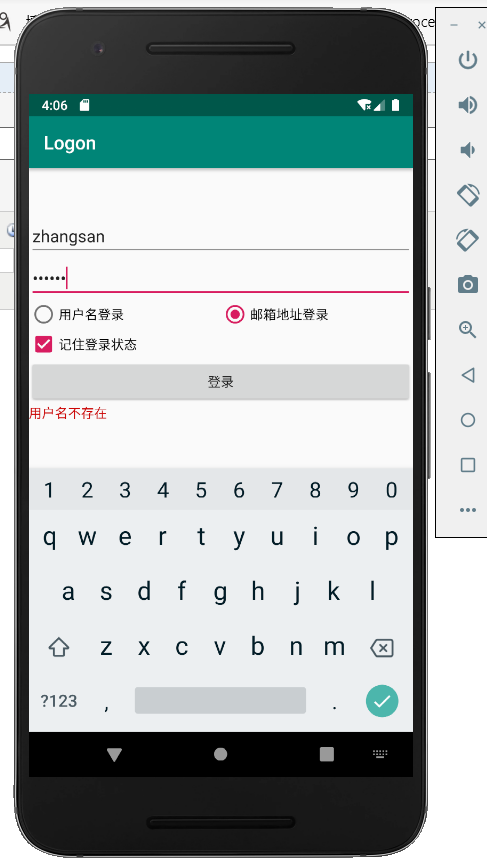
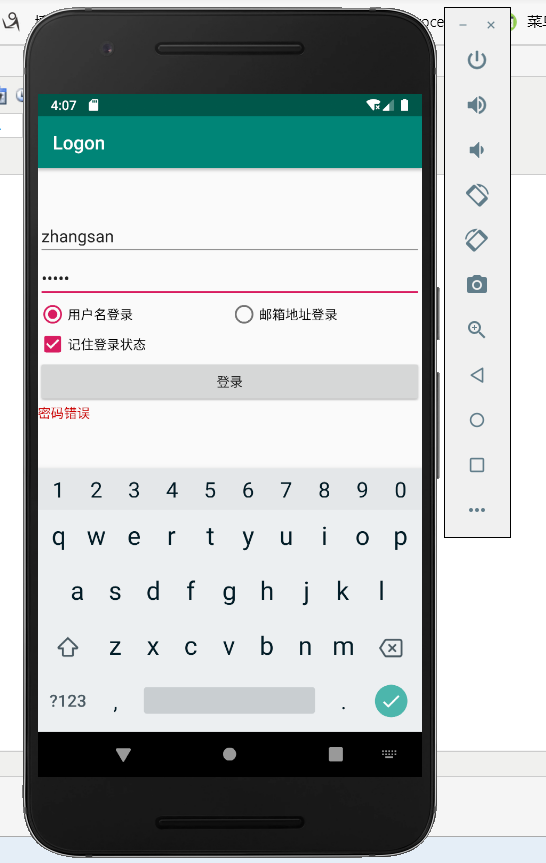
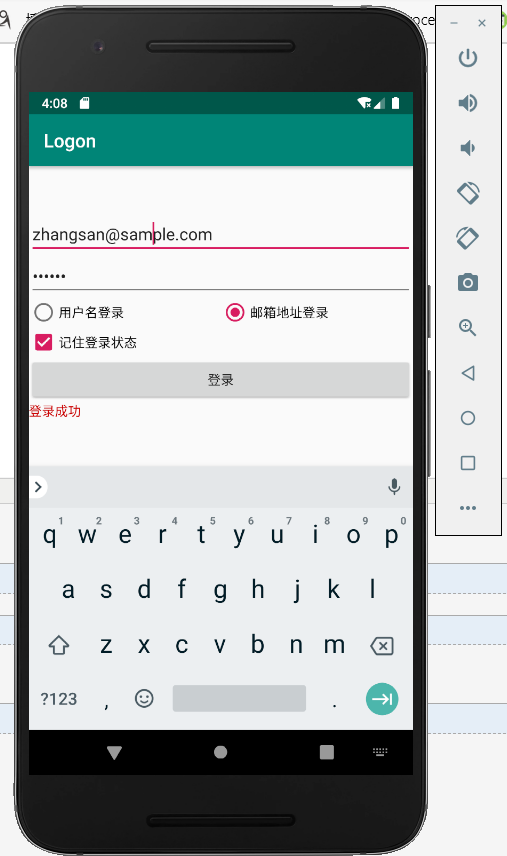

代码部分:
activity_main.xml
<?xml version="1.0" encoding="utf-8"?>
<LinearLayout xmlns:android="http://schemas.android.com/apk/res/android"
    xmlns:app="http://schemas.android.com/apk/res-auto"
    xmlns:tools="http://schemas.android.com/tools"
    android:layout_width="match_parent"
    android:layout_height="match_parent"
    android:layout_gravity="center"
    android:orientation="vertical"
    tools:context=".MainActivity">

    <TextView
        android:id="@+id/textView"
        android:layout_width="match_parent"
        android:layout_height="50dp"
        android:gravity="center"
        android:textSize="18sp"
        tools:text="@string/LblLogon" />

    <EditText
        android:id="@+id/txtUserName"
        android:layout_width="match_parent"
        android:layout_height="wrap_content"
        android:ems="10"
        android:hint="@string/UserName"
        android:inputType="textPersonName" />

    <EditText
        android:id="@+id/txtPasword"
        android:layout_width="match_parent"
        android:layout_height="wrap_content"
        android:ems="10"
        android:hint="@string/Password"
        android:inputType="textPassword" />

    <RadioGroup
        android:layout_width="match_parent"
        android:layout_height="wrap_content"
        android:orientation="horizontal">

        <RadioButton
            android:id="@+id/rbtnLogonByUserName"
            android:layout_width="205dp"
            android:layout_height="match_parent"
            android:checked="true"
            android:text="@string/LogonByUserName" />

        <RadioButton
            android:id="@+id/rbtnLogonByEmail"
            android:layout_width="match_parent"
            android:layout_height="wrap_content"
            android:text="@string/LogonByEmail" />
    </RadioGroup>

    <CheckBox
        android:id="@+id/cbRememberMe"
        android:layout_width="match_parent"
        android:layout_height="wrap_content"
        android:text="@string/RememberMe" />

    <Button
        android:id="@+id/btnLogon"
        android:layout_width="match_parent"
        android:layout_height="wrap_content"
        android:text="@string/BtnLogon" />

    <TextView
        android:id="@+id/txtResult"
        android:layout_width="match_parent"
        android:layout_height="wrap_content"
        android:textColor="@android:color/holo_red_dark" />

</LinearLayout>
MainActivity.java
package com.example.logon;

import androidx.appcompat.app.AppCompatActivity;

import android.os.Bundle;
import android.view.View;
import android.widget.Button;
import android.widget.EditText;
import android.widget.RadioButton;
import android.widget.TextView;

public class MainActivity extends AppCompatActivity {

    @Override
    protected void onCreate(Bundle savedInstanceState) {
        super.onCreate(savedInstanceState);
        setContentView(R.layout.activity_main);
        Button btnLogon = (Button)findViewById(R.id.btnLogon);
        btnLogon.setOnClickListener(new View.OnClickListener(){
            @Override
            public void onClick(View v) {
                RadioButton rbtnLogonByUserName = (RadioButton)findViewById(R.id.rbtnLogonByUserName);
                //RadioButton rbtnLogonByEmail = (RadioButton)findViewById(R.id.rbtnLogonByEmail);
                String DbUser,DbPassword;
                if(rbtnLogonByUserName.isChecked()){
                    DbUser = "zhangsan";
                    DbPassword = "123456";
                }
                else{
                    DbUser = "zhangsan@sample.com";
                    DbPassword = "123456";
                }
                EditText txtUserName = (EditText)findViewById(R.id.txtUserName);
                EditText txtPassword = (EditText)findViewById(R.id.txtPasword);
                TextView txtResult = (TextView)findViewById(R.id.txtResult);
                if (txtUserName.getText().toString().equals(DbUser)){
                    if(txtPassword.getText().toString().equals(DbPassword)){
                        txtResult.setText("登录成功");
                    }else{
                        //密码错误
                        txtResult.setText("密码错误");
                    }
                }
                else{
                    //用户名不存在
                    txtResult.setText("用户名不存在");
                }
            }
        });
    }
}