我们都知道在AjaxPro的方法AjaxPro.Utility.RegisterTypeForAjax(typeof(所在类的类名));会将标记有[Ajax.AjaxMethod]方法注册在客户端。在某项目中,设计模板字段引擎,采用html+jquery实现,这里的数据就难免需要ajax获取,但是团队对于js掌握不一,所以我写了下面辅助类,可以像ajaxpro一样简化ajax的开发。
代码-jQueryInvokeMethodAttribute (此处只做标示方法处理,所以为空):
[AttributeUsage(AttributeTargets.Method, AllowMultiple=false,Inherited=false)]
public class jQueryInvokeMethodAttribute : Attribute
{
}
public class jQueryInvokeMethodAttribute : Attribute
{
}
代码-jQueryAjaxUtility(分注册脚本和调用ajax事件):
 View Code

using System;
using System.Collections.Generic;
using System.Linq;
using System.Text;
namespace Green.Utility
{
public class jQueryAjaxUtility
{
public static string AjaxInvokeParam = "AjaxInvoke";
public static string AjaxInvokeValue = "1";
public static string ResponseCharset = "UTF-8";
protected static System.Web.UI.Page Page
{
get
{
return System.Web.HttpContext.Current.Handler as System.Web.UI.Page;
}
}
public static void RegisterClientAjaxScript(Type type)
{
if (Page != null)
{
if (System.Web.HttpContext.Current.Request[AjaxInvokeParam] == AjaxInvokeValue)
{
RegisterAjaxInvokeEvent(type);
}
else
{
RegisterAjaxInvokeScript(type);
}
}
}
protected static void RegisterAjaxInvokeScript(Type type)
{
Page.ClientScript.RegisterClientScriptBlock(type.GetType(), type.GetType().FullName + "_" + typeof(jQueryAjaxUtility).FullName + "_AjaxInvokeDefaultOption", "window.defaultAjaxOption={type:'GET',cache:false, dataType:'text'};", true);
if (!jQueryUtilityCache.Current.Exists(type))
{
var methodinfo = type.GetMethods(System.Reflection.BindingFlags.IgnoreCase | System.Reflection.BindingFlags.Static | System.Reflection.BindingFlags.Public).Where(t =>
{
var attrs = t.GetCustomAttributes(typeof(jQueryInvokeMethodAttribute), false);
if (attrs != null && attrs.Length > 0)
return true;
return false;
}).ToList();
if (methodinfo != null && methodinfo.Count > 0)
{
System.Text.StringBuilder sb = new StringBuilder();
sb.AppendFormat(" window.{0}=function(){{}}; ", type.Name);
methodinfo.ForEach(t =>
{
var parameters = t.GetParameters().Select(p => p.Name).ToArray();
sb.AppendFormat(" {2}.{0} = function ({1} ajaxOption) {{", t.Name, parameters.Count() > 0 ? string.Join(",", parameters) + "," : "", type.Name);
sb.Append("if(ajaxOption==null||typeof ajaxOption=='undefined'){ajaxOption={};};");
var url = Page.Request.RawUrl.IndexOf("?") == -1 ? Page.Request.RawUrl : Page.Request.RawUrl.Substring(0, Page.Request.RawUrl.IndexOf("?") );
sb.AppendFormat("ajaxOption.url = '{0}';", url);
var data = "''";
if (parameters.Count() > 0)
{
data = (string.Join(" ", parameters.Select(p => string.Format("'&{0}=' + {0}+", p)).ToArray()));
data= data.TrimEnd('+');
}
sb.AppendFormat("ajaxOption.data = 'method={1}&rn={4}&{2}={3}'+{0};", data, t.Name, AjaxInvokeParam, AjaxInvokeValue,Guid.NewGuid().ToString());
sb.Append("ajaxOption= jQuery.extend(window.defaultAjaxOption,ajaxOption);");
sb.Append("jQuery.ajax(ajaxOption);};");
});
jQueryUtilityCache.Current.AddScript(type, sb.ToString());
}
}
var script = jQueryUtilityCache.Current.GetScript(type);
Page.ClientScript.RegisterClientScriptBlock(type.GetType(), type.GetType().FullName + "_" + typeof(jQueryAjaxUtility).FullName + "_AjaxInvoke", script, true);
}
protected string GenertorScript(Type type)
{
return string.Empty;
}
protected static void RegisterAjaxInvokeEvent(Type type)
{
var Request = System.Web.HttpContext.Current.Request;
var Response = System.Web.HttpContext.Current.Response;
var method = Request["method"];
if (string.IsNullOrEmpty(method))
return;
Response.Clear();
var methodinfo = type.GetMethod(method, System.Reflection.BindingFlags.IgnoreCase | System.Reflection.BindingFlags.Static | System.Reflection.BindingFlags.Public);
if (methodinfo != null)
{
Response.Charset = ResponseCharset;
Response.ContentType = string.Join(",", Request.AcceptTypes);
var param = methodinfo.GetParameters();
object[] objs = new object[param.Length];
var i = 0;
param.ToList().ForEach(t =>
{
objs[i++] = Convert.ChangeType(Request[t.Name], t.ParameterType);
});
var obj = methodinfo.Invoke(null, objs);
if (obj != null)
{
//序列化
if (!obj.GetType().IsValueType && obj.GetType() != typeof(string))
{
if (Request.AcceptTypes.Contains("text/xml"))
{
Response.Write(Green.Utility.SerializerUtility.XmlSerializer(obj));
}
else if (Request.AcceptTypes.Contains("application/json"))
{
Response.ContentType = "application/json, text/javascript, */*";
Response.Write(Green.Utility.SerializerUtility.JsonSerializer(obj));
}
else
{
Response.Write(obj);
}
}
else
{
Response.Write(obj);
}
}
Response.Flush();
Response.Close();
Response.End();
}
}
}
}
using System.Collections.Generic;
using System.Linq;
using System.Text;
namespace Green.Utility
{
public class jQueryAjaxUtility
{
public static string AjaxInvokeParam = "AjaxInvoke";
public static string AjaxInvokeValue = "1";
public static string ResponseCharset = "UTF-8";
protected static System.Web.UI.Page Page
{
get
{
return System.Web.HttpContext.Current.Handler as System.Web.UI.Page;
}
}
public static void RegisterClientAjaxScript(Type type)
{
if (Page != null)
{
if (System.Web.HttpContext.Current.Request[AjaxInvokeParam] == AjaxInvokeValue)
{
RegisterAjaxInvokeEvent(type);
}
else
{
RegisterAjaxInvokeScript(type);
}
}
}
protected static void RegisterAjaxInvokeScript(Type type)
{
Page.ClientScript.RegisterClientScriptBlock(type.GetType(), type.GetType().FullName + "_" + typeof(jQueryAjaxUtility).FullName + "_AjaxInvokeDefaultOption", "window.defaultAjaxOption={type:'GET',cache:false, dataType:'text'};", true);
if (!jQueryUtilityCache.Current.Exists(type))
{
var methodinfo = type.GetMethods(System.Reflection.BindingFlags.IgnoreCase | System.Reflection.BindingFlags.Static | System.Reflection.BindingFlags.Public).Where(t =>
{
var attrs = t.GetCustomAttributes(typeof(jQueryInvokeMethodAttribute), false);
if (attrs != null && attrs.Length > 0)
return true;
return false;
}).ToList();
if (methodinfo != null && methodinfo.Count > 0)
{
System.Text.StringBuilder sb = new StringBuilder();
sb.AppendFormat(" window.{0}=function(){{}}; ", type.Name);
methodinfo.ForEach(t =>
{
var parameters = t.GetParameters().Select(p => p.Name).ToArray();
sb.AppendFormat(" {2}.{0} = function ({1} ajaxOption) {{", t.Name, parameters.Count() > 0 ? string.Join(",", parameters) + "," : "", type.Name);
sb.Append("if(ajaxOption==null||typeof ajaxOption=='undefined'){ajaxOption={};};");
var url = Page.Request.RawUrl.IndexOf("?") == -1 ? Page.Request.RawUrl : Page.Request.RawUrl.Substring(0, Page.Request.RawUrl.IndexOf("?") );
sb.AppendFormat("ajaxOption.url = '{0}';", url);
var data = "''";
if (parameters.Count() > 0)
{
data = (string.Join(" ", parameters.Select(p => string.Format("'&{0}=' + {0}+", p)).ToArray()));
data= data.TrimEnd('+');
}
sb.AppendFormat("ajaxOption.data = 'method={1}&rn={4}&{2}={3}'+{0};", data, t.Name, AjaxInvokeParam, AjaxInvokeValue,Guid.NewGuid().ToString());
sb.Append("ajaxOption= jQuery.extend(window.defaultAjaxOption,ajaxOption);");
sb.Append("jQuery.ajax(ajaxOption);};");
});
jQueryUtilityCache.Current.AddScript(type, sb.ToString());
}
}
var script = jQueryUtilityCache.Current.GetScript(type);
Page.ClientScript.RegisterClientScriptBlock(type.GetType(), type.GetType().FullName + "_" + typeof(jQueryAjaxUtility).FullName + "_AjaxInvoke", script, true);
}
protected string GenertorScript(Type type)
{
return string.Empty;
}
protected static void RegisterAjaxInvokeEvent(Type type)
{
var Request = System.Web.HttpContext.Current.Request;
var Response = System.Web.HttpContext.Current.Response;
var method = Request["method"];
if (string.IsNullOrEmpty(method))
return;
Response.Clear();
var methodinfo = type.GetMethod(method, System.Reflection.BindingFlags.IgnoreCase | System.Reflection.BindingFlags.Static | System.Reflection.BindingFlags.Public);
if (methodinfo != null)
{
Response.Charset = ResponseCharset;
Response.ContentType = string.Join(",", Request.AcceptTypes);
var param = methodinfo.GetParameters();
object[] objs = new object[param.Length];
var i = 0;
param.ToList().ForEach(t =>
{
objs[i++] = Convert.ChangeType(Request[t.Name], t.ParameterType);
});
var obj = methodinfo.Invoke(null, objs);
if (obj != null)
{
//序列化
if (!obj.GetType().IsValueType && obj.GetType() != typeof(string))
{
if (Request.AcceptTypes.Contains("text/xml"))
{
Response.Write(Green.Utility.SerializerUtility.XmlSerializer(obj));
}
else if (Request.AcceptTypes.Contains("application/json"))
{
Response.ContentType = "application/json, text/javascript, */*";
Response.Write(Green.Utility.SerializerUtility.JsonSerializer(obj));
}
else
{
Response.Write(obj);
}
}
else
{
Response.Write(obj);
}
}
Response.Flush();
Response.Close();
Response.End();
}
}
}
}
为了考虑反射的性能,加入了类级注册脚本方法缓存处理jQueryUtilityCache,具体见demo。
测试:
html:
<form id="form1" runat="server">
<div>
<input id="Button1" type="button" value="button" />
</div>
</form>
<div>
<input id="Button1" type="button" value="button" />
</div>
</form>
后台方法注册Page_Load
Green.Utility.jQueryAjaxUtility.RegisterClientAjaxScript(typeof(_Default));
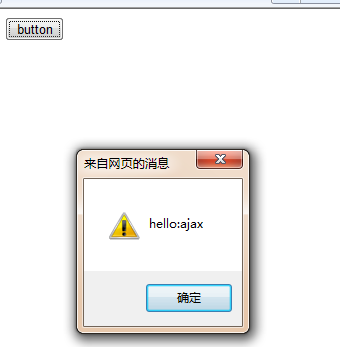
1:
前台:
_Default.Test("ajax",
{
success: function(e) {
alert(e);
},
dataType: "text"
});
{
success: function(e) {
alert(e);
},
dataType: "text"
});
后台:
[Green.Utility.jQueryInvokeMethod()]
public static string Test(string str)
{
return "hello:" + str;
}
public static string Test(string str)
{
return "hello:" + str;
}
效果:
2:
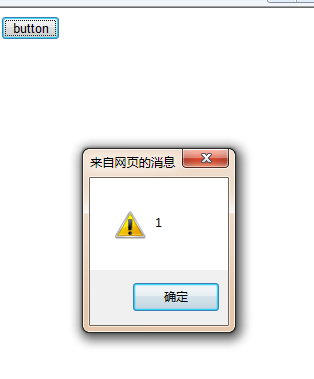
前台ajax:
_Default.TestArrayJson(1, 2, 3,
{
success: function(e) {
$.each(e, function(i, n) { alert(n); });
},
dataType: "json"
})
{
success: function(e) {
$.each(e, function(i, n) { alert(n); });
},
dataType: "json"
})
后台:
[Green.Utility.jQueryInvokeMethod()]
public static int[] TestArrayJson(int p1, int p2, int p3)
{
return new int[] { p1, p2, p3 };
}
public static int[] TestArrayJson(int p1, int p2, int p3)
{
return new int[] { p1, p2, p3 };
}
效果:
3:
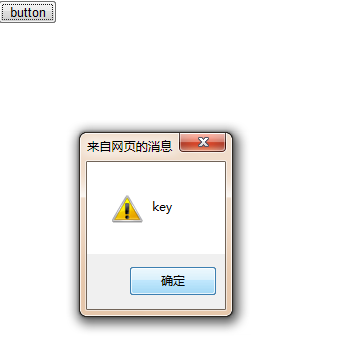
前台ajax:
_Default.TestArrayxml("key", "value",
{
success: function(e) {
alert(e.key);
alert(e.Value);
},
dataType: "json"
})
{
success: function(e) {
alert(e.key);
alert(e.Value);
},
dataType: "json"
})
后台:
[Green.Utility.jQueryInvokeMethod()]
public static Test TestArrayxml(string key,string value)
{
return new Test() { key=key,Value=value};
}
public static Test TestArrayxml(string key,string value)
{
return new Test() { key=key,Value=value};
}
效果:
最后看看FireBug中ajax http头信息:

其他资料jQuery目录: 我jQuery系列之目录汇总
附录:代码下载