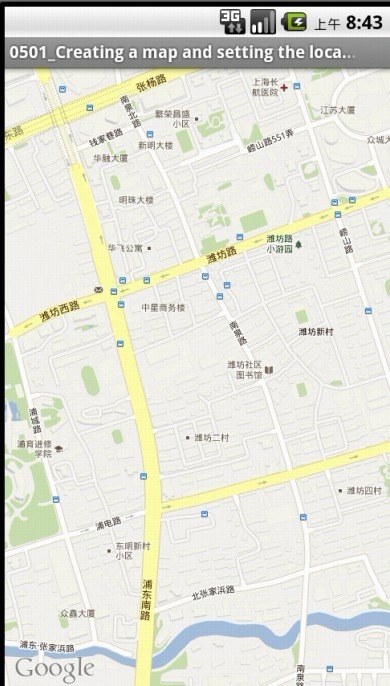
var win = Titanium.UI.createWindow({
	title:"Creating a Map and Setting the Location",
	background:"#FFFFFF",
	exitOnClose:true
});

//Android users will need to be sure to test with the Google APIs in Run Configurations
var mapView = Titanium.Map.createView({
	top:0,
	left:0,
	height:"100%",
	"100%",
    mapType: Titanium.Map.STANDARD_TYPE,
    //Selections for the above include:
    //Titanium.Map.STANDARD_TYPE
    //Titanium.Map.SATELLITE_TYPE
    //Titanium.Map.HYBRID_TYPE
    region: {
    	latitude:31.22119,		//GPS coordinates to center the map around
    	longitude:121.52016,	//GPS coordinates to center the map around
		latitudeDelta:.01, 	//Think of this like x-zoom
		longitudeDelta:.01		//This of this like y-zoom
	},
    animate:true,	//Animate the map towards the region
    //regionFit:true,	//Attempt to fit the specified region within the visible area
    userLocation:true //Will show a blue dot at your current location
});

win.add(mapView);
win.open();