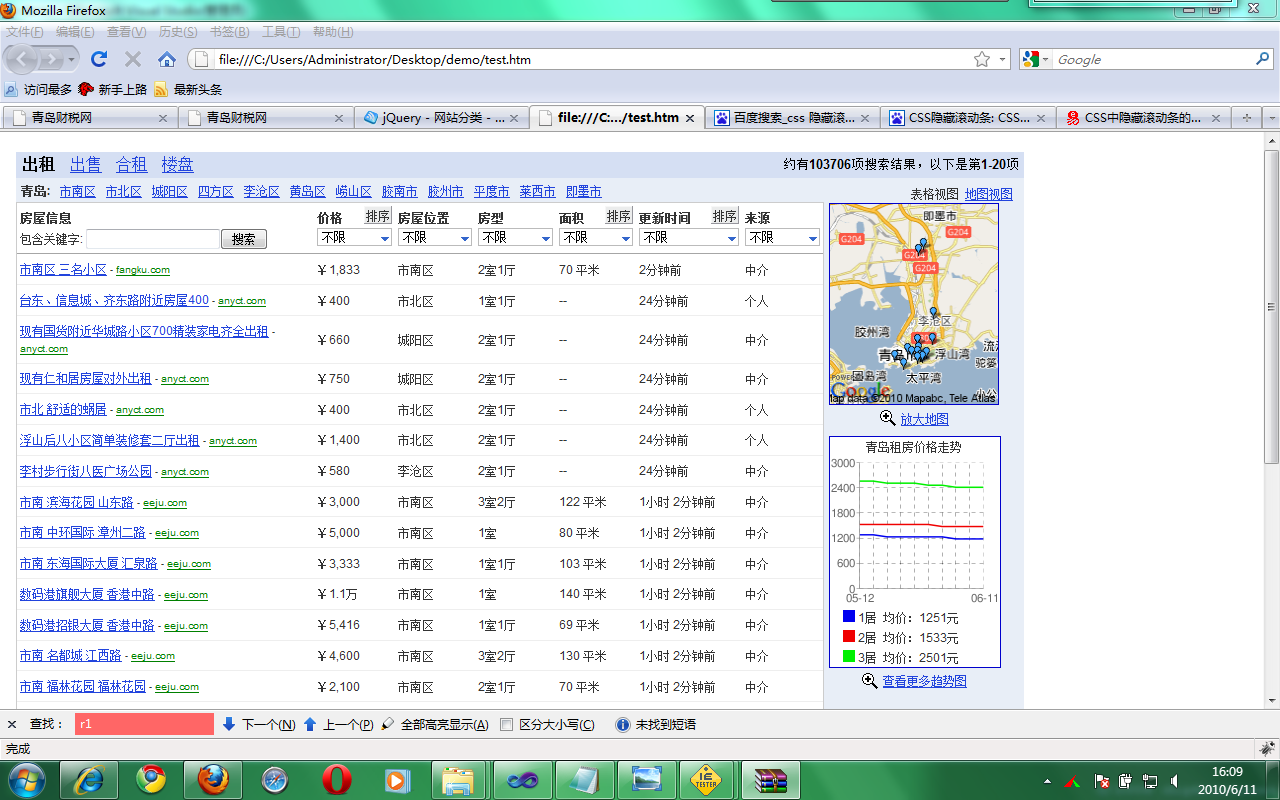
图1
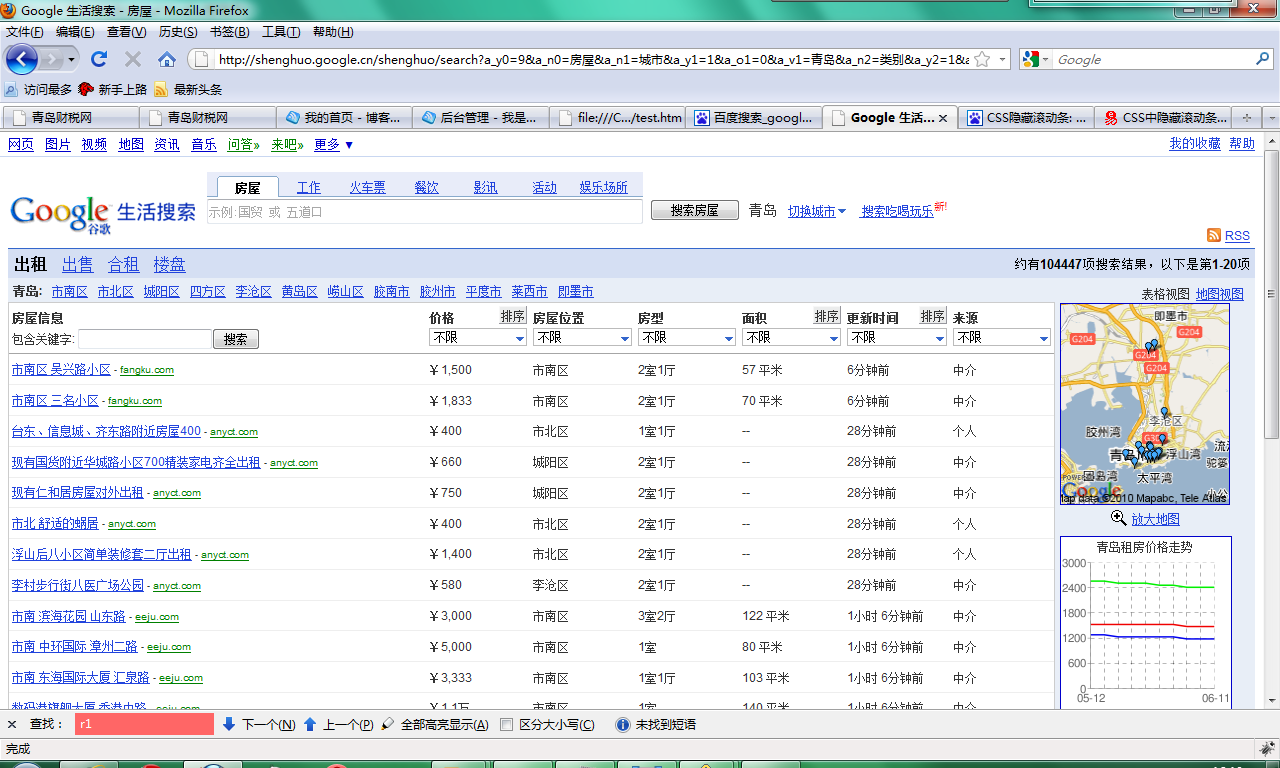
图2
今天同事在项目中突然遇到一个这样的问题,他想通过iframe的形式调用一个页面,只显示其中的一部分,恩,真是个不错的注意,这样我们很容易就能够早一个功能强大的新页面。呵呵。
具体实现效果是图1,图2为google 生活正式页面。
简单的想了想,其实调用这个iframe有点儿类似于调用图片。不废话了,直接来代码:
<!DOCTYPE html PUBLIC "-//W3C//DTD XHTML 1.0 Transitional//EN" "http://www.w3.org/TR/xhtml1/DTD/xhtml1-transitional.dtd">
<html xmlns="http://www.w3.org/1999/xhtml">
<head>
<title></title>
<style type="text/css">
iframe
{
margin-top: -120px;
}
</style>
</head>
<body>
<div style=" 1024px; height: 950px; overflow: hidden; margin-top: 20px; ">
<div style="border: 1px solid; height: 43px; left: 340px; position: absolute; top: 778px;
300px;background:url(mylogo.gif);">
</div>
<iframe src="http://shenghuo.google.cn/shenghuo/search?a_y0=9&a_n0=%E6%88%BF%E5%B1%8B&a_n1=%E5%9F%8E%E5%B8%82&a_y1=1&a_o1=0&a_v1=%E9%9D%92%E5%B2%9B&a_n2=%E7%B1%BB%E5%88%AB&a_y2=1&a_o2=0&a_v2=%E5%87%BA%E7%A7%9F&ct=h&cd=0/"
width="1024px" height="950px" style="overflow: hidden; border:none;"></iframe>
</div>
</body>
</html>
--------
主要代码分析如下:
1.可以控制Google生活了,另外你如果想把google图标换掉,你可以在
<div style="border: 1px solid; height: 43px; left: 340px; position: absolute; top: 778px; 300px;">
你可以在这里面定义你想要的图标替换Google图标。
</div>
这里主要用到了绝对定位的方法。
2.margin-top:的负像素的用法。
3.控制iframe的滚动条和边框
overflow: hidden; border:none;
这样就不会出现滚动条及其边框了,样式会好看点儿。
如果有更好的想法,欢迎提出宝贵意见。