下载numpy
-
下载地址
https://pypi.python.org/pypi/numpy
进入网站,下载和自己电脑及电脑中安装的python匹配的numpy版本。我的电脑是Win 10 x64位的系统,装的python版本是3.6,则要下载numpy-1.13.1-cp36-none-win_amd64.whl -
安装
把刚刚下载的.whl文件放在任意文件夹下,然后进入该文件夹的目录打开命令行,然后使用pip指令安装(前提是你的电脑已经安装了python的pip包管理模块),输入命令:pip install numpy-1.13.1-cp36-none-win_amd64.whl

-
测试,使用random函数来进行验证
引用《机器学习实战》的测试例子:>>> from numpy import * >>> random.rand(3,3)

-
简单应用
如何将我们下载的numpy模块用到python程序语法中呢?首先我们得引入该模块:#引入numpy模块 import numpy as np; #numpy 创建数组 a = np.array([1, 2, 3, 4, 5]); b = np.array((1, 2, 3, 4, 5)); d = np.linspace(0, 2*np.pi, 5); print(a); print(b); print(d); # [1 2 3 4 5] # [1 2 3 4 5] # [ 0. 1.57079633 3.14159265 4.71238898 6.28318531] #创建多维数组 c = np.array([[1,2,3,4], [5,6,7,8], [11,12,13,14], [15,16,17,81], ]); print(c); print(c[2,3]); # [[ 1 2 3 4] # [ 5 6 7 8] # [11 12 13 14] # [15 16 17 81]] # 14
安装pandas
python的pandas模块和numpy模块都是用于科学计算的模块。我看了很多pandas安装的教程,都有一些前提条件:什么numpy的版本要新、要下什么python的什么包啊,先下载镜像啊,网速要好(这个的确是的)这些的,五花八门的,但是我就是先下了python、pip模块、numpy然后用命令行输入命令下载的:
pip3 install pandas
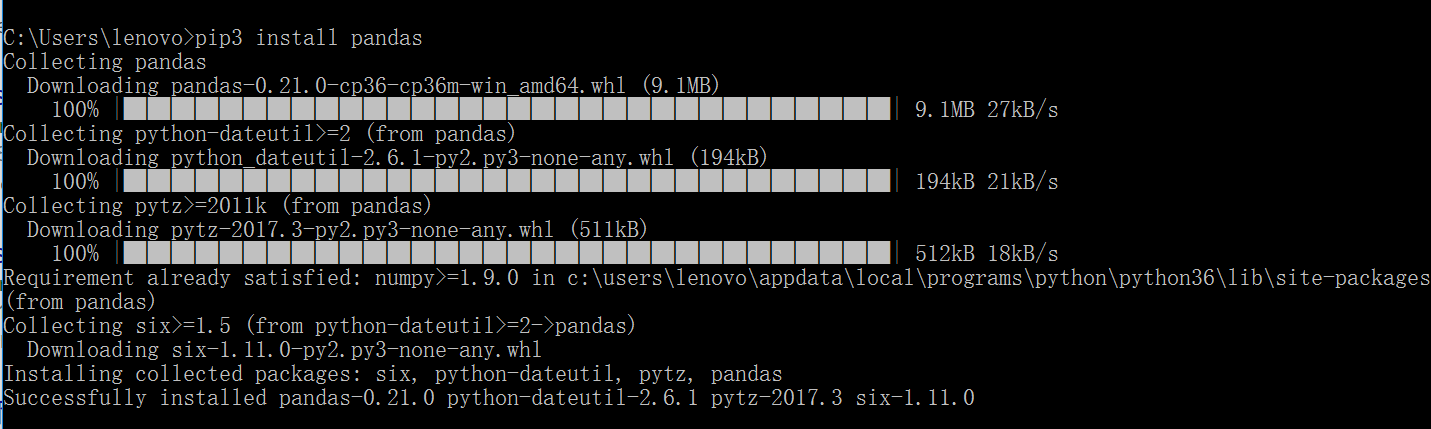
下载好之后,就能使用了
import pandas as pd;
a2 = pd.Series([1,3,5,np.nan,6,8]);
print(a2);
# 0    1.0
# 1    3.0
# 2    5.0
# 3    NaN
# 4    6.0
# 5    8.0
# dtype: float64