在Spring boot开发中,需要在application.yml文件里配置数据库的连接信息,或者在启动时传入数据库密码,如果不加密,传明文,数据库就直接暴露了,相当于"裸奔"了,因此需要进行加密处理才行。
如果使用@SpringBootApplication注解启动的项目,只需增加maven依赖,其他方式请参考如下GitHub地址的README信息:
---------------------

我们对信息加解密是使用这个jar包的:
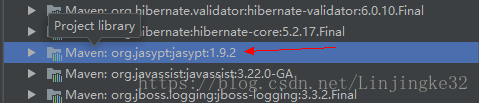
编写加解密测试类:
package cn.linjk.ehome;

import org.jasypt.encryption.pbe.StandardPBEStringEncryptor;
import org.jasypt.encryption.pbe.config.EnvironmentPBEConfig;
import org.junit.Test;

public class JasyptTest {
    @Test
    public void testEncrypt() throws Exception {
        StandardPBEStringEncryptor standardPBEStringEncryptor = new StandardPBEStringEncryptor();
        EnvironmentPBEConfig config = new EnvironmentPBEConfig();

        config.setAlgorithm("PBEWithMD5AndDES");          // 加密的算法,这个算法是默认的
        config.setPassword("ljk");                        // 加密的密钥
        standardPBEStringEncryptor.setConfig(config);
        String plainText = "linjingke";
        String encryptedText = standardPBEStringEncryptor.encrypt(plainText);
        System.out.println(encryptedText);
    }

    @Test
    public void testDe() throws Exception {
        StandardPBEStringEncryptor standardPBEStringEncryptor = new StandardPBEStringEncryptor();
        EnvironmentPBEConfig config = new EnvironmentPBEConfig();

        config.setAlgorithm("PBEWithMD5AndDES");
        config.setPassword("ljk");
        standardPBEStringEncryptor.setConfig(config);
        String encryptedText = "aHsFtlQjatrOP2s8bfLGkUG55z53KLNi";
        String plainText = standardPBEStringEncryptor.decrypt(encryptedText);
        System.out.println(plainText);
    }
}


  加密串拿到了,现在来修改application.yml的配置:
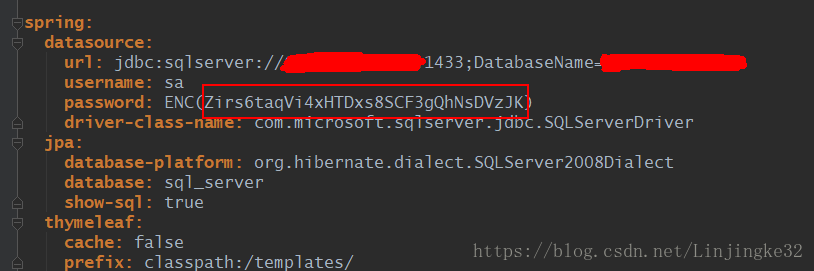
我们把加密串放在ENC({加密串})即可。
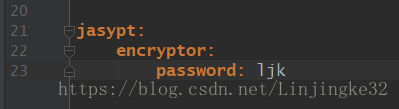
还要加这个密钥的配置: