单文件上传
前端
<!DOCTYPE html>
<html lang="en">
<head>
    <meta charset="UTF-8">
    <title>文件上传</title>
</head>
<body>
<form action="/upload" method="post"  enctype="multipart/form-data">  //upload跳转控制
    <input type="file" name="f1">   //和c.FormFile一致
    <input type="submit" value="上传">
</form>
</body>
</html>
后端
#main.go
package main

import (
	"github.com/gin-gonic/gin"
	"net/http"
	"path"
)

func main() {
	r := gin.Default()
	//处理multipart forms提交文件时默认的内存限制是32 MiB
	r.MaxMultipartMemory = 8    //router.MaxMultipartMemory = 8 << 20  // 8 MiB
	r.LoadHTMLFiles("./index.html")
	r.GET("/index", func(c *gin.Context) {
		c.HTML(http.StatusOK,"index.html",nil)
	})
	r.POST("/upload", func(c *gin.Context) {
		//从请求中读取文件
		f, err := c.FormFile("f1")  //和从请求中获取携带的参数一样
		if err != nil {
			c.JSON(http.StatusBadRequest, gin.H{
				"error": err.Error(),
			})
		}else {
			//将读取到的文件保存到本地(服务端)
			//dst := fmt.Sprintf("./%s", f.Filename)
			dst := path.Join("./", f.Filename)
			_  = c.SaveUploadedFile(f,dst)
			c.JSON(http.StatusOK, gin.H{
				"status":"ok",
			})
		}
	})

	r.Run(":9090")
}

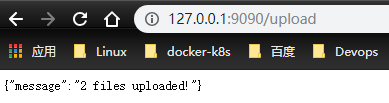
多文件上传
前端
#index.html
<!DOCTYPE html>
<html lang="en">
<head>
    <meta charset="UTF-8">
    <title>文件上传</title>
</head>
<body>
<form action="/upload" method="post" enctype="multipart/form-data">
    <input type="file" name="f1">
    <input type="file" name="f1">
    <input type="submit" value="上传">
</form>
</body>
</html>
后端
#main.go
package main

import (
	"fmt"
	"github.com/gin-gonic/gin"
	"log"
	"net/http"
	"path"
)

func main() {
	r := gin.Default()
	//处理multipart forms提交文件时默认的内存限制是32 MiB
	r.MaxMultipartMemory = 8    //router.MaxMultipartMemory = 8 << 20  // 8 MiB
	r.LoadHTMLFiles("./index.html")
	r.GET("/index", func(c *gin.Context) {
		c.HTML(http.StatusOK,"index.html",nil)
	})
	r.POST("/upload", func(c *gin.Context) {
		//从请求中读取文件
		//f, err := c.FormFile("f1")  //和从请求中获取携带的参数一样
		//if err != nil {
		//	c.JSON(http.StatusBadRequest, gin.H{
		//		"error": err.Error(),
		//	})
		//}else {
		//	//将读取到的文件保存到本地(服务端)
		//	//dst := fmt.Sprintf("./%s", f.Filename)
		//	dst := path.Join("./", f.Filename)
		//	_  = c.SaveUploadedFile(f,dst)
		//	c.JSON(http.StatusOK, gin.H{
		//		"status":"ok",
		//	})
		//}

		form, _ := c.MultipartForm()
		files := form.File["f1"]
		for _, file := range files {
			log.Print(file.Filename)
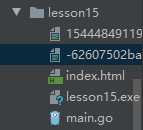
			dst := path.Join("./", file.Filename)
			//上传文件到指定的目录
			c.SaveUploadedFile(file, dst)
		}
		c.JSON(http.StatusOK, gin.H{
			"message" : fmt.Sprintf("%d files uploaded!", len(files)),
		})
	})
	r.Run(":9090")
}