从最简单的开始写起:
首先先从工具性中拖入一个Button控件,然后可以在其属性面板之中更改其自身的属性。
当然也可用直接在代码编辑界面进行直接的编辑添加,如果有什么属性不清楚,可在属性面板中查看一下,然后可以用代码直接编写,和在属性面板中更改的是一样的。
之后可以编辑控件的事件了,其中Button有Click事件和Command事件,在这里就只写Click事件。
代码:
1 <asp:Button ID="Button1" runat="server" Text="按钮" OnClick ="Button1_Click"/>
2 <asp:Label ID="Label1" runat="server" Text=""></asp:Label>
上面的Lable控件,使用来响应Button事件的。
然后会对应的在后台的.cs界面产生直接的单击事件按钮程序;
1 /// <summary>
2 /// Button单击事件
3 /// </summary>
4 /// <param name="sender"></param>
5 /// <param name="e"></param>
6 protected void Button1_Click(object sender, EventArgs e)
7 {
8     this.Label1.Text = "You clicked a button.";
9 }
最终效果:
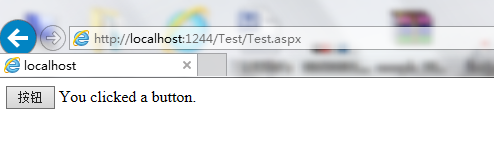
上面就是Button控件的使用,接下来会接着写常用的控件使用方法。