每次看大佬的博客发现他们博客设置的很漂亮,在看看自己的博客,发现自己的博客是那么的惨淡(qwq)。
今天搞了一天,终于把自己的博客设置的稍微好看了一点。
1.公告栏如何显示自己的图片:
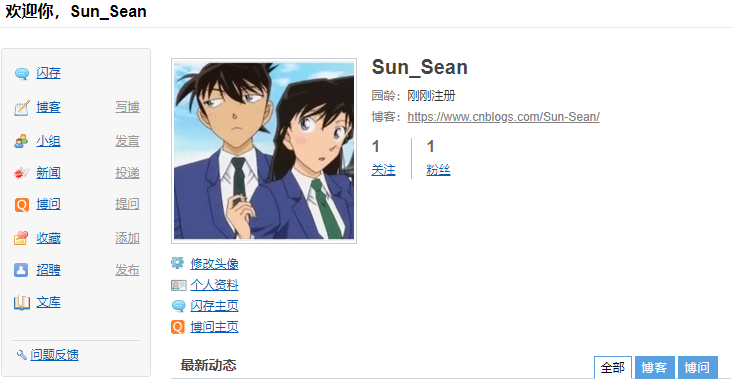
首先打开个人主页,然后右键自己的图片,点击检查,找到跟“<img src="//pic.cnblogs.com/avatar/1771497/20190817121652.png" alt="Sun_Sean的头像" class="img_avatar">”类似的东西,在把它直接加入到“博客侧边栏公告”(进入博客-设置)
2.如何设置背景:
在“页面定制CSS代码”,加入CSS码,如下:
  1 /*simplememory*/
  2 #google_ad_c1, #google_ad_c2 {display:none;}
  3 .syntaxhighlighter a, .syntaxhighlighter div, .syntaxhighlighter code, .syntaxhighlighter table, .syntaxhighlighter table td,
  4 .syntaxhighlighter table tr, .syntaxhighlighter table tbody, .syntaxhighlighter table thead, .syntaxhighlighter table caption,
  5 .syntaxhighlighter textarea {
  6 font-size: 14px!important;
  7 }
  8 #home {
  9 opacity: 0.80;
 10 margin: 0 auto;
 11 width: 85%;
 12 min-width: 950px;
 13 background-color: #fff;
 14 padding: 30px;
 15 margin-top: 30px;
 16 margin-bottom: 50px;
 17 box-shadow: 0 2px 6px rgba(100, 100, 100, 0.3);
 18 }
 19 #blogTitle h1 {
 20 font-size: 30px;
 21 font-weight: bold;
 22 font-family: "Comic Sans MS";
 23 line-height: 1.5em;
 24 margin-top: 20px;
 25 color: #515151;
 26 }
 27 #navList a:hover {
 28 color: #4C9ED9;
 29 text-decoration: none;
 30 }
 31 #navList a {
 32 display: block;
 33 width: 5em;
 34 height: 22px;
 35 float: left;
 36 text-align: center;
 37 padding-top: 18px;
 38 }
 39 #navigator {
 40 font-size: 15px;
 41 border-bottom: 1px solid #ededed;
 42 border-top: 1px solid #ededed;
 43 height: 50px;
 44 clear: both;
 45 margin-top: 25px;
 46 }
 47 .catListTitle {
 48 margin-top: 21px;
 49 margin-bottom: 10.5px;
 50 text-align: left;
 51 border-left: 10px solid rgba(82, 168, 236, 0.8);
 52 padding: 10px 0 14px 10px;
 53 background-color: #f5f5f5;
 54 }
 55 #ad_under_post_holder #google_ad_c1,#google_ad_c2{
 56 display: none !important;
 57 }
 58 body {
 59 color: #000;
 60 background: url(https://acg.toubiec.cn/random
 61
 62 ) fixed;
 63 background-size: 100%;
 64 background-repeat: no-repeat;
 65 font-family: "Helvetica Neue",Helvetica,Verdana,Arial,sans-serif;
 66 font-size: 12px;
 67 min-height: 101%;
 68 }
 69 #topics .postTitle {
 70 border: 0px;
 71 font-size: 200%;
 72 font-weight: bold;
 73 float: left;
 74 line-height: 1.5;
 75 width: 100%;
 76 padding-left: 5px;
 77 }
 78
 79 div.commentform p{
 80 margin-bottom:10px;
 81 }
 82 .comment_btn {
 83 padding: 5px 10px;
 84 height: 35px;
 85 width: 90px;
 86 border: 0 none;
 87 border-radius: 5px;
 88 background: #ddd;
 89 color: #999;
 90 cursor:pointer;
 91 font-family: "Lato", Helvetica Neue, Helvetica, Microsoft Yahei, 宋体, Arial, sans-serif;
 92 text-shadow: 0 0 1px #fff;
 93 display: inline !important;
 94 }
 95 .comment_btn:hover{
 96 padding: 5px 10px;
 97 height: 35px;
 98 width: 90px;
 99 border: 0 none;
100 border-radius: 5px;
101 background: #258fb8;
102 color: white;
103 cursor:pointer;
104 font-family: "Lato", Helvetica Neue, Helvetica, Microsoft Yahei, 宋体, Arial, sans-serif;
105 text-shadow: 0 0 1px #fff;
106 display: inline !important;
107 }
108 #commentform_title {
109 background-image:none;
110 background-repeat:no-repeat;
111 margin-bottom:10px;
112 padding:0;
113 font-size:24px;
114 }
115 #commentbox_opt,#commentbox_opt + p {
116 text-align:center;
117 }
118 .commentbox_title {
119 width: 100%;
120 }
121 #tbCommentBody {
122 font-family:'Microsoft Yahei', Microsoft Yahei, 宋体, sans-serif;
123 margin-top:10px;
124 max-width:100%;
125 min-width:100%;
126 background:white;
127 color:#333;
128 border:2px solid #fff;
129 box-shadow:inset 0 0 8px #aaa;
130 // padding:10px;
131 height:250px;
132 font-size:14px;
133 min-height:120px;
134 }
135 .feedbackItem {
136 font-size:14px;
137 line-height:24px;
138 margin:10px 0;
139 padding:20px;
140 background:#F2F2F2;
141 box-shadow:0 0 5px #aaa;
142 }
143 .feedbackListSubtitle {
144 font-weight:normal;
145 }
146
147 #blog-comments-placeholder, #comment_form {
148 padding: 20px;
149 background: #fff;
150 -webkit-box-shadow: 1px 2px 3px #ddd;
151 box-shadow: 1px 2px 3px #ddd;
152 margin-bottom: 50px;
153 }
154 .feedback_area_title {
155 margin-bottom: 15px;
156 font-size: 1.8em;
157 }
158 .feedbackItem {
159 border-bottom: 1px solid #CCC;
160 margin-bottom: 10px;
161 padding: 5px;
162 background: rgb(248, 248, 248);
163 }
164 .color_shine {background: rgb(226, 242, 255);}
165 .feedbackItem:hover {-webkit-animation-name: color_shine;-webkit-animation-duration: 2s;-webkit-animation-iteration-count: infinite;}
166 #comment_form .title {
167 font-weight: normal;
168 margin-bottom: 15px;
169 }
黑色加粗的网址就是背景图片(图片必须上传),我的是一个二次元随机图片。
附加上一个图片上传网址:https://upload.cc/
3.如何加入板娘:
直接在“博客侧边栏公告”中加入,如下代码:
 1 <!DOCTYPE html>
 2 <html xmlns="http://www.w3.org/1999/xhtml">
 3 <head>
 4     <meta http-equiv="Content-Type" content="text/html; charset=UTF-8" />
 5     <title>Live2D</title>
 6
 7     <link rel="stylesheet" type="text/css" href="https://files.cnblogs.com/files/kousak/waifu.css"/>
 8     <script src="https://cdn.bootcss.com/jquery/3.2.1/jquery.min.js"></script>
 9 </head>
10 <body>
11     <link rel="stylesheet" type="text/css" href="https://files.cnblogs.com/files/kousak/waifu.css">
12     <div class="waifu" id="waifu">
13         <div class="waifu-tips" style="opacity: 1;"></div>
14         <canvas id="live2d" width="280" height="250" class="live2d"></canvas>
15         <div class="waifu-tool">
16             <span class="fui-home"></span>
17             <span class="fui-chat"></span>
18             <span class="fui-eye"></span>
19             <span class="fui-user"></span>
20             <span class="fui-photo"></span>
21             <span class="fui-info-circle"></span>
22             <span class="fui-cross"></span>
23         </div>
24     </div>
25     <script src="https://files.cnblogs.com/files/kousak/live2d.js"></script>
26     <script src="https://files.cnblogs.com/files/kousak/waifu-tips.js"></script>
27     <script type="text/javascript">initModel()</script>
28 </body>
29 </html>
30 <link rel="stylesheet" type="text/css" href="https://files.cnblogs.com/files/yjlblog/flat-ui.min.css"/>
给一个大佬链接:https://www.cnblogs.com/kousak/p/9726514.html
4.鼠标点击文字:
有时候进入别人的博客,点一下就会出现文字,这个我们自己也可以设置,在“页脚Html代码”中加入代码
 1 <script type="text/javascript">
 2 /* 鼠标特效 */
 3 var a_idx = 0;
 4 jQuery(document).ready(function($) {
 5     $("body").click(function(e) {
 6         var a = new Array("❤富强❤","❤民主❤","❤文明❤","❤和谐❤","❤自由❤","❤平等❤","❤公正❤","❤法治❤","❤爱国❤","❤敬业❤","❤诚信❤","❤友善❤");
 7         var $i = $("<span></span>").text(a[a_idx]);
 8         a_idx = (a_idx + 1) % a.length;
 9         var x = e.pageX,
10         y = e.pageY;
11         $i.css({
12             "z-index": 999999999999999999999999999999999999999999999999999999999999999999999,
13             "top": y - 20,
14             "left": x,
15             "position": "absolute",
16             "font-weight": "bold",
17             "color": "rgb("+~~(255*Math.random())+","+~~(255*Math.random())+","+~~(255*Math.random())+")"
18         });
19         $("body").append($i);
20         $i.animate({
21             "top": y - 180,
22             "opacity": 0
23         },
24         1500,
25         function() {
26             $i.remove();
27         });
28     });
29 });
30 </script>
5.如何加入其它的装饰:
我们可以去网上找一些CSS码,然后加入到“博客侧边栏公告”中,要加的话要加在</body>之前,否则你要自己打一个CSS模板,把它加进去。
如果我们在别人的博客中发现了好的装饰,可以按“F12”,然后在里面找到关于这个装饰的CSS码;

在装饰的位置上点击右键,可以看到一个“检查”(QQ浏览器),然后就可以找到这个装饰的一部分代码,最后你在把整个CSS代码(装饰部分)复制下来,在加入到自己的“博客侧边栏公告”里,就可以了。
