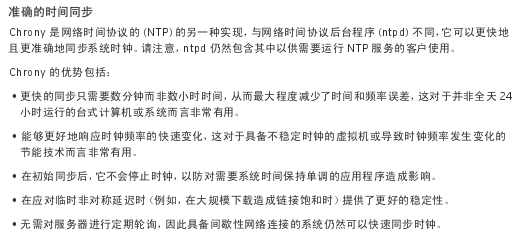
Chrony是一个开源的自由软件,它能保持系统时钟与时钟服务器(NTP)同步,让时间保持精确。
它由两个程序组成:chronyd和chronyc。
chronyd是一个后台运行的守护进程,用于调整内核中运行的系统时钟和时钟服务器同步。它确定计算机增减时间的比率,并对此进行补偿。
chronyc提供了一个用户界面,用于监控性能并进行多样化的配置。它可以在chronyd实例控制的计算机上工作,也可以在一台不同的远程计算机上工作。
安装、配置chrony
# systemctl enable chronyd.service
# systemctl restart chronyd.service
# systemctl status chronyd.service

查看时间同步源:
# chronyc sources -v
210 Number of sources = 1

  .-- Source mode  '^' = server, '=' = peer, '#' = local clock.
 / .- Source state '*' = current synced, '+' = combined , '-' = not combined,
| /   '?' = unreachable, 'x' = time may be in error, '~' = time too variable.
||                                                 .- xxxx [ yyyy ] +/- zzzz
||                                                /   xxxx = adjusted offset,
||         Log2(Polling interval) -.             |    yyyy = measured offset,
||                                              |    zzzz = estimated error.
||                                   |           |
MS Name/IP address         Stratum Poll Reach LastRx Last sample
===============================================================================
^? ys-ad1.ys.com      3   6     3     1    +12ms[  +12ms] +/-  268ms

查看时间同步源状态:
# chronyc sourcestats -v
210 Number of sources = 1
                             .- Number of sample points in measurement set.
                            /    .- Number of residual runs with same sign.
                           |    /    .- Length of measurement set (time).
                           |   |    /      .- Est. clock freq error (ppm).
                           |   |   |      /           .- Est. error in freq.
                           |   |   |     |           /         .- Est. offset.
                           |   |   |     |          |          |   On the -.
                           |   |   |     |          |          |   samples.
                           |   |   |     |          |          |             |
Name/IP Address            NP  NR  Span  Frequency  Freq Skew  Offset  Std Dev
==============================================================================
ys-ad1.ys.com    4   3     6   -939.214  56272.109  -4371us  5267us
配置chrony
当Chrony启动时,它会读取/etc/chrony.conf配置文件中的设置
参数文件说明:
# cat /etc/chrony.conf
# 该参数可以多次用于添加时钟服务器,必须以"server "格式使用。一般而言,你想添加多少服务器,就可以添加多少服务器。
server 0.rhel.pool.ntp.org iburst
server 1.rhel.pool.ntp.org iburst
server 2.rhel.pool.ntp.org iburst
server 3.rhel.pool.ntp.org iburst

# Ignore stratum in source selection.
# stratumweight指令设置当chronyd从可用源中选择同步源时,每个层应该添加多少距离到同步距离。默认情况下,设置为0,让chronyd在选择源时忽略源的层级。
stratumweight 0

# Record the rate at which the system clock gains/losses time.
# chronyd程序的主要行为之一,就是根据实际时间计算出计算机增减时间的比率,将它记录到一个文件中是最合理的,它会在重启后为系统时钟作出补偿,甚至可能的话,会从时钟服务器获得较好的估值。
driftfile /var/lib/chrony/drift

# Enable kernel RTC synchronization.
# rtcsync指令将启用一个内核模式,在该模式中,系统时间每11分钟会拷贝到实时时钟(RTC)。
rtcsync

# In first three updates step the system clock instead of slew
# if the adjustment is larger than 10 seconds.
通常,chronyd将根据需求通过减慢或加速时钟,使得系统逐步纠正所有时间偏差。在某些特定情况下,系统时钟可能会漂移过快,导致该调整过程消耗很长的时间来纠正系统时钟。该指令强制chronyd在调整期大于某个阀值时步进调整系统时钟,但只有在因为chronyd启动时间超过指定限制(可使用负值来禁用限制),没有更多时钟更新时才生效。
makestep 10 3

# Allow NTP client access from local network.
# 这里你可以指定一台主机、子网,或者网络以允许或拒绝NTP连接到扮演时钟服务器的机器。
#allow 192.168.56.6
#deny 192.168/16

# Listen for commands only on localhost.
# 该指令允许你限制chronyd监听哪个网络接口的命令包(由chronyc执行)。该指令通过cmddeny机制提供了一个除上述限制以外可用的额外的访问控制等级。
bindcmdaddress 127.0.0.1
bindcmdaddress ::1

# Serve time even if not synchronized to any NTP server.
#local stratum 10

keyfile /etc/chrony.keys

# Specify the key used as password for chronyc.
commandkey 1

# Generate command key if missing.
generatecommandkey

# Disable logging of client accesses.
noclientlog

# Send a message to syslog if a clock adjustment is larger than 0.5 seconds.
logchange 0.5

logdir /var/log/chrony
#log measurements statistics tracking
Command Keys
在/etc/chrony.conf配置文件中,参数generatecommandkey指定了产生一个SHA1或MD5加密的密码,存放在/etc/chrony.keys中:
# cat /etc/chrony.keys
1 MD5 HEX:BD359B2633CD6105AB8820E47A8D8EAB
密码是"HEX:BD359B2633CD6105AB8820E47A8D8EAB",包含了前缀"HEX:"
可以自己指定密码,比如:
# cat/etc/chrony.keys
1 xyzzy
在/etc/chrony.conf配置文件中,参数commandkey指定了密码文件中那一条被使用。默认是1
在客户端配置时间同步服务器
1.使用命令行工具:chronyc
2.图形界面工具:system_config_date