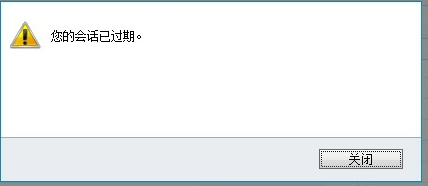
一、IFD 登录的时候,过了一段时间,会马上出现“您的会话已过期”,怎么解决这个问题呢,可以通过改变这个时间。具体图如二
Link to Dynamics CRM Wiki Home Page
二、Setting the ADFS Timeout for CRM 2011 Internet Facing Deployments (IFD)
Once you deploy ADFS in a functional environment, the users will generally receive timeout requests, or requests to log back in, which can quickly become an issue within an 8 hour shift (480 minutes).
The solution is to set the ADFS Timeout. The ADFS timeout determines how long the claims token will live in the system before requiring a re-authentication or signin from the user. This can be set on the internal and external sides of ADFS. You will need to know the names of your ADFS relying party trusts.
To begin, open the ADFS Management Console:

Open the left hand navigation, expand relying parting trusts to find the display names:
Now, run the Windows Powershell from the machine with ADFS installed.

Now from the powershell, start the PSSnapin for ADFS:
说明:注意大小写空格Add-PSSnapin Microsoft.Adfs.Powershell

Using the Internal Relying Party Trust Display Name from the ADFS wizard above, enter this command where the dev.mydomain.com is the name of your internalcrm ADFS Relying Party Trust Display Name.
注意:Get-ADFSRelyingPartyTrust –Name "dev.mydomain.com": dev为组织名,后面的为域名。

The last line of the results specific TokenLifetime will say how long the current time out is set.

Set the timeout to 480 for 8 hours ( minute increments). Example below is (240).
Set-ADFSRelyingPartyTrust -TargetName "dev.mydomain.com" -TokenLifetime 240(分钟)

Now, set the timeout is set. You can follow the same steps to review or set your external timeout as well. It's not a good security practice to set your external lifetime greater than 1 hour, as somebody who logins in remotely and forgets to logout, the session will be active until that timeout period is reached.
If you find my support topics interesting, please read more on www.cognettacloud.com  .
.