本人QQ:971751392(屌丝一枚)
Myeclipse10安装checkStyle与findBugs插件详细完美结局方案:
资源一:
http://download.csdn.net/detail/oceans521/8202353 CSDN资源
资源二:如果上面不能访问,则访问官网,如下
http://findbugs.sourceforge.net/downloads.html
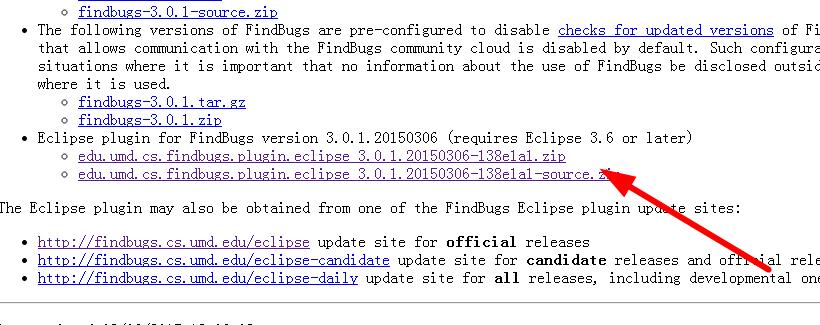
findBugs:
原创版权:QQ971751392 (费元星)
1、将下载回来的zip包解压,得到文件夹:edu.umd.cs.findbugs.plugin.eclipse_2.0.2.20121119,将该文件夹拷贝到myeclipse安装目录下common/plugins目录下。我的目录结构:D:MyEclipse10_6Commonpluginsedu.umd.cs.findbugs.plugin.eclipse_2.0.2.20121119
2、修改myeclipse安装目录下D:MyEclipse10_6MyEclipse 10configurationorg.eclipse.equinox.simpleconfigurator的bundles.info文件,在文件最后添加一行:
edu.umd.cs.findbugs.plugin.eclipse,2.0.2.20121119,../Common/plugins/edu.umd.cs.findbugs.plugin.eclipse_2.0.2.20121119/,4,false
3、重启myeclipse,选中项目,右键会出现一个Find Bugs菜单。至此,findbugs插件安装完毕。
checkstyle:
原创版权:QQ971751392 (费元星)
1:在D:MyEclipse10_6MyEclipse 10dropins下建立一个文件checkstyle
原创版权:QQ971751392 (费元星)
2:将压缩包解压,并将里面所有文件拷贝到checkstyle文件中
3:重启myEclipse,安装成功