报错:
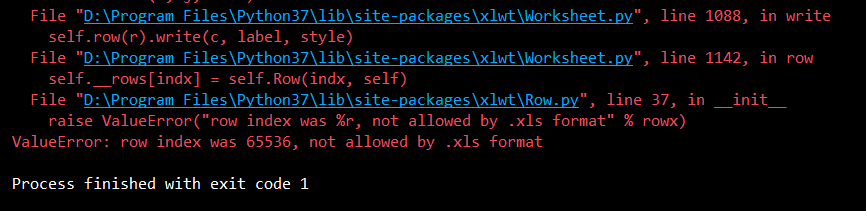
ValueError: row index was 65536, not allowed by .xls format
解决方案:
xlrd和xlwt处理的是xls文件,单个sheet最大行数是65535,如果有更大需要的,建议使用openpyxl函数,最大行数达到1048576。
如果数据量超过65535就会遇到:ValueError: row index was 65536, not allowed by .xls format
import openpyxl

def readExel():
    filename = r'D:	est.xlsx'
    inwb = openpyxl.load_workbook(filename)  # 读文件
    sheetnames = inwb.get_sheet_names()  # 获取读文件中所有的sheet,通过名字的方式
    ws = inwb.get_sheet_by_name(sheetnames[0])  # 获取第一个sheet内容

    # 获取sheet的最大行数和列数
    rows = ws.max_row
    cols = ws.max_column
    for r in range(1,rows):
        for c in range(1,cols):
            print(ws.cell(r,c).value)
        if r==10:
            break

def writeExcel():
    outwb = openpyxl.Workbook()  # 打开一个将写的文件
    outws = outwb.create_sheet(index=0)  # 在将写的文件创建sheet
    for row in range(1,70000):
        for col in range(1,4):
            outws.cell(row, col).value = row*2  # 写文件
        print(row)
    saveExcel = "D:\test2.xlsx"
    outwb.save(saveExcel)  # 一定要记得保存