  import 'package:flutter/material.dart';
  import 'dart:async';

  enum Action {
    Ok,
    Cancel
  }

  class AlertDialogDemo extends StatefulWidget {
    @override
    _AlertDialogDemoState createState() => _AlertDialogDemoState();
  }

  class _AlertDialogDemoState extends State<AlertDialogDemo> {
    String _choice = 'Nothing';

    Future _openAlertDialog() async {
      final action = await showDialog(
        context: context,
        barrierDismissible: false,//// user must tap button!
        builder: (BuildContext context) {
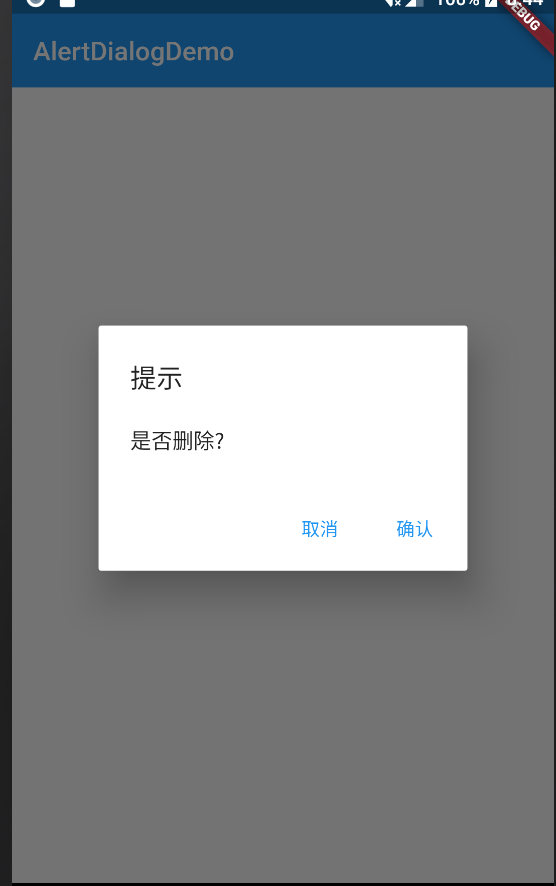
          return AlertDialog(
            title: Text('提示'),
            content: Text('是否删除?'),
            actions: <Widget>[
              FlatButton(
                child: Text('取消'),
                onPressed: () {
                  Navigator.pop(context, Action.Cancel);
                },
              ),
              FlatButton(
                child: Text('确认'),
                onPressed: () {
                  Navigator.pop(context, Action.Ok);
                },
              ),
            ],
          );
        },
      );

      switch (action) {
        case Action.Ok:
          setState(() {
            _choice = 'Ok';
          });
          break;
        case Action.Cancel:
          setState(() {
            _choice = 'Cancel';
          });
          break;
        default:
      }
    }

    @override
    Widget build(BuildContext context) {
      return Scaffold(
        appBar: AppBar(
          title: Text('AlertDialogDemo'),
          elevation: 0.0,
        ),
        body: Container(
          padding: EdgeInsets.all(16.0),
          child: Column(
            mainAxisAlignment: MainAxisAlignment.center,
            children: <Widget>[
              Text('Your choice is: $_choice'),
              SizedBox(height: 16.0,),
              Row(
                mainAxisAlignment: MainAxisAlignment.center,
                children: <Widget>[
                  RaisedButton(
                    child: Text('Open AlertDialog'),
                    onPressed: _openAlertDialog,
                  ),
                ],
              ),
            ],
          ),
        ),
      );
    }
  }
文档:https://api.flutter.dev/flutter/material/AlertDialog-class.html