
问题描述
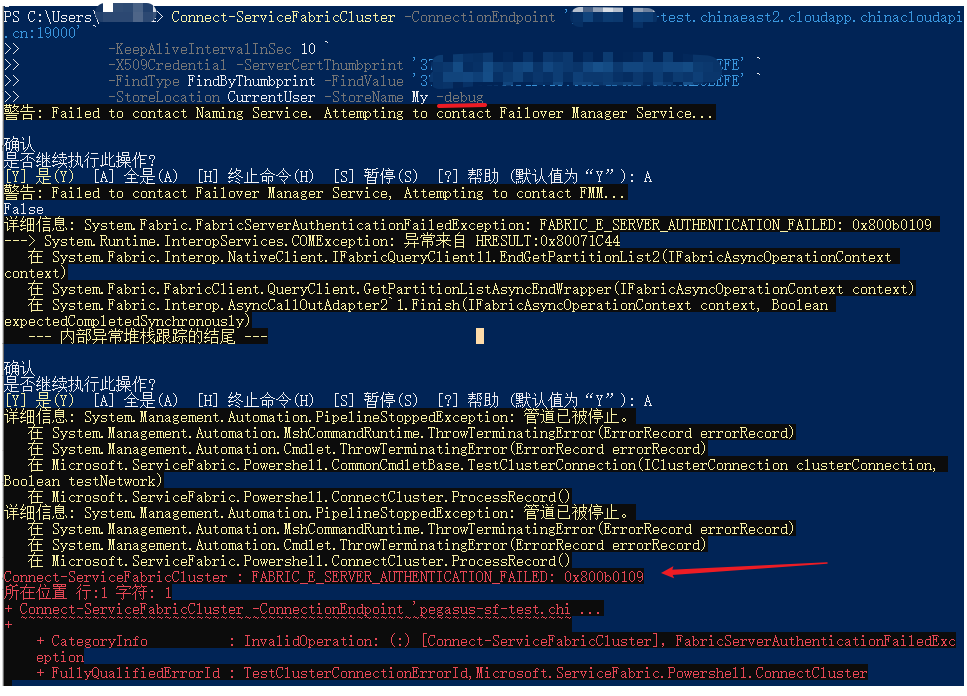
Azure Service Fabric提供了PowerShell的指令来进行创建,管理资源,如Get-ServiceFabricClusterHealth 获取当前集群的健康状态,但这些命令都需要使用Connect-ServiceFabricCluster 先连接到集群。而在使用连接命令时候,始终连接不成功。本且是运行PowerShell命令的机器上已经安装了SF的主要证书。通过添加 -debug命令查看输出结果,不能连接成功的原因为认证失败。[System.Fabric.FabricServerAuthenticationFailedException: FABRIC_E_SERVER_AUTHENTICATION_FAILED: 0x800b0109]
解决办法
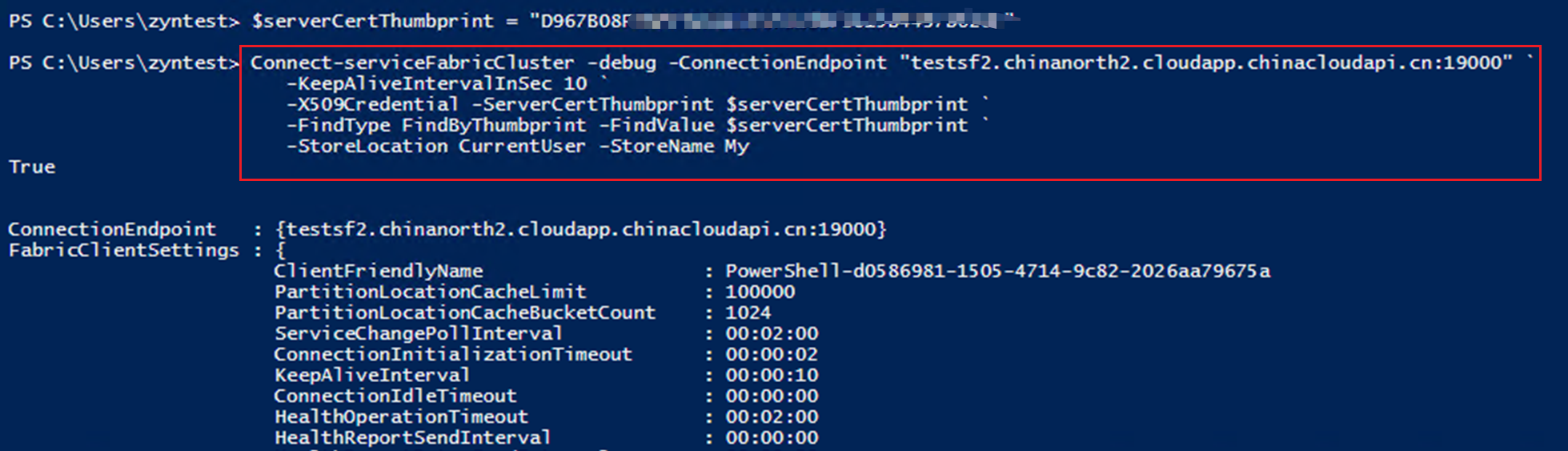
在Service Fabric证书页面中,发现有安装主要证书,和次要证书,当主要证书认证失败时,尝试通过次要证书连接SF集群。发现通过次要证书成功连接。
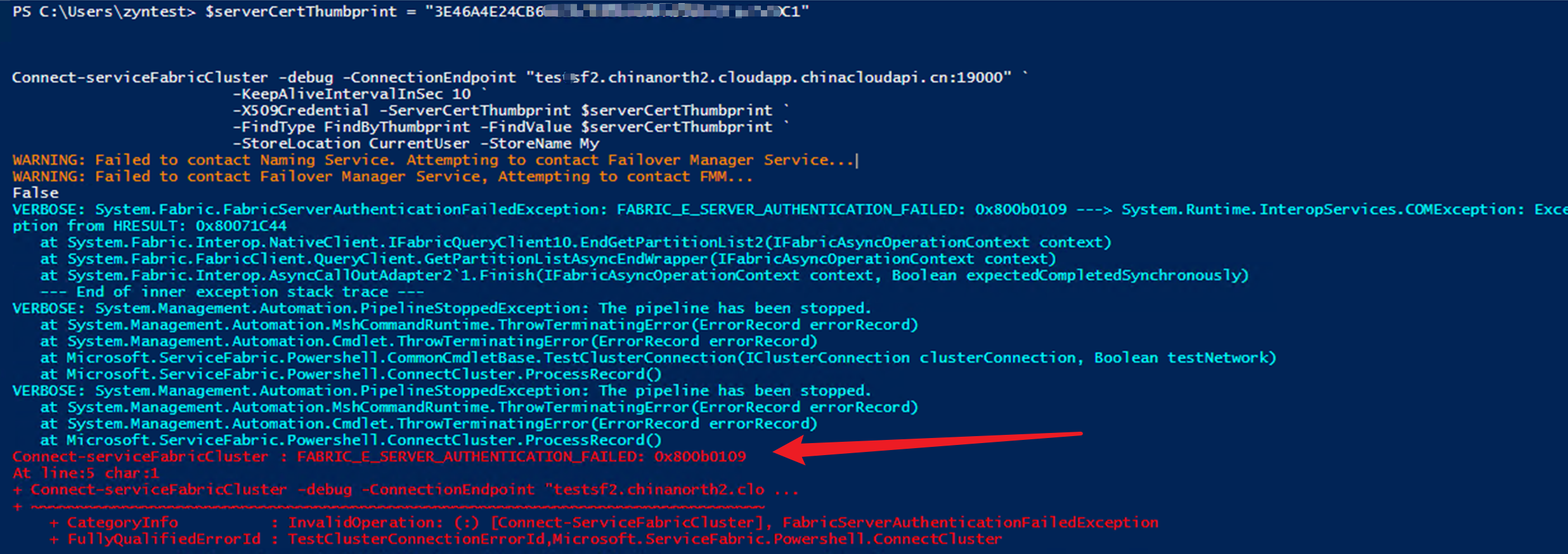
根据次要证书可以登录成功,主要证书确不可以的情况,进一步的调研和测试,得出Azure Service Fabrics SDK 的默认证书加载行为是部署和使用过期日期最远的已定义证书,而不管其主要或次要配置定义如何。以下的测试为两个证书到期时间一样,使用PowerShell连接的时候也是会选择次要证书进行连接。如果需要让Service Fabrics使用主要证书,则可以在创建证书的时候,让主要证书的过期时间长一些。
主次证书信息(注意:过期时间一样)

主要证书连接失败
次要证书连接成功
附录一: 错误消息
警告: Failed to contact Failover Manager Service, Attempting to contact FMM...
False
详细信息: System.Fabric.FabricServerAuthenticationFailedException: FABRIC_E_SERVER_AUTHENTICATION_FAILED: 0x800b0109
---> System.Runtime.InteropServices.COMException: 异常来自 HRESULT:0x80071C44
   在 System.Fabric.Interop.NativeClient.IFabricQueryClient11.EndGetPartitionList2(IFabricAsyncOperationContext
context)
   在 System.Fabric.FabricClient.QueryClient.GetPartitionListAsyncEndWrapper(IFabricAsyncOperationContext context)
   在 System.Fabric.Interop.AsyncCallOutAdapter2`1.Finish(IFabricAsyncOperationContext context, Boolean
expectedCompletedSynchronously)
   --- 内部异常堆栈跟踪的结尾 ---
附录二:Connect-ServiceFabricCluster完整命令
Connect-ServiceFabricCluster -ConnectionEndpoint 'sf-test.chinaeast2.cloudapp.chinacloudapi.cn:19000' `
>>           -KeepAliveIntervalInSec 10 `
>>           -X509Credential -ServerCertThumbprint 'your thumbprint' `
>>           -FindType FindByThumbprint -FindValue 'your thumbprint' `
>>           -StoreLocation CurrentUser -StoreName My -debug
参考资料
The Connect-ServiceFabricCluster cmdlet creates a connection to a Service Fabric cluster that allows you to run management actions for that cluster. After you connect to a cluster, you can view the settings of the connection by using the Get-ServiceFabricClusterConnection cmdlet.
To manage Service Fabric clusters, start Windows PowerShell by using the Run as administrator option.