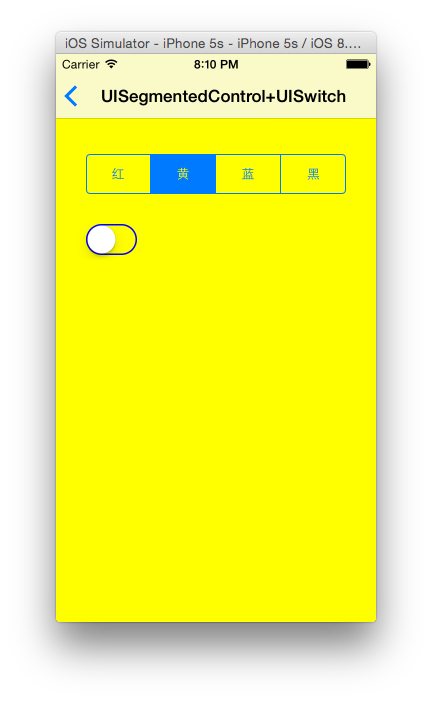
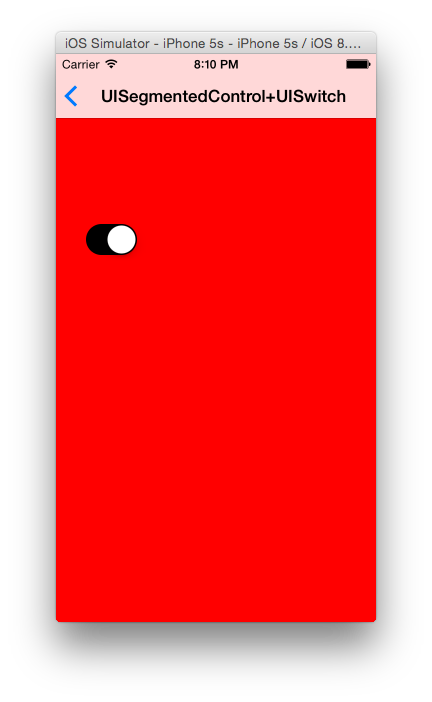
//
// SegmentedControl.swift
// UIControlDemo
//
// Created by on 14/12/1.
// Copyright (c) 2014年 马大哈. All rights reserved.
//
import UIKit
class SegmentedControl: BaseViewController {
var colorSegment: UISegmentedControl?
var colorSwitch:UISwitch?
override func viewDidLoad() {
super.viewDidLoad()
self.title = "UISegmentedControl+UISwitch"
self.view.backgroundColor = UIColor.redColor()
var colorArray = ["红","黄","蓝","黑"];
colorSegment = UISegmentedControl(items: colorArray)
colorSegment?.frame = CGRectMake(30, 100, self.view.frame.size.width-60,40)
colorSegment?.selectedSegmentIndex = 0
colorSegment?.addTarget(self, action: "changeColor:", forControlEvents: UIControlEvents.ValueChanged)
self.view.addSubview(colorSegment!)
// UISwitch width height都是系统锁定的默认值,无法通过frame修改
colorSwitch = UISwitch(frame: CGRectMake(30, 170, 100,40))
colorSwitch?.on = false
colorSwitch?.onTintColor = UIColor.blackColor()
colorSwitch?.tintColor = UIColor.blueColor()
colorSwitch?.addTarget(self, action: "openClose:", forControlEvents: .ValueChanged)
self.view.addSubview(colorSwitch!)
}
func changeColor(segment:UISegmentedControl){
switch segment.selectedSegmentIndex{
case 0:
self.view.backgroundColor = UIColor.redColor()
case 1:
self.view.backgroundColor = UIColor.yellowColor()
case 2:
self.view.backgroundColor = UIColor.blueColor()
case 3:
self.view.backgroundColor = UIColor.blackColor()
default:
self.view.backgroundColor = UIColor.whiteColor()
}
}
func openClose(open:UISwitch){
// colorSegment?.hidden = open.on
if open.on{
colorSegment?.hidden = true
}else{
colorSegment?.hidden = false
}
}
override func didReceiveMemoryWarning() {
super.didReceiveMemoryWarning()
// Dispose of any resources that can be recreated.
}
}