字体反扒系列
本文转自 [ 不止于python ]
开始吧!
小伙伴留言说, 脚本用不了了, 抽了空就先打开网站看一下, 结果发现看不见字符的源码了, 在控制台, 源码, 甚至python请求的html都变成了符号
页面html中

控制面板源码中

python请求源码中
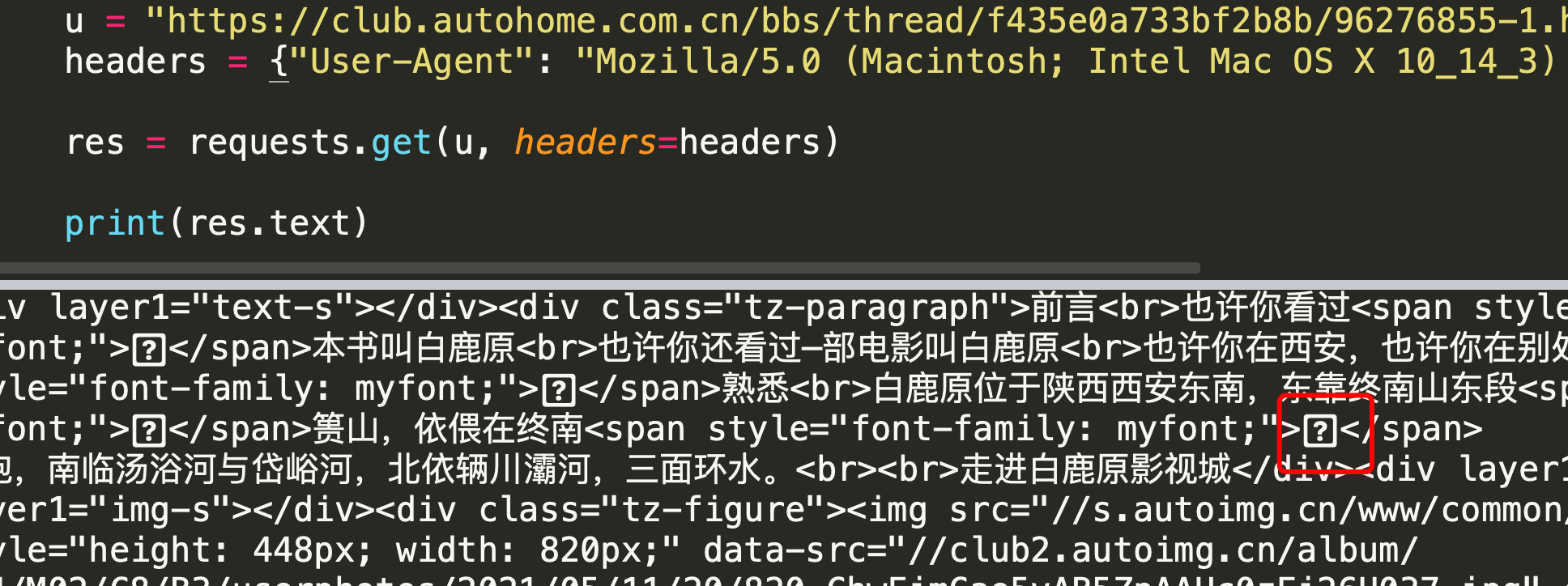
全部都变成了 一个方块一个问号(打不出来)
但是试了一下字体文件什么的, 都还可以用, 所以就直接从编码下手了
不料这个编码也不太好弄, 需要转来转去的, 最后解决了
脚本升级版
涉及修改的代码, 其余与第二篇一样
def repalce_source_code(self, html): # 转为 编码 比如: uec8e html = html.encode("latin-1", "backslashreplace").decode("utf-8") for utf_code, word in self.new_unicode_map.items(): html = html.replace("\u%s" % utf_code[3:].lower(), word) # 再次将替换后的字符转为正常unicode html = html.encode("latin-1", "backslashreplace").decode("utf-8") # 转为中文 html = html.encode("utf-8").decode("unicode_escape") return html def get_subject_content(self): # 使用xpath 获取 主贴, 先获取主贴, 只替换主贴内容 xp_html = etree.HTML(self.page_html) subject_text = ''.join(xp_html.xpath('//div[@class="tz-paragraph"]//text()')) return self.repalce_source_code(subject_text)
这次升级其实并没有较大的改动, 只是需要转几次编码
脚本可以直接运行