1、首先打开PHP配置文件,php.in修改相关xedebug配置
; XDEBUG Extension
[xdebug]
zend_extension ="d:/wamp64/bin/php/php5.6.25/zend_ext/php_xdebug-2.4.1-5.6-vc11-x86_64.dll"
xdebug.remote_enable = on
xdebug.remote_handler = dbgp
xdebug.remote_host = localhost
xdebug.remote_mode = req
xdebug.remote_port = 9000
xdebug.idekey=PHPSTORM
xdebug.profiler_enable = off
xdebug.profiler_enable_trigger = off
xdebug.profiler_output_name = cachegrind.out.%t.%p
xdebug.profiler_output_dir ="d:/wamp64/tmp"
xdebug.show_local_vars=0
2、然后打开phpstorm修改相关配置

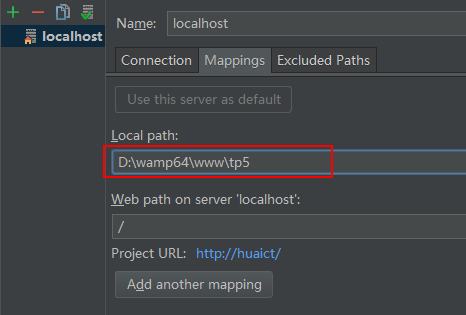
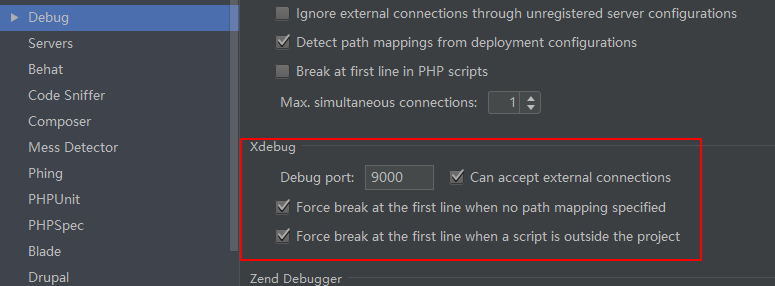
3、还有php server 和debug的相关配置


4、安装浏览器拓展插件xdebug helper,配置调试
