1-新建webapi IdentityServer4服务器项目
E:coding
etcoreIdentityServerSample>dotnet new webapi --name IdentityServerCenter
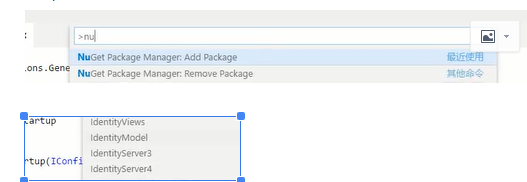
2-增加IdentityServer4 Nuget包, 按下Ctrl+p, 输入>nuget ,增加IdentityServer4包,然后再用dotnet restore保存
3-增加Config.cs类, 用于提供IdentityServer的ApiResource和Client
namespace IdentityServerCenter{
    public class Config{
        public static IEnumerable<ApiResource> GetResources(){
            return new List<ApiResource>(){

                new ApiResource("api","My Api")
            };
        }

        public static IEnumerable<Client> GetClients(){
            return new List<Client>(){

                new Client(){
                    ClientId="client",
                    AllowedGrantTypes=GrantTypes.ClientCredentials,

                    ClientSecrets = {
                        new Secret("secret".Sha256())
                    },
                    AllowedScopes = {"api"}
                }
            };
        }
    }
}
4-在Startup.cs 启用时启用IdentifyServer
 public void ConfigureServices(IServiceCollection services)
        {
            services.AddIdentityServer()
            .AddDeveloperSigningCredential()
            .AddInMemoryApiResources(Config.GetResources())
            .AddInMemoryClients(Config.GetClients());

            services.AddMvc().SetCompatibilityVersion(CompatibilityVersion.Version_2_1);
        }
  public void Configure(IApplicationBuilder app, IHostingEnvironment env)
        {
            if (env.IsDevelopment())
            {
                app.UseDeveloperExceptionPage();
            }
            app.UseIdentityServer(); //启用IdentityServer
        }
5-在Progrom.cs启动类中设置启动的Url
 public static IWebHostBuilder CreateWebHostBuilder(string[] args) =>
            WebHost.CreateDefaultBuilder(args)
                .UseStartup<Startup>().UseUrls("http://localhost:5000");
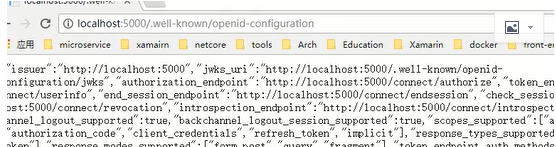
6-输入 http://localhost:5000/.well-known/openid-configuration进行测试IdentityServer4是否起作用,结果如下