.net+mvc的百度编辑器ueditor
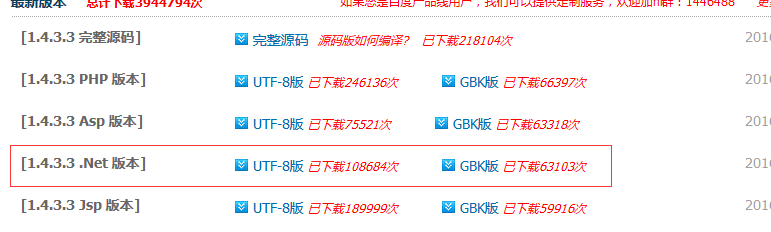
一、下载百度编辑器:http://ueditor.baidu.com/website/download.html
选择.net版本
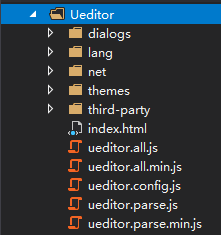
二、解压后在mvc项目中创建ueditor文件夹,并把解压内容复制到里面
三、编辑视图
1、控制器内容
[HttpGet]
public ActionResult Index(int a=1)
{
return View();
}
[HttpPost]
[ValidateInput(false)]//关闭验证,允许html格式的内容传说到控制器
public ActionResult Index()
{
var content = Request.Form["content"];
return View();
}
2、body内容
<form action="Index" method="post">
<!-- 加载编辑器的容器 -->
<%--<script id="editor" name="editor" type="text/plain">--%>
<script id="container" name="content" type="text/plain">
这里写你的初始化内容
</script>
<!-- 配置文件 -->
<script type="text/javascript" src="ueditor.config.js"></script>
<!-- 编辑器源码文件 -->
<script type="text/javascript" src="ueditor.all.js"></script>
<input type="submit" value="提交" />
</form>
3、script内容
<script type="text/javascript">
var editor = new baidu.editor.ui.Editor({
UEDITOR_HOME_URL: '/Ueditor/',//配置编辑器路径
iframeCssUrl: '/Ueditor/themes/iframe.css',//样式路径
initialContent: '欢迎使用ueditor',//初始化编辑器内容
autoHeightEnabled: true,//高度自动增长
minFrameHeight: 500//最小高度
});
editor.render('container');
</script>
四、关闭验证web.config
<system.web>
<httpRuntime targetFramework="4.5" requestValidationMode="2.0"/>
</system.web>