kbmmw 里面提供了强大的事件调度功能,今天简单演示一个使用调度事件在窗体上显示时间。
建立一个新工程。
放上几个控件

在窗体里面引用单元 kbmMWScheduler,
然后添加过程
unit Unit1;

interface

uses
  Winapi.Windows, Winapi.Messages, System.SysUtils, System.Variants, System.Classes, Vcl.Graphics, kbmMWScheduler,
  Vcl.Controls, Vcl.Forms, Vcl.Dialogs, Vcl.StdCtrls;

type
  TForm1 = class(TForm)
    Label1: TLabel;
    Button1: TButton;
    Button2: TButton;
    procedure Button1Click(Sender: TObject);
    procedure Button2Click(Sender: TObject);
    procedure FormCreate(Sender: TObject);
  private
    { Private declarations }
  public
    { Public declarations }

     procedure updatetime(const AScheduledEvent:IkbmMWScheduledEvent);
  end;

var
  Form1: TForm1;

implementation

{$R *.dfm}

{ TForm1 }

procedure TForm1.Button1Click(Sender: TObject);
begin
   if  not Scheduler.Events.GetByName('showtime').Active then
     Scheduler.Events.GetByName('showtime').Active:=True;
end;

procedure TForm1.Button2Click(Sender: TObject);
begin
   Scheduler.Events.GetByName('showtime').Active:=false;
end;

procedure TForm1.FormCreate(Sender: TObject);
begin
  Scheduler.Schedule(updatetime).NamedAs('showtime').Synchronized.EveryMSecond(1).Relaxed.DelayInitial(2).Active :=true;

end;

procedure TForm1.updatetime(
  const AScheduledEvent: IkbmMWScheduledEvent);
begin
  label1.Caption:=formatdatetime('yyyy-mm-dd hh:nn:ss ',now);
end;
运行程序
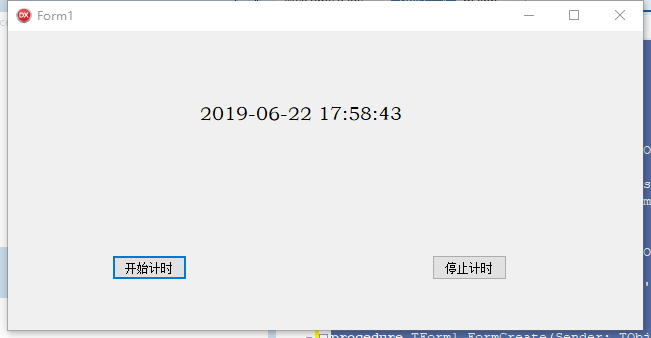
非常简单。