在NuGet搜索Costura,引用此dll,打包成EXE文件的时候会合并到EXE,不会产生dll,比如数据库dll(OracleAccessDatabase.dll)
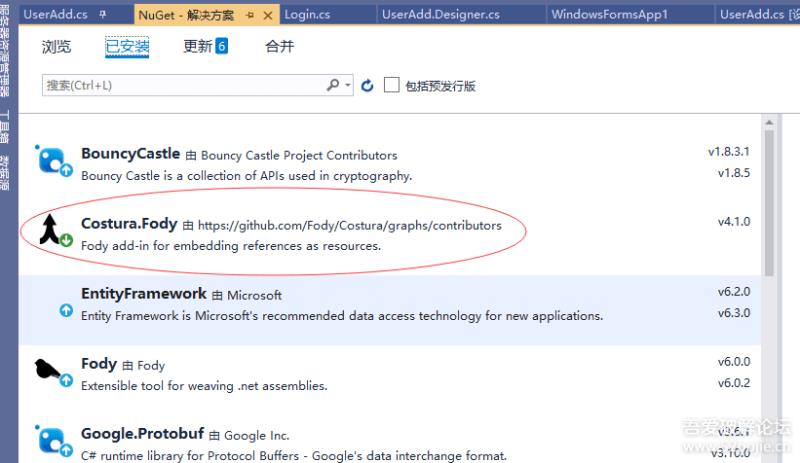
注意:由于可能会报如下错误~
Fody is only supported on MSBuild 16 and above. Current version: 15.
则需要回滚下版本号,可以在VS的程序包管理器控制台中输入Install-Package Fody -Version 4.2.1来安装4.2.1版本的Fody,然后输入Install-Package Costura.Fody -Version 3.3.3来安装3.3.3版本的Costura.Fody。

再次进行重新生成项目,如果报如下错误~
Fody: No configuration entry found for the installed weaver Costura. This weaver will be skipped. You may want to add this weaver to your FodyWeavers.xml
则需要修改或者添加, FodyWeavers.xml
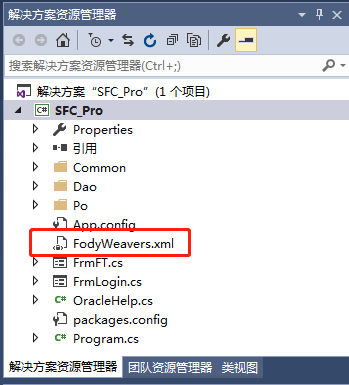
添加内容如下:
<?xml version="1.0" encoding="utf-8"?>
<Weavers xmlns:xsi="http://www.w3.org/2001/XMLSchema-instance" xsi:noNamespaceSchemaLocation="FodyWeavers.xsd">
  <Costura />
</Weavers>
最后再次重新生成,则所有dll合并到同一个exe文件