1. Create a Lambda function: called `get-groups`
const data = [
    {name: 'angular', id: 1},
    {name: 'react', id: 2},
    {name: 'vue', id: 3}
];

exports.handler = async (event) => {
    const response = {
        statusCode: 200,
        headers: {
            'Access-Control-Allow-Origin': '*'
        },
        body: JSON.stringify({items: data}),
    };
    return response;
};
To prevent CORS problems, we enables CORS headers as well.
2. Create an API Gateway
- For REST API
- Build a New Rest API
- Actions -> Create Resource, this is used as endpoint, let's named `groups`
- Action -> Create Method, `GET`
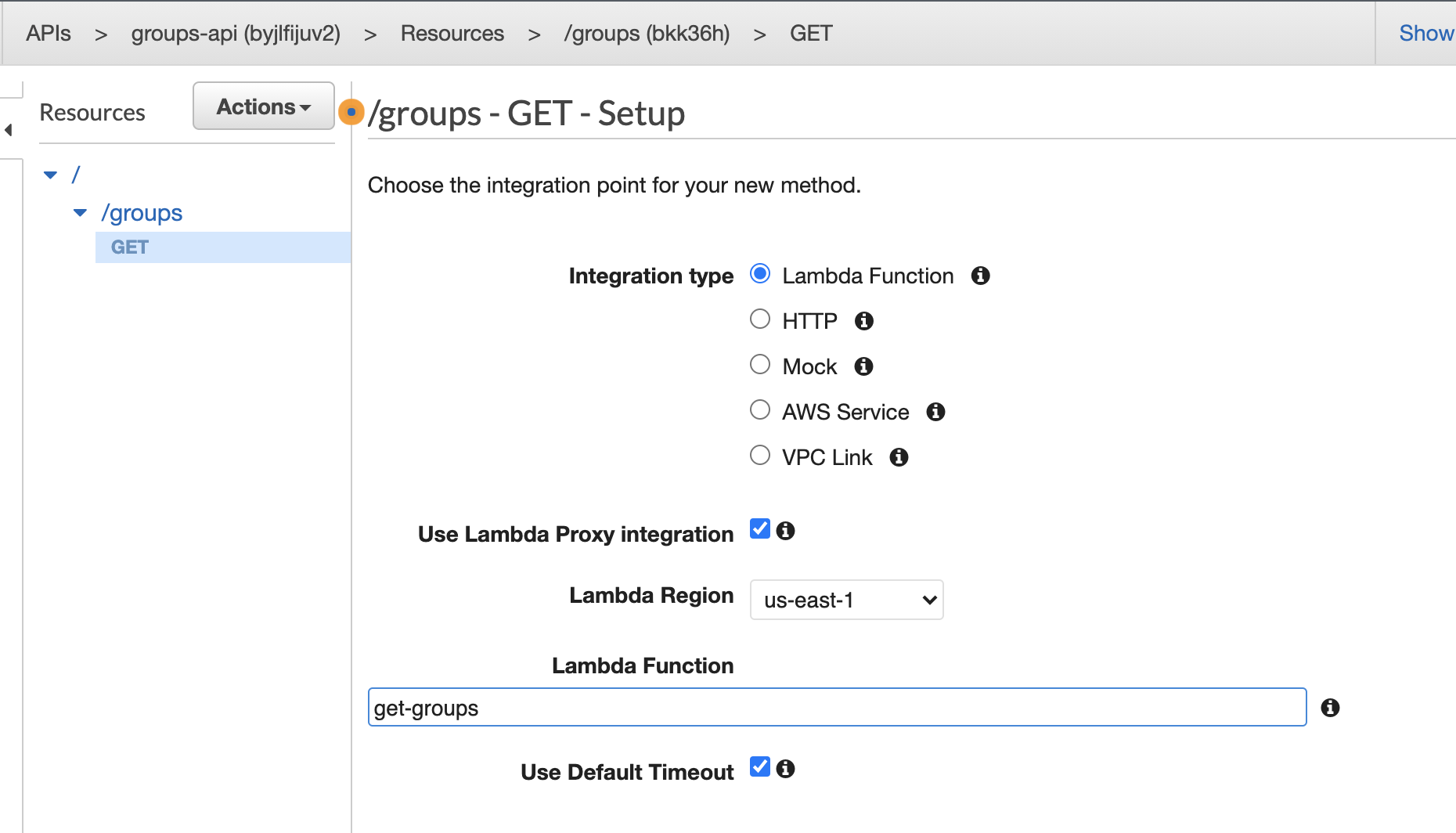
- Action -> Deploy
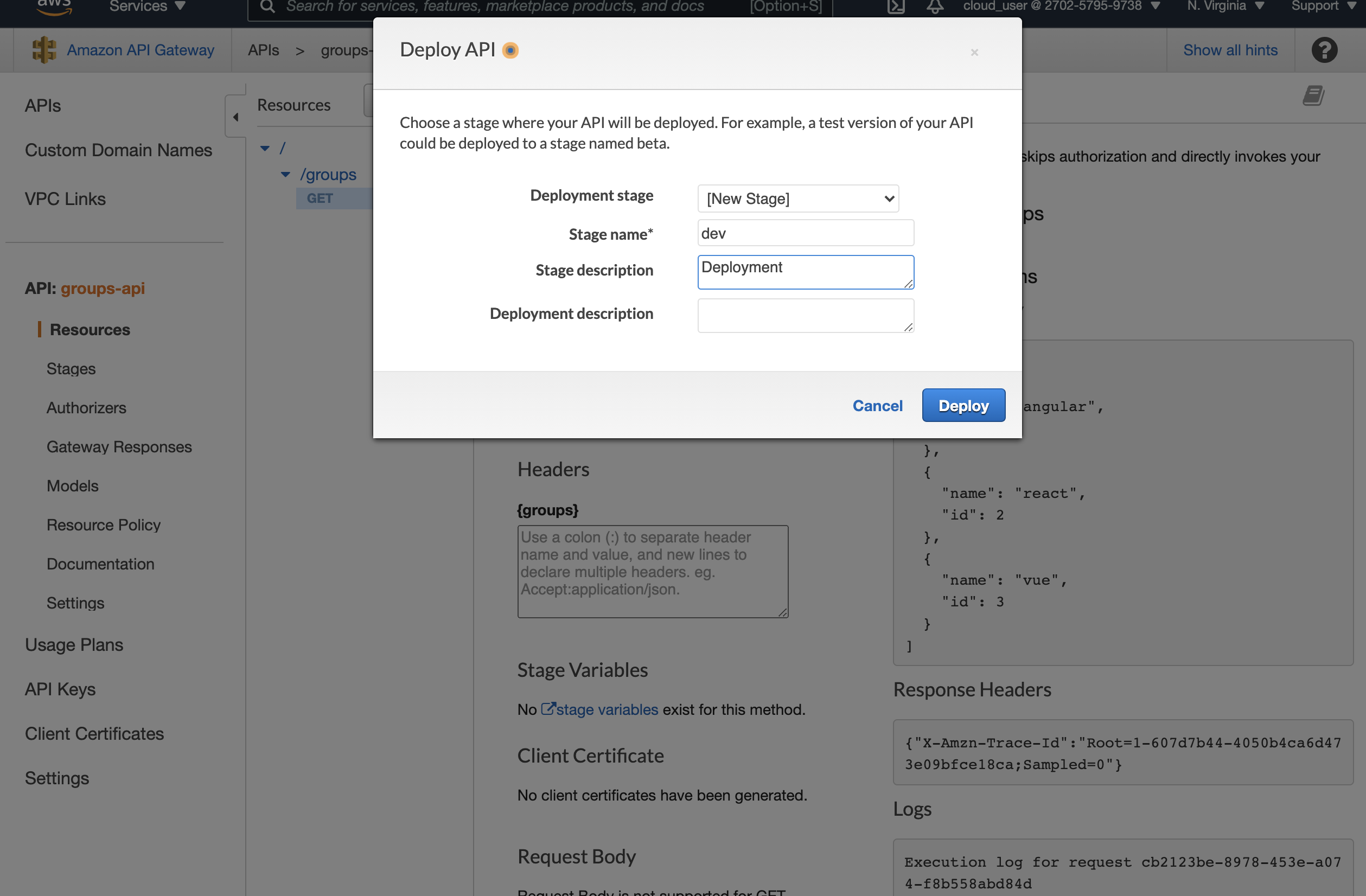
3. After deployed, it generate a URL you can used for testing in POSTMAN
GET: https://<id>.execute-api.us-east-1.amazonaws.com/dev/groups
4. Using the same approach to create a POST method. But this time, even we enabled CORS in the code, after deploy, we will still get CORS error.
This is because we need to enable CORS for OPTIONS as well.
- Actions -> Enable CORS
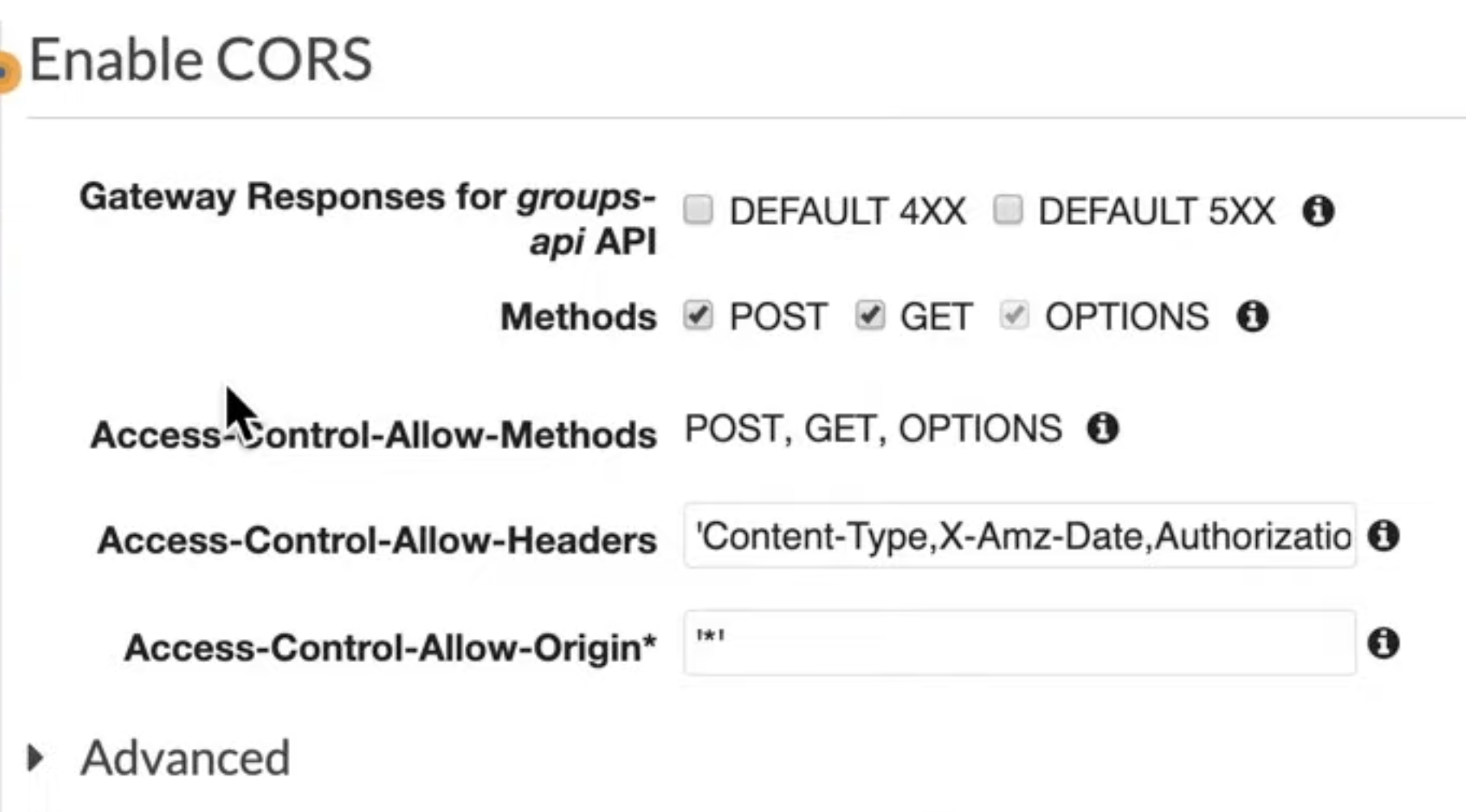
- Deploy API
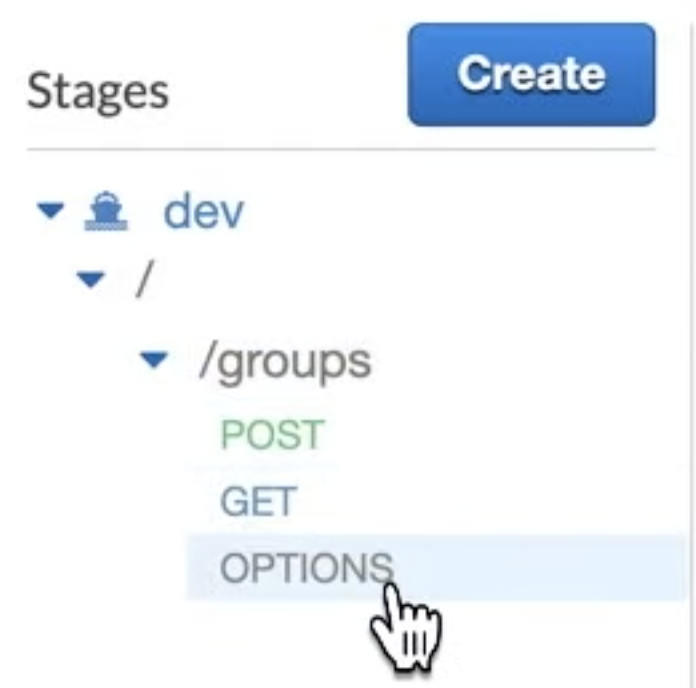
- You should see OPTIONS has been enabled