wx.request
1.wx.request相当于ajax请求,和django后台进行交互
官方文档:https://developers.weixin.qq.com/miniprogram/dev/api/network/request/wx.request.html
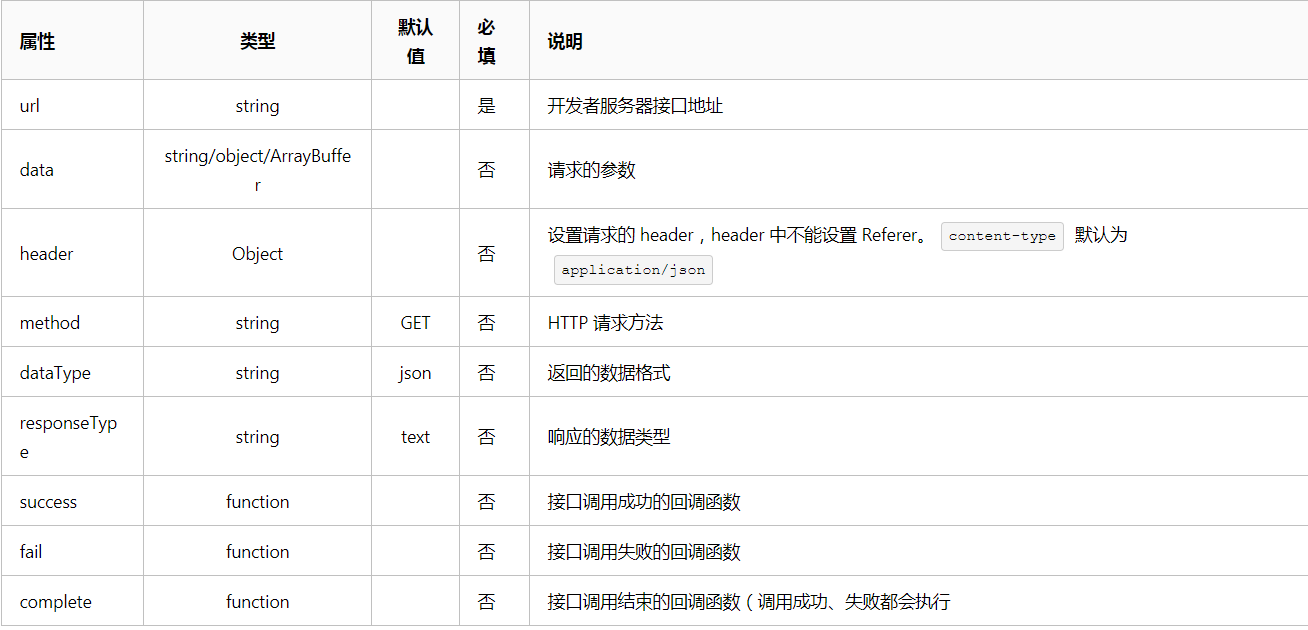
参数 Object object
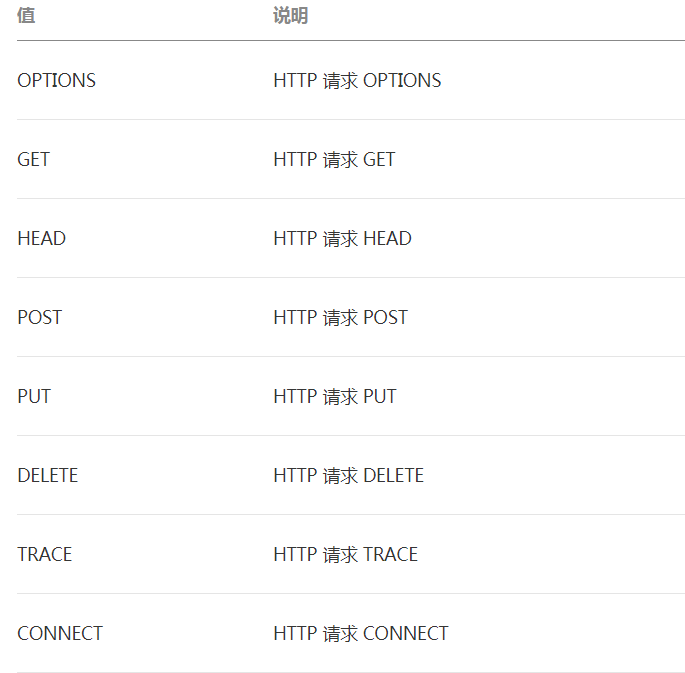
object.method的合法值
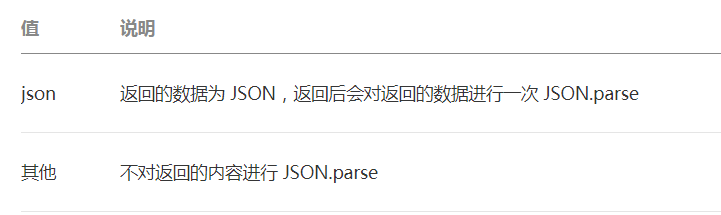
object.dataType的合法值
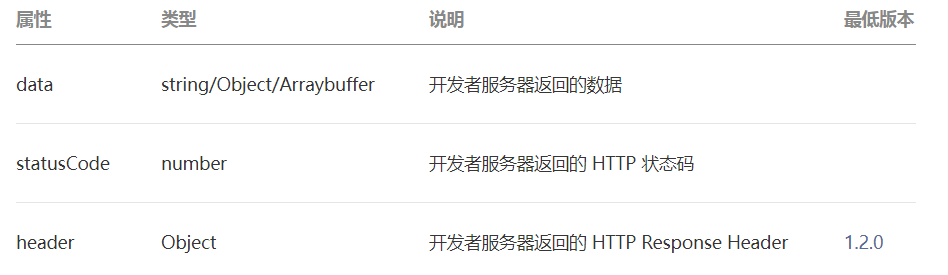
object.success回调函数
参数 Object res
示例代码
在test.wxml设置一个按钮
<button bindtap='click'>按钮1</button> #点击按钮触发click事件
在页面js中
 click:function(){
    wx.request({
      url: 'http://127.0.0.1:8000/app01/test/',  #访问django后台路径
      data:{'name':'jason'},   #往后台传值
      method:"POST",    #POST提交方式,后台也应该是POST函数
      header:{"content-type":"application/json"},   #请求头header
      success:function(res){  #res是接收后台返回给前台的数据
          console.log(res)
          console.log(res.data)
      }
    })
  }
console.log打印后台传递数据
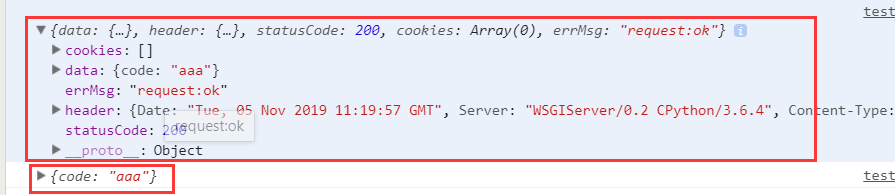
django后台views视图代码
from rest_framework.views import APIView
from rest_framework.response import Response

class Test(APIView):
    def post(self,request):
        print(request.data)  #打印前台传递过来的数据  {'name': 'jason'}

        return Response({'code':'aaa'})  #返回给前端的数据