一、前言
在使用spring boot做后台系统,vue做前端系统,给客户开发一套系统时候,其中用到了图片上传和显示的功能。
二、环境
前端:vue
前端组件:tinymce
后台:spring boot:2.2.3
三、正文
    在客户开发一套门户管理系统时,集成了tinymce组件,用于编辑内容,springboot不同于其他项目。
是集成tomcat的,文件和图片是不能直接访问的。所以我在做集成富文本编辑器时,需要处理图片的问题。
这个问题跟上传头像等显示图片的功能是类似的。下面记录详情步骤代码。
第一步:集成tinymce组件
<!--引入tinymce组件-->
import Tinymce from '@/components/Tinymce'
<!--启用tinymce组件-->
<el-form-item>
	<el-button type="primary" :loading="btnLoading" @click="onSubmit" >保 存</el-button>
</el-form-item>
<!--核心代码-->
<template>
	<div class="page-container">
		<div class="page-title-section">

		</div>
		<div class="page-content-section">
			<div class="page-content-form">
				<el-form ref="dataForm" :model="formData" :rules="formRules" label-width="180px">

                    <el-form-item>
                        <div>
                            <tinymce v-model="formData.content" :height="300" />
                        </div>
                    </el-form-item>
					<el-form-item>
	                    <el-button type="primary" :loading="btnLoading" @click="onSubmit" >保 存</el-button>
					</el-form-item>
				</el-form>
			</div>
		</div>


	</div>
</template>
<script>

import Tinymce from '@/components/Tinymce'

export default {
    name:"contentEdit",
    components: {Tinymce},
	data(){
		return{

			formData:{
                content:'',
			},

		}
	},
	created() {

	},
	mounted() {},
	activated() {},
	deactivated() {},
	methods:{
		//表单提交
		onSubmit(){
			this.$refs['dataForm'].validate((valid) => {
				if (valid) {
					this.btnLoading = true
					this.$axios({
				        url: this.formData.id == '' ? '/products/save' : '/products/edit',
				        method: 'POST',
				        params: this.formData
				    }).then(res => {
				        //处理成功回调
				        const{ state,result , errmsg} = res.data
				        if( state && state == 1 ){
				        	this.$message.success('操作成功');
				        	this.$router.push( {path:'/products/list'} )
				        }else{
				        	return this.$message.error(errmsg || '操作失败');
				        }

				    }).finally(() => {
				        this.btnLoading = false
				    })
				}
			})
		},


</script>
<!--Tinymce初始化代码-->
initTinymce() {
const _this = this
window.tinymce.init({
selector: `#${this.tinymceId}`,
language: this.languageTypeList['en'],
height: this.height,
body_class: 'panel-body ',
object_resizing: false,
toolbar: this.toolbar.length > 0 ? this.toolbar : toolbar,
menubar: this.menubar,
plugins: plugins,
end_container_on_empty_block: true,
powerpaste_word_import: 'clean',
code_dialog_height: 450,
code_dialog_ 1000,
advlist_bullet_styles: 'square',
advlist_number_styles: 'default',
imagetools_cors_hosts: ['www.tinymce.com', 'codepen.io'],
default_link_target: '_blank',
link_title: false,
nonbreaking_force_tab: true, // inserting nonbreaking space need Nonbreaking Space Plugin
//上传图片回调
images_upload_handler:(blobInfo, success, failure) => {
var xhr, formData;
xhr = new XMLHttpRequest();
xhr.withCredentials = false;
xhr.open('POST', '/api/file/imageUpload');
xhr.onload = function () {
var json;
if (xhr.status !== 200) {
failure('HTTP Error: ' + xhr.status);
return;
}
json = JSON.parse(xhr.responseText);
// console.log(json);
json.location = util.baseURL + json.data.filename; //在该位置,如果您的后端人员返回的字段已经包含json.location信息,则该处可以省略
if (!json || typeof json.location !== 'string') {
failure('Invalid JSON: ' + xhr.responseText);
return;
}
success(json.location);
};
formData = new FormData();
formData.append('file', blobInfo.blob(), blobInfo.filename());
xhr.send(formData);
},
init_instance_callback: editor => {
if (_this.value) {
editor.setContent(_this.value)
}
_this.hasInit = true
editor.on('NodeChange Change KeyUp SetContent', () => {
this.hasChange = true
this.$emit('input', editor.getContent())
})
},
setup(editor) {
editor.on('FullscreenStateChanged', (e) => {
_this.fullscreen = e.state
})
}
// 整合七牛上传
// images_dataimg_filter(img) {
// setTimeout(() => {
// const $image = $(img);
// $image.removeAttr('width');
// $image.removeAttr('height');
// if ($image[0].height && $image[0].width) {
// $image.attr('data-wscntype', 'image');
// $image.attr('data-wscnh', $image[0].height);
// $image.attr('data-wscnw', $image[0].width);
// $image.addClass('wscnph');
// }
// }, 0);
// return img
// },
// images_upload_handler(blobInfo, success, failure, progress) {
// progress(0);
// const token = _this.$store.getters.token;
// getToken(token).then(response => {
// const url = response.data.qiniu_url;
// const formData = new FormData();
// formData.append('token', response.data.qiniu_token);
// formData.append('key', response.data.qiniu_key);
// formData.append('file', blobInfo.blob(), url);
// upload(formData).then(() => {
// success(url);
// progress(100);
// })
// }).catch(err => {
// failure('出现未知问题,刷新页面,或者联系程序员')
// console.log(err);
// });
// },
})
},
destroyTinymce() {
const tinymce = window.tinymce.get(this.tinymceId)
if (this.fullscreen) {
tinymce.execCommand('mceFullScreen')
}
if (tinymce) {
tinymce.destroy()
}
},
setContent(value) {
window.tinymce.get(this.tinymceId).setContent(value)
},
getContent() {
window.tinymce.get(this.tinymceId).getContent()
},
imageSuccessCBK(arr) {
const _this = this
arr.forEach(v => {
window.tinymce.get(_this.tinymceId).insertContent(`<img class="wscnph" src="${v.url}" >`)
})
}
}
第二步:后台代码
@RequestMapping(value = "/imageUpload", method = RequestMethod.POST)
    public void imageUpload(@RequestParam("file") MultipartFile file, HttpServletRequest request, HttpServletResponse response) {
        try {
            logger.info("上传图片名 :" + file.getOriginalFilename());

            if (!file.isEmpty()) {
//				Properties p = new Properties();// 属性集合对象
//	    		String path = RedisUtil.class.getClassLoader().getResource("").getPath()+"global.properties";
//	    		FileInputStream fis = new FileInputStream(path);// 属性文件输入流
//	    		p.load(fis);// 将属性文件流装载到Properties对象中
//	            fis.close();// 关闭流
//	            String uploadPath = p.getProperty("imgUpload.url");
//				//路径名称上加上-年/月日:yyyy/MMdd
//				uploadPath += "Uploads/"+new SimpleDateFormat("yyyy").format(new Date())+ "/" +new SimpleDateFormat("MMdd").format(new Date())+"/";

                String path= request.getServletContext().getRealPath("/");

path="/Users/qinshengfei/fsdownload";
                logger.error("path:"+path);
                //路径名称上加上-年/月日:yyyy/MMdd
                String uploadPath = File.separatorChar+"Uploads"+File.separatorChar+new SimpleDateFormat("yyyy").format(new Date())+
                        File.separatorChar +new SimpleDateFormat("MMdd").format(new Date())+File.separatorChar;

                // 文件上传大小
                long fileSize = 10 * 1024 * 1024;
                //判断文件大小是否超过
                if (file.getSize() > fileSize) {
                    backInfo(response, false, 2, "");
                    return;
                }
                //获取上传文件名称
                String OriginalFilename = file.getOriginalFilename();
                //获取文件后缀名:如jpg
                String fileSuffix = OriginalFilename.substring(OriginalFilename.lastIndexOf(".") + 1).toLowerCase();
                if (!Arrays.asList(TypeMap.get("image").split(",")).contains(fileSuffix)) {
                    backInfo(response, false, 3, "");
                    return;
                }
                //判断是否有文件上传
//				if (!ServletFileUpload.isMultipartContent(request)) {
//					backInfo(response, false, -1, "");
//					return;
//				}

                // 检查上传文件的目录
                File uploadDir = new File(path+uploadPath);
                System.out.println(path+uploadPath);
                if (!uploadDir.isDirectory()) {
                    if (!uploadDir.mkdirs()) {
                        backInfo(response, false, 4, "");
                        return;
                    }
                }

                // 是否有上传的权限
                if (!uploadDir.canWrite()) {
                    backInfo(response, false, 5, "");
                    return;
                }

                // 新文件名-加13为随机字符串
                String newname = getRandomString(13) +"." + fileSuffix;

                File saveFile = new File(path+uploadPath, newname);

                try {
                    file.transferTo(saveFile);

                    backInfo(response, true, 0, uploadPath+newname);
                } catch (Exception e) {
                    logger.error(e.getMessage(), e);
                    backInfo(response, false, 1, "");
                    return;
                }
            } else {
                backInfo(response, false, -1, "");
                return;
            }
        } catch (Exception e) {
            logger.error(e.getMessage());
        }

    }

    // 返回信息
    private void backInfo(HttpServletResponse response, boolean flag, int message, String fileName) {
        fileName=fileName.replace("\","/");
        String json = "";
        if (flag) {
            json = "{ "status": "success";
        } else {
            json = "{ "status": "error";
        }
        json += "","fileName": "http://127.0.0.1:8090/file/show?fileName=" + fileName + "","message": "" + message + ""}";
        try {
            response.setContentType("text/html;charset=utf-8");
            response.getWriter().write(json);
        } catch (IOException e) {
            logger.error(e.getMessage(), e);
        }
    }
第三步:后台处理显示图片
 /**
     * 显示单张图片
     * @return
     */
    @RequestMapping("/show")
    public ResponseEntity showPhotos(String fileName){

        try {
            String path = "/Users/qinshengfei/fsdownload";
            // 由于是读取本机的文件,file是一定要加上的, path是在application配置文件中的路径
            logger.error("showPhotos:"+path+fileName);
            return ResponseEntity.ok(resourceLoader.getResource("file:" + path + fileName));
        } catch (Exception e) {
            return ResponseEntity.notFound().build();
        }
    }
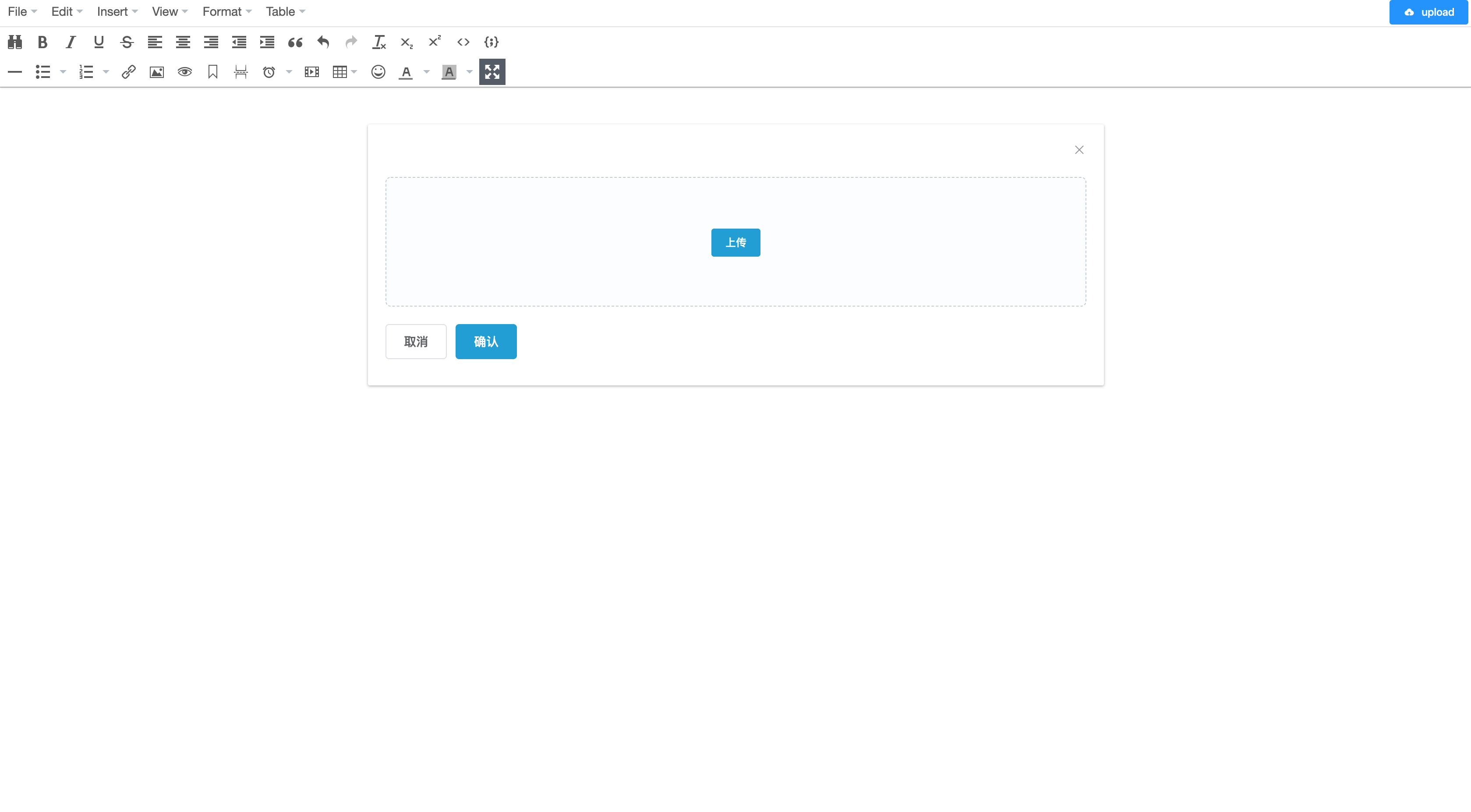
第四步:显示效果

总结
这个例子是工作中遇到的一个问题,这里只讲述tinymce组件图片功能。同时,工作中使用使用到了vue-cropper组件,原理类似。

ps:上述代码使用中,如有问题,请联系公众号:
