一、说明
本次安装将使用Oracle通用安装程序(OUI)安装Oracle数据库软件以及数据库
1.1 Linux 下Oracle操作系统要求
Oracle Linux 8.1 with the Unbreakable Enterprise Kernel 6: 5.4.17-2011.0.7.el8uek.x86_64 or later
Oracle Linux 8 with the Red Hat Compatible kernel: 4.18.0-80.el8.x86_64 or later
Oracle Linux 7.4 with the Unbreakable Enterprise Kernel 4: 4.1.12-124.19.2.el7uek.x86_64 or later
Oracle Linux 7.4 with the Unbreakable Enterprise Kernel 5: 4.14.35-1818.1.6.el7uek.x86_64 or later
Oracle Linux 7.5 with the Red Hat Compatible kernel: 3.10.0-862.11.6.el7.x86_64 or later
Red Hat Enterprise Linux 8: 4.18.0-80.el8.x86_64 or later
Red Hat Enterprise Linux 7.5: 3.10.0-862.11.6.el7.x86_64 or later
SUSE Linux Enterprise Server 12 SP3: 4.4.162-94.72-default or later
SUSE Linux Enterprise Server 15: 4.12.14-23-default or later
1.2 硬件环境要求
|
服务器制作与体系结构 |
确认支持服务器制造、模型、核心体系结构和主机总线适配器(HBA)或网络接口控制器(NIC),以便与Oracle数据库和Oracle网格基础设施一起运行。 |
|
服务器显示卡 |
至少1024x768显示分辨率,这是Oracle通用安装程序需要的。 |
|
最小RAM |
|
|
分配给/tmp目录 |
中至少有1GB的空间。/tmp目录。 |
|
相对于RAM(Oracle数据库)的交换空间分配 |
在1GB到2GB之间:是RAM大小的1.5倍 在2GB到16 GB之间:等于RAM的大小 超过16 GB:16 GB 注:如果您为Linux服务器启用了HugePages,那么在计算交换空间之前,应该从可用RAM中扣除分配给HugePages的内存。 |
|
Oracle软件的最小本地磁盘存储空间 |
对于Linux86-64: Oracle数据库企业版至少7.2GB。 Oracle数据库标准版本至少7.2GB。 注: Oracle建议您分配大约100 GB用于在现有Oracle主页之上应用任何未来修补程序的额外空间。有关特定修补程序相关磁盘空间的要求,请参阅修补程序文档。 |
1.3 介质要求
Oracle:21.3
LINUX.X64_213000_db_home.zip
二、操作系统基础配置
2.1 检察服务器硬件和内存
使用以下命令确定服务器上的物理RAM大小至少1G以上
# grep MemTotal /proc/meminfo
确定配置的交换空间的大小
# grep SwapTotal /proc/meminfo
确定tmp目录空间足够1G
# df -h /tmp
(如果/tmp空间不足,则清理/tmp目录以满足磁盘空间要求。
或设置Oracle用户环境时,还要设置TMP和TMPDIR环境变量到要使用的目录中,而不是/tmp)
确定系统版本能够支持19c数据库
# uname -m
2.2关闭防火墙
关闭运行中的服务
#systemctl stop firewalld.service
关闭操作系统自启动
#systemctl disable firewalld.service
检查关闭情况
systemctl status firewalld.service

如下,dead表示未开启开机启动;inactive表示现在的状态是关闭

关闭selinux:
编辑/etc/selinux/config 文件
[root@DBServer1 ~]# vi /etc/selinux/config
# This file controls the state of SELinux on the system.
# SELINUX= can take one of these three values:
#       enforcing - SELinux security policy is enforced.
#       permissive - SELinux prints warnings instead of enforcing.
#       disabled - SELinux is fully disabled.
SELINUX=disabled
# SELINUXTYPE= type of policy in use. Possible values are:
#       targeted - Only targeted network daemons are protected.
#       strict - Full SELinux protection.
SELINUXTYPE=targeted
2.3 RPM包安装
oracle 21C需要以下RPM依赖包:
bc
binutils
compat-libcap1
compat-libstdc++33
elfutils-libelf
elfutils-libelf-devel
fontconfig-devel
glibc
glibc-devel
ksh
libaio
libaio-devel
libX11
libXau
libXi
libXtst
libXrender
libXrender-devel
libgcc
libstdc++
libstdc++-devel
libxcb
make
smartmontools
sysstat
compat-libstdc++-33-3.2.3 需要手动下载上传
挂载光驱
# mount /dev/sr0 /mnt

# cd /etc/yum.repos.d/
# mv public-yum-ol7.repo public-yum-ol7.repo.bak
# vi yum.repo
[base]
Name=base
Baseurl=file:///mnt
Enabled=1
Gpgcheck=0

yum install bc binutils  compat-libcap1  compat-libstdc++33  elfutils-libelf  elfutils-libelf-devel  fontconfig-devel  glibc  glibc-devel  ksh  libaio  libaio-devel  libX11  libXau  libXi  libXtst  libXrender  libXrender-devel  libgcc  libstdc++  libstdc++-devel  libxcb  make  smartmontools  sysstat  kmod*
2.4用户创建
创建oracle用户
groupadd -g 1001 oinstall
groupadd -g 1002 dba
useradd -u 1001 -g oinstall -G dba oracle
passwd oracle ——修改oracle用户密码
2.5 内核参数
vi /etc/sysctl.conf
kernel.shmall = physical RAM size / pagesize For most systems, this will be the value 2097152
kernel.shmmax = 1/2 of physical RAM
fs.aio-max-nr = 1048576
fs.file-max = 6815744
kernel.shmmni = 4096
kernel.sem = 250 32000 100 128
net.ipv4.ip_local_port_range = 9000 65500
net.core.rmem_default = 262144
net.core.rmem_max = 4194304
net.core.wmem_default = 262144
net.core.wmem_max = 1048576
执行sysctl -p 命令使以上设置生效

编辑/etc/pam.d/login 添加如下内容:
vi /etc/pam.d/login
session    required     pam_limits.so

编辑vi /etc/profile添加如下内容:   #系统环境变量
if [ /$USER = "oracle" ] ; then
    if [ /$SHELL = "/bin/ksh" ]; then
        ulimit -p 16384
        ulimit -n 65536
    else
        ulimit -u 16384 -n 65536
    fi
    umask 022
fi

编辑/etc/security/limits.conf 添加如下内容:
vi /etc/security/limits.conf
oracle soft nproc 2047
oracle hard nproc 16384
oracle soft nofile 1024
oracle hard nofile 65536
2.6环境变量
# su - oracle
$ vi .bash_profile
export ORACLE_BASE=/oracle/app
export ORACLE_HOME=/oracle/app/product/21.3.0/db_1
export ORACLE_SID=xxx
export PATH=$ORACLE_HOME/bin:$ORACLE_HOME/OPatch:$PATH

mkdir -p /oracle/app/product/21.3.0/db_1
mkdir -p /oracle/oraInventory
chmod -R 775 /oracle
chown -R oracle:oinstall /oracle/app
chown -R oracle:oinstall /oracle/oraInventory
2.7 /etc/hosts写入
root用户
vi /etc/hosts
192.186.30.90(ip) zwy(主机名)
三、安装介质准备
上传介质
LINUX.X64_213000_db_home.zip
需要注意的是,21c需要把软件包直接解压到ORACLE_HOME的目录下
Oracle用户
cd /oracle/app/product/21.3.0/db_1
unzip LINUX.X64_193000_db_home.zip
四、安装数据库软件
开始安装RDBMS软件
-----------------------------------------------------------------------------------------------
oracle用户执行安装:
打开Xmanager-passive
export DISPLAY=xxx.xxx.xxx.xxx:0.0(xxx.xxx.xxx.xxx为操作机器的IP 0.0为xxmanager的端口)
cd $ORACLE_HOME
./runInstaller
安装截图如下:
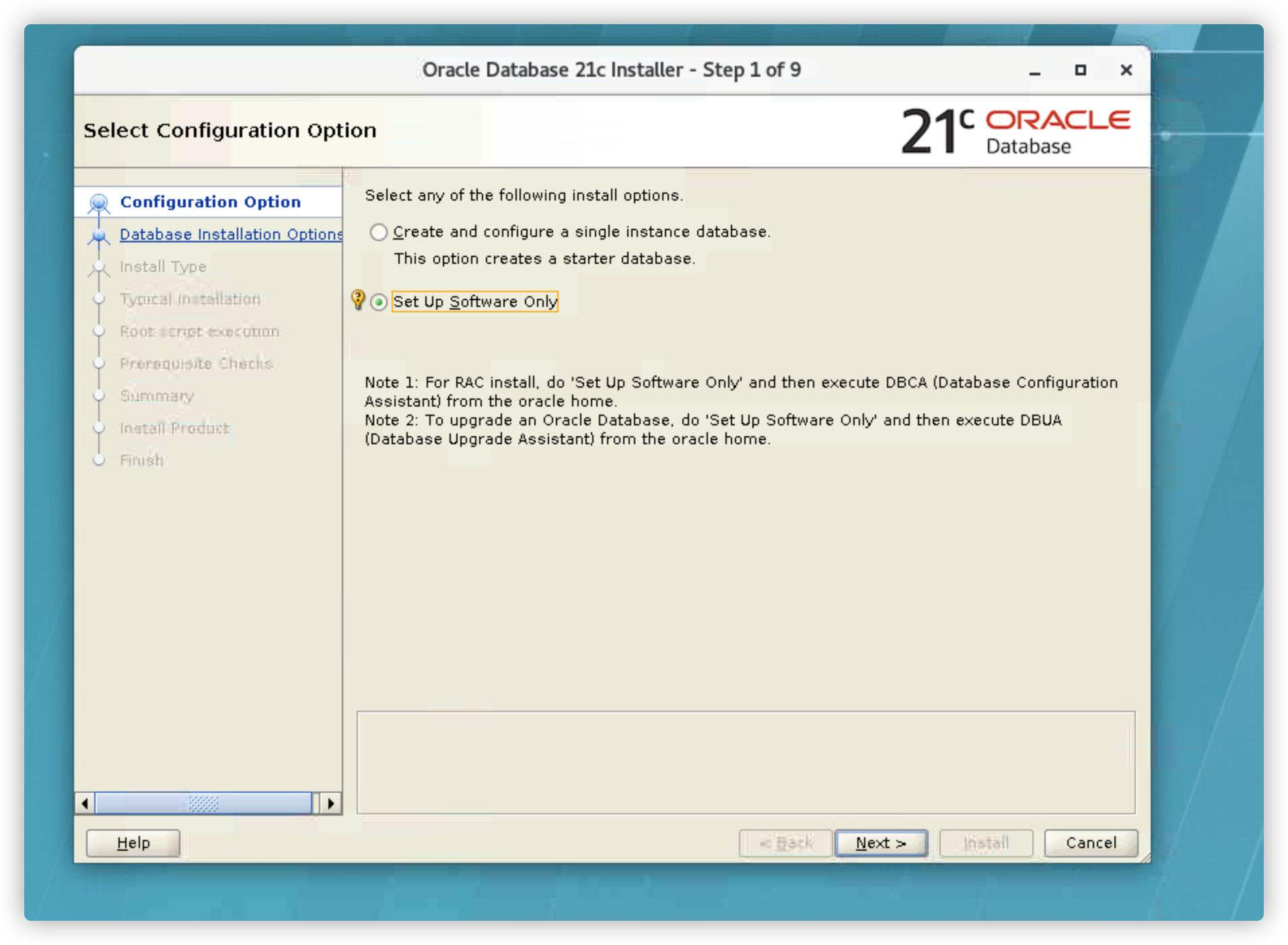
这里只选择安装软件,实例在软件安装好后再安装
选择安装单实例

选择企业版
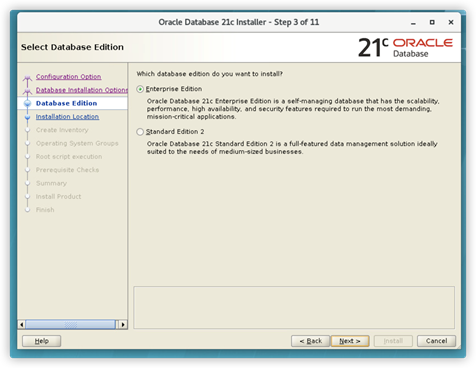
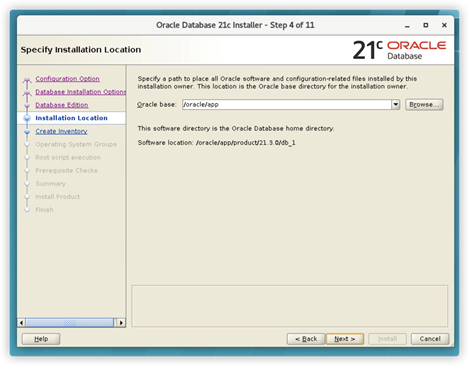
这里填写在环境变量里配置过的ORACLE_BASE
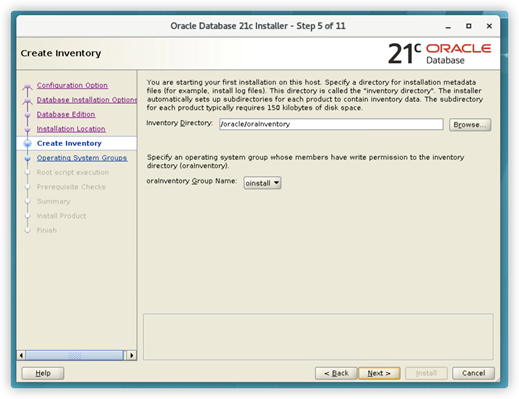

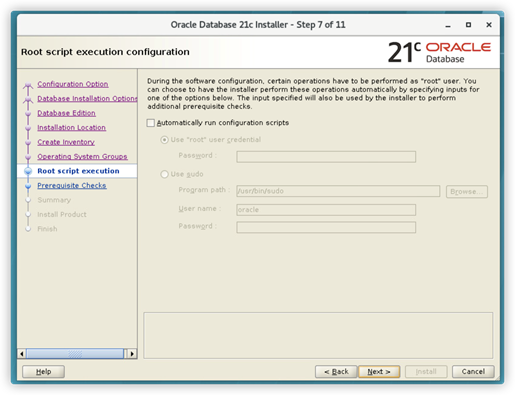
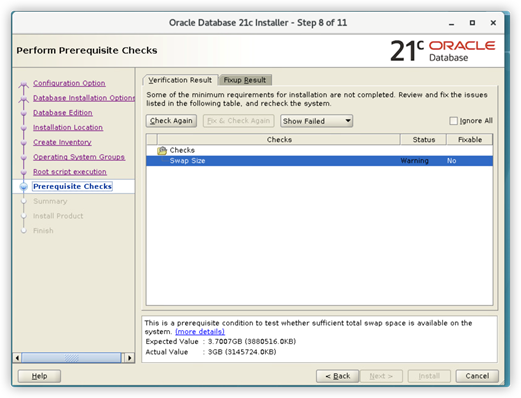

五、DBCA建库
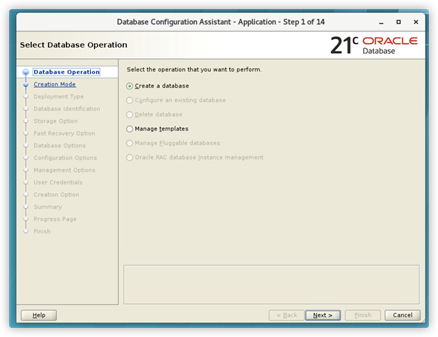
我们选择高级配置

选择数据库模版
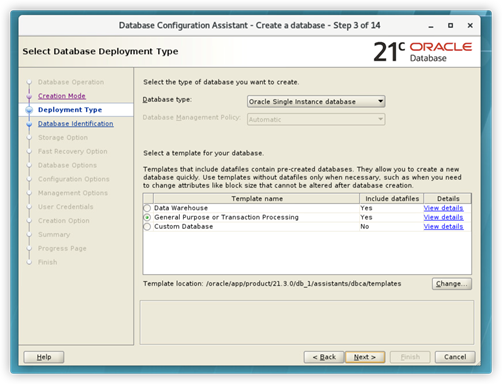
确定数据库实例名以及是否创建容器数据库