1、介绍
在爬虫中经常会遇到验证码识别的问题,现在的验证码大多分计算验证码、滑块验证码、识图验证码、语音验证码等四种。本文就是识图验证码,识别的是简单的验证码,要想让识别率更高,
识别的更加准确就需要花很多的精力去训练自己的字体库。
识别验证码通常是这几个步骤:
1、灰度处理
2、二值化
3、去除边框(如果有的话)
4、降噪
5、切割字符或者倾斜度矫正
6、训练字体库
7、识别
这6个步骤中前三个步骤是基本的,4或者5可根据实际情况选择是否需要。
经常用的库有pytesseract(识别库)、OpenCV(高级图像处理库)、imagehash(图片哈希值库)、numpy(开源的、高性能的Python数值计算库)、 PIL的 Image,
ImageDraw,ImageFile等。
2、实例
以某网站登录的验证码识别为例:具体过程和上述的步骤稍有不同。

首先分析一下,验证码是由4个从0到9等10个数字组成的,那么从0到9这个10个数字没有数字只有第一、第二、第三和第四等4个位置。那么计算下来共有40个数字位置,如下:









那么接下来就要对验证码图片进行降噪、分隔得到上面的图片。以这40个图片集作为基础。
对要验证的验证码图片进行降噪、分隔后获取四个类似上面的数字图片、通过和上面的比对就可以知道该验证码是什么了。
以上面验证码2837为例:
1、图片降噪

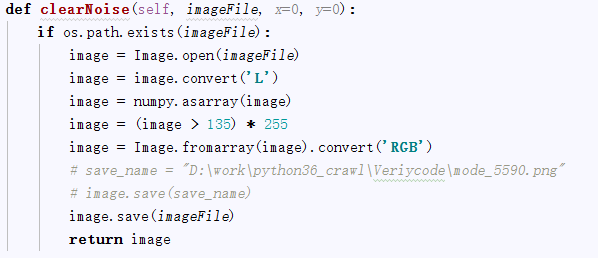
2、图片分隔

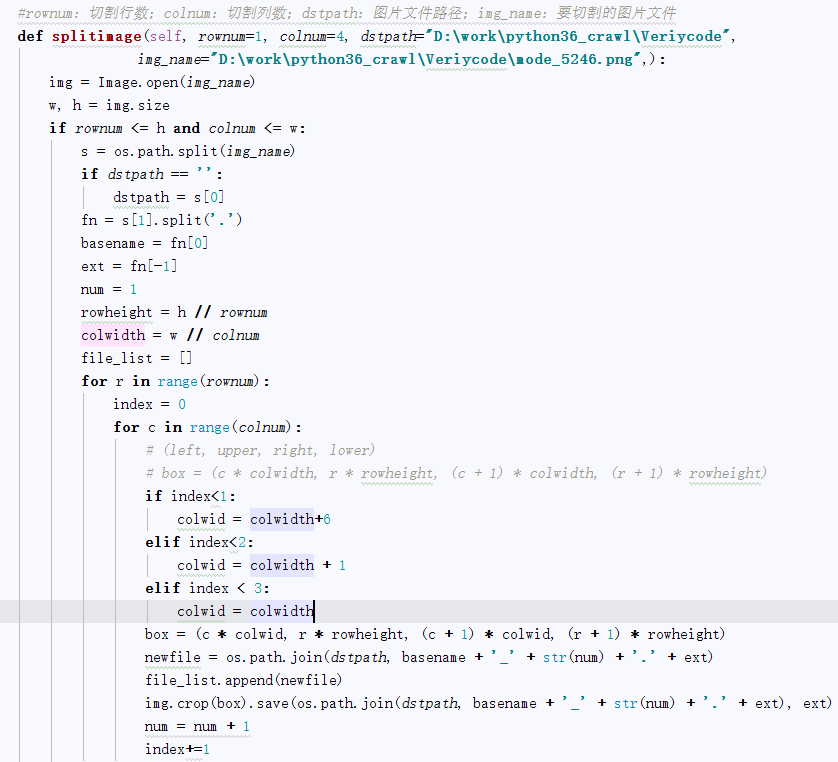
3、图片比对
通过比验证码降噪、分隔后的四个数字图片,和上面的40个数字图片进行哈希值比对,设置一个误差,max_dif: 允许最大hash差值, 越小越精确,最小为0

这样四个数字图片通过比较后获取对应是数字,连起来,就是要获取的验证码。
完整代码如下:


#coding=utf-8
import os
import re
from selenium import webdriver
from selenium.webdriver.common.keys import Keys
import time
from selenium.webdriver.common.action_chains import ActionChains
import collections
import mongoDbBase
import numpy
import imagehash
from PIL import Image,ImageFile
import datetime
class finalNews_IE:
    def __init__(self,strdate,logonUrl,firstUrl,keyword_list,exportPath,codepath,codedir):
        self.iniDriver()
        self.db = mongoDbBase.mongoDbBase()
        self.date = strdate
        self.firstUrl = firstUrl
        self.logonUrl = logonUrl
        self.keyword_list = keyword_list
        self.exportPath = exportPath
        self.codedir = codedir
        self.hash_code_dict ={}
        for f in range(0,10):
            for l in range(1,5):
                file = os.path.join(codedir, "codeLibrarycode" +  str(f) + '_'+str(l) + ".png")
                # print(file)
                hash = self.get_ImageHash(file)
                self.hash_code_dict[hash]= str(f)

    def iniDriver(self):
        # 通过配置文件获取IEDriverServer.exe路径
        IEDriverServer = "C:Program FilesInternet ExplorerIEDriverServer.exe"
        os.environ["webdriver.ie.driver"] = IEDriverServer
        self.driver = webdriver.Ie(IEDriverServer)

    def WriteData(self, message, fileName):
        fileName = os.path.join(os.getcwd(), self.exportPath + '/' + fileName)
        with open(fileName, 'a') as f:
            f.write(message)

    # 获取图片文件的hash值
    def get_ImageHash(self,imagefile):
        hash = None
        if os.path.exists(imagefile):
            with open(imagefile, 'rb') as fp:
                hash = imagehash.average_hash(Image.open(fp))
        return hash

    # 点降噪
    def clearNoise(self, imageFile, x=0, y=0):
        if os.path.exists(imageFile):
            image = Image.open(imageFile)
            image = image.convert('L')
            image = numpy.asarray(image)
            image = (image > 135) * 255
            image = Image.fromarray(image).convert('RGB')
            # save_name = "D:workpython36_crawlVeriycodemode_5590.png"
            # image.save(save_name)
            image.save(imageFile)
            return image

    #切割验证码
    # rownum:切割行数;colnum:切割列数;dstpath:图片文件路径;img_name:要切割的图片文件
    def splitimage(self, imagePath,imageFile,rownum=1, colnum=4):
        img = Image.open(imageFile)
        w, h = img.size
        if rownum <= h and colnum <= w:
            print('Original image info: %sx%s, %s, %s' % (w, h, img.format, img.mode))
            print('开始处理图片切割, 请稍候...')

            s = os.path.split(imageFile)
            if imagePath == '':
                dstpath = s[0]
            fn = s[1].split('.')
            basename = fn[0]
            ext = fn[-1]

            num = 1
            rowheight = h // rownum
            colwidth = w // colnum
            file_list =[]
            for r in range(rownum):
                index = 0
                for c in range(colnum):
                    # (left, upper, right, lower)
                    # box = (c * colwidth, r * rowheight, (c + 1) * colwidth, (r + 1) * rowheight)
                    if index < 1:
                        colwid = colwidth + 6
                    elif index < 2:
                        colwid = colwidth + 1
                    elif index < 3:
                        colwid = colwidth

                    box = (c * colwid, r * rowheight, (c + 1) * colwid, (r + 1) * rowheight)
                    newfile = os.path.join(imagePath, basename + '_' + str(num) + '.' + ext)
                    file_list.append(newfile)
                    img.crop(box).save(newfile, ext)
                    num = num + 1
                    index += 1
            return file_list

    def compare_image_with_hash(self, image_hash1,image_hash2, max_dif=0):
        """
                max_dif: 允许最大hash差值, 越小越精确,最小为0
                推荐使用
                """
        dif = image_hash1 - image_hash2
        # print(dif)
        if dif < 0:
            dif = -dif
        if dif <= max_dif:
            return True
        else:
            return False

    # 截取验证码图片
    def savePicture(self):
        self.driver.get(self.logonUrl)
        self.driver.maximize_window()
        time.sleep(1)

        self.driver.save_screenshot(self.codedir +"Temp.png")
        checkcode = self.driver.find_element_by_id("checkcode")
        location = checkcode.location  # 获取验证码x,y轴坐标
        size = checkcode.size  # 获取验证码的长宽
        rangle = (int(location['x']), int(location['y']), int(location['x'] + size['width']),
                  int(location['y'] + size['height']))  # 写成我们需要截取的位置坐标
        i = Image.open(self.codedir +"Temp.png")  # 打开截图
        result = i.crop(rangle)  # 使用Image的crop函数,从截图中再次截取我们需要的区域
        filename = datetime.datetime.now().strftime("%M%S")
        filename =self.codedir +"Temp_code.png"
        result.save(filename)
        self.clearNoise(filename)
        file_list = self.splitimage(self.codedir,filename)
        verycode =''
        for f in file_list:
            imageHash = self.get_ImageHash(f)
            for h,code in self.hash_code_dict.items():
                flag = self.compare_image_with_hash(imageHash,h,0)
                if flag:
                    # print(code)
                    verycode+=code
                    break

        print(verycode)
        self.driver.close()


    def longon(self):

        self.driver.get(self.logonUrl)
        self.driver.maximize_window()
        time.sleep(1)
        self.savePicture()
        accname = self.driver.find_element_by_id("username")
        # accname = self.driver.find_element_by_id("//input[@id='username']")
        accname.send_keys('ctrchina')

        accpwd = self.driver.find_element_by_id("password")
        # accpwd.send_keys('123456')
        code = self.getVerycode()
        checkcode = self.driver.find_element_by_name("checkcode")
        checkcode.send_keys(code)
        submit = self.driver.find_element_by_name("button")
        submit.click()